Best for VRR compatibility
Dell Alienware AW2725DF
5.0 attribute score
Highest scored product for this attribute based on supporting review evidence.

Highest scored product for this attribute based on supporting review evidence.
Balances the attribute score, supporting reviews, and overall product strength.
Has the broadest review evidence for this attribute.
Strongest overall product among items with scored evidence for this attribute.

Overall: 4.2/5
Variable refresh rate works smoothly across supported modes in many setups, although its benefits diminish when frame rates fluctuate enough to cause flicker.
Pros: competitive gaming suitability, color gamut
Cons: brightness, HDMI 2.1 support

Overall: 4.1/5
Variable refresh works with compatible gaming systems, including PS5 and Nvidia G-Sync, helping minimize tearing.
Pros: value for money, overall satisfaction
Cons: HDR performance, Headphone output quality

Overall: 4.4/5
G-SYNC, FreeSync and VESA VRR provide broad PC support and smooth frame pacing across suitable devices.
Pros: brightness, value for money
Cons: port selection, built-in speakers

Overall: 4.3/5
VRR compatibility was strong overall, with broad format support and smooth results, despite one review noting OLED VRR flicker in some dark scenes.
Pros: value for money, sharpness
Cons: brightness, USB hub functionality

Overall: 4.2/5
Support for common variable-refresh formats helps prevent tearing on supported PCs and consoles.
Pros: value for money, Resolution
Cons: port selection, competitive gaming suitability

Overall: 4.4/5
FreeSync/G-Sync-style variable refresh operation has worked well in several setups, reducing tearing for casual gaming.
Pros: overall picture quality, color accuracy
Cons: value for money, built-in speakers

Overall: 3.8/5
FreeSync and AdaptiveSync are useful for reducing tearing, with some users reporting workable G-Sync compatibility and others noting caveats.
Pros: value for money, panel type
Cons: brightness, port selection

Overall: 4.0/5
Support for NVIDIA G-SYNC, AMD FreeSync and common adaptive-sync standards makes the monitor flexible across gaming PCs.
Pros: overall satisfaction, refresh rate
Cons: HDR performance, HDMI 2.1 support

Overall: 3.9/5
Variable-refresh support works across PC gaming modes and modern consoles, helping keep play smooth without tearing.
Pros: Resolution, refresh rate
Cons: HDR performance, contrast

Overall: 4.2/5
Adaptive-sync operation is solid over supported connections, including FreeSync and usable G-Sync in some setups.
Pros: overall picture quality, overall satisfaction
Cons: port selection, brightness

Overall: 3.8/5
FreeSync and compatible VRR reduce tearing and improve gameplay smoothness, but overshoot can worsen as the refresh rate falls.
Pros: value for money, Resolution
Cons: port selection, HDR performance

Overall: 4.2/5
HDMI variable refresh support benefits console and casual gaming, though it lacks some gaming-specific adaptive-sync optimizations.
Pros: port selection, overall satisfaction
Cons: value for money, competitive gaming suitability

Overall: 4.3/5
VRR helps maintain smoother motion when frame rates vary and is a welcome addition to the 120Hz panel. Certification and behavior may still depend on the connected system.
Pros: productivity versatility, overall satisfaction
Cons: value for money, response time
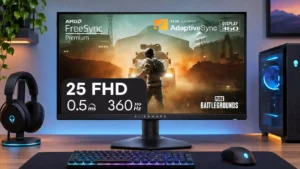
Overall: 3.9/5
FreeSync works across supported connections, while NVIDIA variable refresh worked in multiple tests over DisplayPort despite lacking native G-SYNC hardware.
Pros: competitive gaming suitability, stand adjustability
Cons: color gamut, contrast

Overall: 4.2/5
Common adaptive-sync formats work on both major GPU platforms; VRR flicker remains a separate limitation.
Pros: refresh rate, HDR performance
Cons: reflection handling, Text fringing

Overall: 3.7/5
Support for common variable-refresh formats is useful, although some experiences highlight compatibility caveats or unwanted flicker.
Pros: ultrawide gaming experience, black levels
Cons: HDR performance, viewing angles

Overall: 4.1/5
VRR support helps make the S2725DC more flexible for casual PC gaming, although the panel still has visible blur.
Pros: USB hub functionality, USB-C power delivery
Cons: speaker quality

Overall: 3.7/5
Variable refresh rate provides a welcome gaming convenience, even though response times remain the limiting factor.
Pros: value for money, Resolution
Cons: stand adjustability, viewing angles

Overall: 4.0/5
Variable refresh rate over HDMI adds useful flexibility for occasional gaming. The support is limited by connection path rather than being a broad gaming-focused implementation.
Pros: overall satisfaction, productivity versatility
Cons: value for money, reliability over time

Overall: 4.2/5
Modern consoles can send VRR signals, but adaptive-sync artifacts and uneven performance limit the benefit for PC gaming.
Pros: port selection, USB hub functionality
Cons: competitive gaming suitability, motion clarity

Overall: 3.6/5
G-SYNC, FreeSync and variable refresh support help keep frame delivery smooth across PCs and consoles, with occasional flicker in challenging scenes.
Pros: overall satisfaction, brightness
Cons: Dolby Vision support, VRR flicker

Overall: 4.3/5
Most configurations support variable refresh smoothly, although one tester found small tearing near the bottom of the screen with an Nvidia card. That experience may depend on drivers and the...
Pros: overall satisfaction, Text fringing
Cons: brightness, Edge dimming behavior