Best for Video conferencing
ASUS ProArt Display PA279CRV
5.0 attribute score
Highest scored product for this attribute based on supporting review evidence.

Highest scored product for this attribute based on supporting review evidence.
Balances the attribute score, supporting reviews, and overall product strength.
Has the broadest review evidence for this attribute.
Strongest overall product among items with scored evidence for this attribute.
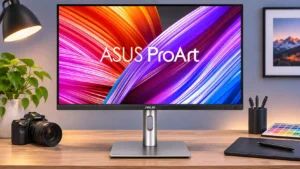
The analog audio output offers a practical way to attach a headset or speakers for video calls. It is a convenience rather than an integrated camera/microphone solution.
Pros: USB-C power delivery, port selection
Cons: HDR performance, refresh rate
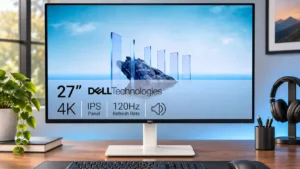
The integrated speakers are convenient for routine work calls and video meetings, though demanding listeners may still prefer external audio.
Pros: value for money, Resolution
Cons: port selection, HDR performance

Numerous external video-call accessories, including a high-resolution webcam and microphone, can be connected through the hub. The monitor itself does not include those devices.
Pros: port selection, USB hub functionality
Cons: competitive gaming suitability, motion clarity

The integrated speakers are serviceable for occasional video meetings without adding audio hardware, though sound clarity is basic.
Pros: USB hub functionality, USB-C power delivery
Cons: speaker quality
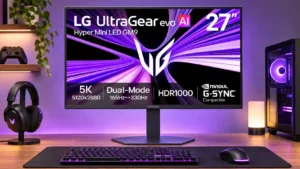
The integrated speakers are adequate for meetings and basic system audio, although they lack the fullness needed for richer entertainment sound.
Pros: Resolution, Dual-mode versatility
Cons: value for money, GPU demands