Best for PC gaming compatibility
Dell Alienware AW3426DW
5.0 attribute score
Highest scored product for this attribute based on supporting review evidence.

Highest scored product for this attribute based on supporting review evidence.
Balances the attribute score, supporting reviews, and overall product strength.
Has the broadest review evidence for this attribute.
Strongest overall product among items with scored evidence for this attribute.

Overall: 4.4/5
Native 3440×1440 PC gaming is this display's strongest role, pairing wide-screen immersion with excellent motion and rich HDR.
Pros: brightness, value for money
Cons: port selection, built-in speakers
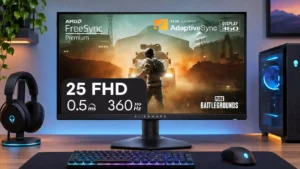
Overall: 3.9/5
DisplayPort-driven 360Hz and responsive controls work best on high-frame-rate PCs; ordinary systems may leave much of the capability unused.
Pros: competitive gaming suitability, stand adjustability
Cons: color gamut, contrast

Overall: 4.2/5
A fast gaming PC can make excellent use of the full ultrawide resolution and 240Hz speed.
Pros: refresh rate, HDR performance
Cons: reflection handling, Text fringing

Overall: 4.2/5
Connected over DisplayPort, this is an outstanding PC gaming display with remarkably clean motion and low lag. Gamers need a capable PC and the right connection to make the most...
Pros: competitive gaming suitability, color gamut
Cons: brightness, HDMI 2.1 support

Overall: 4.3/5
DisplayPort connectivity, adaptive sync and very quick pixel response make it a strong match for capable PC rigs. Native 5K2K gaming is most rewarding when the GPU can keep up.
Pros: overall satisfaction, Text fringing
Cons: brightness, Edge dimming behavior

Overall: 3.8/5
PC players get the most from DisplayPort’s 240Hz mode and the responsive 1440p OLED panel; the setup favors gaming over elaborate docking.
Pros: value for money, panel type
Cons: brightness, port selection

Overall: 4.3/5
PC gaming compatibility was strong when paired with capable hardware, though reviewers stressed that 4K/240Hz needs a powerful system.
Pros: value for money, sharpness
Cons: brightness, USB hub functionality

Overall: 4.1/5
PC games run smoothly and look inviting, especially in a big SDR presentation, though hard-core competitive players may prefer faster, smaller panels.
Pros: value for money, overall satisfaction
Cons: HDR performance, Headphone output quality

Overall: 4.2/5
Games look sharp and feel responsive over HDMI or USB-C once configured, but the refresh ceiling is modest by gaming-OLED standards.
Pros: overall picture quality, overall satisfaction
Cons: port selection, brightness

Overall: 3.9/5
A fast 4K gaming experience and optional 360Hz FHD mode suit varied PC games, with adaptive sync helping smooth variable frame rates.
Pros: Resolution, refresh rate
Cons: HDR performance, contrast

Overall: 4.0/5
QHD at up to 180Hz is an appealing PC gaming balance; use DisplayPort for the full refresh capability.
Pros: overall satisfaction, refresh rate
Cons: HDR performance, HDMI 2.1 support

Overall: 4.4/5
Connected gaming PCs can benefit from the high resolution and refresh rate, but truly fast play is not its primary strength.
Pros: overall picture quality, color accuracy
Cons: value for money, built-in speakers

Overall: 3.7/5
A wide 180Hz canvas with low lag is enjoyable for mainstream PC play; demanding competitive players may notice smearing.
Pros: ultrawide gaming experience, black levels
Cons: HDR performance, viewing angles

Overall: 4.2/5
VRR, low input lag and a 120Hz ceiling provide a responsive gaming base. The IPS panel's comparatively slow transitions produce distracting blur in fast titles.
Pros: value for money, Resolution
Cons: port selection, competitive gaming suitability

Overall: 4.0/5
The monitor works well for casual PC gaming and mixed work-and-play setups, especially with 120Hz. It is better viewed as a productivity monitor that can game on the side than...
Pros: overall satisfaction, productivity versatility
Cons: value for money, reliability over time

Overall: 4.1/5
PC gaming works well as a secondary use, especially with the higher refresh rate. Its motion handling is less convincing than a purpose-built gaming monitor.
Pros: USB hub functionality, USB-C power delivery
Cons: speaker quality

Overall: 3.7/5
It connects to gaming PCs through HDMI or DisplayPort and offers 4K/120Hz, but VA motion performance limits fast-paced games.
Pros: value for money, Resolution
Cons: stand adjustability, viewing angles

Overall: 4.2/5
Modern PC connections and a 120Hz panel make casual play practical; gaming-first rivals offer faster motion.
Pros: overall satisfaction, screen size
Cons: stand adjustability, Photo editing

Overall: 3.6/5
The monitor excels with well-equipped gaming PCs, combining 4K, 240Hz, VRR and exceptionally fast pixels. Achieving the maximum frame rate can take substantial GPU power.
Pros: overall satisfaction, brightness
Cons: Dolby Vision support, VRR flicker

Overall: 4.3/5
PC gaming can look spectacular at this scale, and 120Hz keeps casual play smooth. The 6K load, slower response, absent gaming extras, and platform-specific quirks make it secondary to productivity...
Pros: productivity versatility, overall satisfaction
Cons: value for money, response time

Overall: 3.8/5
PC games benefit from a smooth 120Hz signal and low lag, but image smear and slow transitions make the experience less polished than dedicated gaming screens.
Pros: value for money, Resolution
Cons: port selection, HDR performance

Overall: 4.2/5
PC games can be enjoyed after work, especially at 120Hz, but sluggish motion handling makes gaming a secondary strength rather than its primary purpose.
Pros: port selection, USB hub functionality
Cons: competitive gaming suitability, motion clarity