
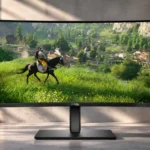
HyperX OMEN OLED 34 Feature Scores
Explore all 44 feature scores for HyperX OMEN OLED 34, organized into pros and cons.
Scores by Feature
Summary
44 reviewed features-
Very positive 4.5-5.029 (66%)
-
Positive 3.5-4.48 (18%)
-
Neutral 2.5-3.44 (9%)
-
Negative 1.5-2.42 (5%)
-
Very negative below 1.51 (2%)
Pros
Sort
-
The 360Hz panel can make PC movement exceptionally smooth, provided the system delivers the frames. It also surpasses some close competitors on refresh rate.
-
Rapid OLED pixel response keeps action clear even at variable refresh rates; both tests and preview commentary emphasize speed.
-
Accurate factory color and a well-regarded sRGB mode are strengths for visual work. Early previews also emphasize the panel’s improved color reproduction.
-
The broad 21:9 image wraps more of a compatible game into view and feels especially immersive. Games without good ultrawide support or certain genres are less ideal.
-
The 34-inch OLED is consistently described as a standout PC-focused display, with the strongest confidence coming from measured motion and picture performance. Its appeal is narrower if consoles are the main gaming platform.
-
The integrated KVM lets a keyboard and mouse serve two computers, reducing cable swapping and speeding transitions between work and play.
-
The ultrawide aspect ratio excels for immersive compatible games and side-by-side work. The tradeoff is that not every game handles 21:9 equally well.
-
The monitor offers an unusually useful mix of gaming technology and workstation extras, with USB connectivity and a built-in KVM standing out.
-
The new stripe subpixel structure addresses earlier QD-OLED text-fringing problems. Testing finds clear text, while earlier previews treated the improvement as promising.
-
Near-instant pixel transitions produce very little visible motion blur. The extremely fluid 360Hz ceiling strengthens fast PC gaming.
-
Test results strongly favor high-refresh PC gaming, with very low lag and excellent motion clarity. Console-oriented buyers do not receive the same benefits.
-
Powerful USB-C charging plus video simplifies a laptop-based setup. It is specifically favored over low-wattage USB-C implementations that cannot keep a laptop charged.
-
The 34-inch width broadens the field of view without becoming taller than a typical 27-inch monitor, helping both immersion and multitasking.
-
A wide desktop canvas, USB-C and KVM expand its utility beyond gaming. Static desktop elements still warrant consideration because it is an OLED.
-
Exceptionally fluid motion suits demanding multiplayer play when the PC can reach high frame rates. The performance benefit is conditional on available GPU output.
-
Low measured input lag contributes to responsive PC gameplay. It pairs with very fast OLED transitions for immediate-feeling controls.
-
Rich OLED color and contrast are core attractions. The tested assessment is highly positive, and an early preview also calls the display vibrant and color-accurate.
-
The fifth-generation QD-OLED panel receives enthusiastic praise for its color, contrast and gaming potential. Some of the earliest reactions were specification previews.
-
USB hub connectivity adds welcome peripheral ports and helps tidy a mixed gaming and productivity desk.
-
OLED contrast earns emphatic praise in previews and demonstrations. Strong ambient lighting is the more important caveat for real-world black levels.
-
Variable refresh support is part of the strong tested gaming results and operates with recent graphics hardware.
-
Video, charging and peripheral sharing can use fewer desk cables, making a combined work-and-gaming setup easier to keep neat.
-
Included signal cables and mounting hardware help avoid separate accessory purchases for the documented connection and mounting arrangements.
-
Bottom-mounted controls and a revised graphical menu are welcomed as more convenient ways to navigate the monitor’s numerous functions.
-
A movable or printable headphone hook adds flexibility to either side of the monitor, although one preview treats the DIY printing angle as a small novelty.
-
VESA compatibility and the included mounting bracket make a monitor arm a straightforward option.
-
Variable refresh operation works with recent graphics cards, supporting smoother PC play.
-
The gentle 1800R curve makes the broad screen feel more involving without much distracting geometry during ordinary tasks.
-
Good viewing angles help preserve image quality from different positions around the wide screen.
-
The display’s appearance makes a strong initial impression; early coverage explicitly describes the ultrawide OLED as stunning.
-
Picture-by-picture and picture-in-picture modes offer flexible ways to divide the screen and move between sources.
-
A CES demonstration claims the newer OLED panel brings improved HDR; the provided assessments do not separately quantify HDR performance.
-
The rail and printable-file approach allows custom accessory placement, expanding compatibility with user-made headphone-hook designs.
-
HDMI 2.1 inputs form part of the appreciated modern port selection, although the console signal modes remain restrictive.
-
The port assortment is praised for HDMI, USB-C and USB hub connectivity, but DisplayPort 2.1 is a notable omission compared with certain rivals.
-
The updated panel is advertised as bringing clearer images, and preview coverage views that clarity gain favorably; this is not a separately measured sharpness result.
-
The 3440×1440 canvas is roomy without the full pixel cost of a 4K ultrawide. Nevertheless, sustaining 360 fps remains demanding.
Cons
Sort
-
The monitor works with consoles but loses much of its high-refresh advantage: restrictive PlayStation and especially Xbox modes make alternatives more attractive.
-
Bright ambient lighting can make QD-OLED blacks look gray instead of deep, weakening a major picture-quality advantage.
-
DisplayPort 1.4 works, but competing same-generation OLED models offer DisplayPort 2.1 and higher-bandwidth operation without relying on compression.
-
A black-frame-insertion option is missing. Users interested in that particular blur-reduction technique do not get it on this display.
-
Pushing 3440×1440 at 360Hz requires a powerful system, and particularly demanding games may remain far below the monitor’s ceiling.
-
Games with native 21:9 support make full use of the screen, while some titles handle the extended format poorly.
-
Price is an open value question: early coverage notes premium pricing and speculates it may cost more than an older favorite, without a settled value verdict.
Use Cases
Best for
Sort
-
Connecting a work laptop and gaming desktop is a natural fit thanks to USB-C charging, screen sharing modes and KVM switching.
-
USB-C can carry laptop video and substantial charging through one connection, reducing cable clutter in a desktop setup.
-
Two-computer desks are well served by the shared peripherals and quick KVM transitions, especially for a laptop paired with a gaming PC.
-
Multitasking and long creative timelines benefit from the expansive workspace. For hours of static interface use, however, OLED burn-in caution remains relevant.
-
The ultrawide workspace comfortably fits extended editing timelines, with sRGB accuracy providing a useful secondary advantage.
-
An accurate sRGB mode and broad workspace make the monitor credible for color-conscious editing, although static-interface OLED considerations still apply.
-
Controlled or dim lighting is preferable for preserving convincing OLED blacks and perceived contrast.
-
The high-refresh ultrawide OLED and its customization ideas look compelling for display enthusiasts, with early appeal based partly on specifications.
Conditional or not ideal for
-
Bright-room viewingSunlit rooms are a weaker match because ambient light can visibly lift black levels on the panel.
-
Long-term ownershipBurn-in risk needs consideration when leaving static taskbars and work interfaces on screen for long hours. No measured lifespan or incidence rate is established.