
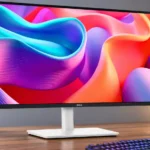
Dell S2725DC Feature Scores
Explore all 49 feature scores for Dell S2725DC, organized into pros and cons.
Scores by Feature
Summary
49 reviewed features-
Very positive 4.5-5.019 (39%)
-
Positive 3.5-4.421 (43%)
-
Neutral 2.5-3.45 (10%)
-
Negative 1.5-2.44 (8%)
Pros
Sort
-
The USB hub is one of its best features. Ports on the back and a retractable front-facing pair make it easy to connect laptops and temporary accessories.
-
A USB-C lead can carry the display, peripherals and up to 65W laptop charging. This is convenient for typical laptops, but may not power more demanding workstations completely.
-
The blend of 1440p, 144Hz, an adjustable stand and USB-C charging represents solid value. A simpler 60Hz monitor may cost less if these extras are unnecessary.
-
The S2725DC covers office documents, coding and light entertainment without needing separate specialist displays, though it is not ideal for demanding creative work.
-
The 144Hz refresh rate makes scrolling and mouse movement noticeably smoother than basic 60Hz office screens and adds some appeal for casual games.
-
The 27-inch panel is widely regarded as a comfortable size for work, reading and keeping multiple tasks visible without moving to a much larger display.
-
Height, swivel, tilt and portrait rotation offer generous flexibility for an affordable monitor, especially in multi-display workstations.
-
The overall reception is positive for the office-friendly feature set, with the clearest cautions concerning professional creative work, demanding games and modest built-in audio.
-
A one-cable laptop connection avoids separate docks and adapters, and the compact 27-inch form suits modest desktops or paired layouts.
-
Simple initial settings, intuitive controls and one-cable hookups make this an easy display to live with.
-
The screen is comfortable to look at through long sessions, and the four-star eye-comfort certification earns praise. This is a comfort assessment, not a guarantee against eye strain.
-
The IPS screen keeps the picture relatively consistent when viewed from the side, making it easier to work with someone seated nearby.
-
Slim bezels, a pale rear shell and restrained styling make the monitor feel clean and office-appropriate rather than flashy.
-
USB-C, USB-A, HDMI and DisplayPort cover most ordinary office connections, with an especially handy retractable pair. Very fast transfer speeds and dedicated audio outputs are not its strengths.
-
Rated response speed and fast-feeling scrolling impress some users, but the panel still shows motion blur in more demanding tests.
-
The stand feels steady and the improved rear cover looks sturdier than earlier examples, giving an inexpensive monitor reassuring everyday construction.
-
The on-screen menu and rear joystick are straightforward to use for brightness, input and display adjustments.
-
Assembly and daily laptop connections are generally simple, but the stand should be secured carefully before repeated height adjustments.
-
Fast scrolling feels fluid thanks to 144Hz, but more demanding testing identifies blurry motion in moving scenes. Enthusiasm about its rated response speed is not unanimous.
-
The smoother back panel is easier to wipe down than a textured finish.
-
MacBooks, iPads, iPhones, Windows laptops and desktops were connected successfully in hands-on testing.
-
A full-size DisplayPort is welcomed as a versatile option alongside USB-C and HDMI.
-
The conventional VESA mounting pattern makes it easy to fit existing monitor arms and desk mounts.
-
Dell’s described advanced-exchange warranty, including return shipping, is considered convenient, though no actual warranty claim is reported.
-
Built-in speakers save space and can handle calls or background videos. Their presence is welcome, but they are not meant to replace good external speakers.
-
QHD looks clear at 27 inches for daily documents and spreadsheets. It lacks the density of 4K, and users who need very fine text or packed workflows may notice the tradeoff.
-
Bright enough for most regular offices, it also compares favorably with many basic displays. Sunlight and strong lamp reflections can still make the picture harder to see.
-
Single-cable laptop hookup and improved rear routing keep the desk tidy. The revised clip helps, though not everyone finds it perfect.
-
Its contrast is praised as strong for IPS, but nearby VA models can still achieve deeper blacks.
-
The included USB-C cable is praised for its useful length. One reviewer wishes the cables matched the monitor’s light-colored finish.
-
The IPS panel favors broad viewing angles and surprisingly good contrast for its class, but it cannot deliver the deepest blacks of some VA alternatives.
-
PC gaming works well as a secondary use, especially with the higher refresh rate. Its motion handling is less convincing than a purpose-built gaming monitor.
-
The smooth rear finish and unusually complete connectivity feel polished for a lower-priced display, without aiming to be a luxury product.
-
Text is suitably crisp for the intended office audience, though comparisons to higher-pixel-density displays reveal a softer image.
-
FreeSync-style variable refresh is a worthwhile extra at this price, particularly for occasional gaming rather than competitive play.
-
Front-access ports can charge phones and other small devices conveniently, though they are not positioned as high-power, high-speed connections.
-
Near-complete sRGB coverage is praised for an everyday monitor, without making this a specialist wide-gamut display.
-
VRR support helps make the S2725DC more flexible for casual PC gaming, although the panel still has visible blur.
-
Colors look balanced in general use, but 4K siblings with an sRGB mode offer better accuracy before calibration. Precision work is not its specialty.
-
Its clean picture and balanced colors are pleasing for daily tasks, but HDR and top-tier image detail are missing.
Cons
Sort
-
The S2725DC is aimed at everyday work and occasional play rather than serious competition; blurry motion makes it a poor choice for fast, demanding matches.
-
Blur is a significant weakness for games with fast movement, despite the impressive-sounding refresh specification.
-
The lack of HDR is a meaningful limitation for creators and anyone expecting richer high-dynamic-range visuals.
-
Reflections become distracting when the screen faces sunshine or a bright lamp, even though ordinary well-lit offices are manageable.
-
Sound quality divides opinion: the speakers are adequate or surprisingly pleasing for calls and casual videos, but limited for clear, full-bodied listening.
-
Black depth is behind a higher-contrast Dell VA alternative, making dark-room image performance less compelling.
-
Console owners face a narrower selection of accepted video signals than on some comparable Dell 4K models.
-
It cannot match the broader console-signal support offered by a sibling with more complete HDMI 2.1 bandwidth.
-
Its unusually light body is manageable, but some monitor arms may need substantial tension adjustments to stay balanced.
Use Cases
Best for
Sort
-
USB-C makes this monitor a compelling laptop dock: connect one cable for video, peripherals and charging, then unplug and go. It saves adapters and desk clutter.
-
Comfortable text, an ergonomic stand and convenient laptop connectivity make it an especially practical daily office screen.
-
A sensible buy for people prioritizing a useful office display without paying for 4K or premium color features. The higher refresh and hub are most valuable when they will actually be used.
-
The relatively compact 27-inch size and swivel adjustments make two screens practical to align on a desk.
-
Its 27-inch QHD screen and integrated audio are a convenient match for casual home videos and everyday entertainment, though there is no HDR.
-
Casual gaming is a worthwhile bonus on this work-first screen, with 144Hz and VRR adding fluidity. Serious players may be disappointed by visible blur.
-
Successfully tested with a MacBook, iPads and an iPhone, making it appealing for Apple-centered desks.
-
Easy USB-C docking, standard office capabilities and a modest asking price make it a strong candidate for outfitting multiple workplaces.
-
The screen size, office-oriented connectivity and budget-friendly price make it an attractive display for student work and home entertainment.
-
USB-C for arriving laptops plus HDMI for other machines makes it useful for technicians moving among equipment and server-room tasks.
-
Its wide viewing angles and flexible stand are a useful pairing when a coworker needs to see the same screen.
-
The QHD workspace and fast scrolling work well for basic programming and as a secondary coding display. Heavy multitaskers may want a larger or sharper screen.
-
HDMI and USB-C connections let users attach different work devices without bringing a separate dock, a good fit for shared or changing desks.
-
The integrated speakers are serviceable for occasional video meetings without adding audio hardware, though sound clarity is basic.
Conditional or not ideal for
Sort
-
Color-critical workIt is not a good match for photo, video or other color-critical professional work. Better factory calibration, 4K sharpness and HDR would require a different display.
-
Video editingLight, non-critical editing can be workable, but serious video creators are better served by a sharper, more color-focused monitor.
-
Bright-room viewingWorks well in typical bright offices, but direct sunlight and strong lamps can defeat its glare handling.
-
Long-term ownershipIts long-term panel and USB-C charging reliability remain unproven in the cautious early assessment, so longevity-focused buyers may want more owner history.