
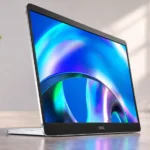
Dell P1425 Monitor Feature Scores
Explore all 60 feature scores for Dell P1425 Monitor, organized into pros and cons.
Scores by Feature
Summary
60 reviewed features-
Very positive 4.5-5.017 (28%)
-
Positive 3.5-4.418 (30%)
-
Neutral 2.5-3.412 (20%)
-
Negative 1.5-2.410 (17%)
-
Very negative below 1.53 (5%)
Pros
Sort
-
The panel is slim and light enough to disappear into a packed backpack, making it particularly pleasant for frequent travel.
-
An unusually bright panel is the standout strength, helping it remain readable in well-lit offices and mobile workspaces. Direct sunlight and strong window glare can still be challenging.
-
Its integrated folding stand offers useful tilt adjustment and allows portrait or landscape placement without a separate folio support.
-
The 16:10 shape creates a little more vertical room for rows, pages and tools than older 16:9 portable screens.
-
The right-angle USB-C connector and ports on either side help route the cable neatly.
-
The supplied angled cable and protective sleeve add practical value for travel and tidy placement.
-
Rubber feet and a rigid base help it stay put even when used vertically.
-
Most impressions favor the bright, portable screen as an unfussy laptop companion; several reviewers nevertheless question its price and sparse features.
-
Turning the monitor can automatically rotate its image, a convenient feature for moving between normal and portrait work. Some computer configurations still need adjustment.
-
A firm hinge and stable construction earn praise, though the surrounding plastic does not feel premium to everyone.
-
The straightforward controls and plug-and-play approach make it easy to use for routine office work.
-
A compatible USB-C connection gets the monitor running quickly without complex installation.
-
USB-C pass-through can forward power from an external charger to a laptop, reducing cable clutter. Available charging power depends on the connected equipment.
-
The supplied fabric sleeve is a welcome travel extra, sometimes including accessory storage, but it is not as protective as a rigid case.
-
The slim businesslike appearance is generally attractive, though some impressions call it plain or plastic-heavy.
-
Colors generally track sRGB accurately, with several tests praising faithful rendering; some users nevertheless noticed subtle tint or saturation issues.
-
The screen starts up promptly when connected to a compatible source.
-
Dell’s three-year warranty and exchange coverage stand out positively among many portable-monitor alternatives.
-
A sharp, bright image works well for everyday tasks and casual video. More demanding viewers may find the colors and depth ordinary beside higher-end displays.
-
Text and ordinary images look crisp at this size, although higher-resolution competitors can render finer detail.
-
The storage footprint earns praise for making the compact portable display easier to work with in everyday laptop setups.
-
Mounting support makes this tiny display more flexible for semi-permanent desk use as well as travel.
-
Modern video-capable USB-C laptops and some tablets work well, but HDMI-only devices are excluded.
-
Its matte anti-glare coating generally limits reflections well, though it can look hazy against a directly sunlit window.
-
At 1920×1200, text is reasonably crisp and gains useful height, though similarly priced alternatives can offer more pixels.
-
Contrast is strong for a small IPS productivity screen, although its depth and color punch cannot match OLED and not everyone found darker scenes satisfying.
-
Opinions differ on the relatively thick top and bottom bezels, with some liking the finished look.
-
Its small size and fixed stand suit tight desk layouts and temporary workspaces.
-
At least one hands-on test reported no noticeable ghost trails during casual gaming.
-
Modest electrical draw makes it possible to operate from a laptop, though battery life is still affected.
-
Despite the integrated stand, this is still a remarkably easy monitor to carry.
-
Full or near-full sRGB coverage suits everyday web graphics, but limited Adobe RGB and DCI-P3 coverage restricts professional wide-gamut work.
-
The solid design gives a professional impression, but the plastic parts weaken its luxury appeal.
-
Photos can look clear and accurately colored for ordinary sRGB tasks, but specialist work may need a wider gamut.
-
The IPS screen is convenient to view beside a laptop rather than only straight-on.
Cons
Sort
-
The P1425 does not have the HDMI input most consoles need, so it is not a practical plug-and-play console display.
-
Dell’s naming scheme confuses some shoppers despite the recognizable P1425 model number.
-
The limited calibration settings frustrate users who want to control white balance, color temperature and other advanced picture properties.
-
The on-screen display usability is a recurring limitation, especially compared with more flexible or higher-end portable monitors.
-
Two conveniently placed USB-C ports make laptop wiring tidy but provide no native HDMI input; compatibility is the recurring frustration.
-
The built-in speakers is a recurring limitation, especially compared with more flexible or higher-end portable monitors.
-
Connections depend heavily on source and dock support, and one user reported choppy playback with a direct link.
-
The standard 60Hz refresh is fine for office work but falls short of smooth high-refresh gaming.
-
Pixel response is acceptable for productivity, with visible blur or less-than-ideal speed in fast motion.
-
Running the panel from the host laptop can noticeably shorten runtime; an external USB-C power source is useful for longer sessions.
-
The competitive gaming suitability is a recurring limitation, especially compared with more flexible or higher-end portable monitors.
-
The hdr performance is a recurring limitation, especially compared with more flexible or higher-end portable monitors.
-
The absence of touch is disappointing for buyers who want tablet-like direct input or annotation.
-
The motion clarity is a recurring limitation, especially compared with more flexible or higher-end portable monitors.
-
Price is divisive: the sturdy design and bright panel justify a premium to some, while others prefer more features or larger resolution for the money.
-
The screen coating clarity is adequate for routine use but comes with compromises depending on the connected device and task.
-
Software can expose a few adjustments beyond the hardware buttons, though its limitations and compatibility are inconvenient.
-
The software and driver support is adequate for routine use but comes with compromises depending on the connected device and task.
-
The software support is adequate for routine use but comes with compromises depending on the connected device and task.
-
The external power dependence is adequate for routine use but comes with compromises depending on the connected device and task.
-
The basic 60Hz configuration works for occasional play but lacks the performance extras gamers often expect.
-
Slightly inaccurate gamma can make images brighter than intended, although the difference is subtle.
-
The compact 14-inch footprint favors travel and secondary-screen use, rather than replacing a roomy main monitor.
-
Some find its colors satisfyingly saturated; others see muted tones compared with richer display technologies.
-
USB-C connectivity can work well with Macs, but portrait scaling and access to advanced adjustments may be less seamless.
Use Cases
Best for
Sort
-
Documents, spreadsheets and communication tools benefit from the extra display height and easy side-by-side placement.
-
As a second screen beside a USB-C laptop, it adds useful room for documents and messages without the bulk of a desktop display.
-
Easy setup, low weight and a steady stand make it a practical extra screen in cafés and temporary offices.
-
Small size, low weight and simple USB-C setup make the display well suited to temporary workspaces, hotels and commuting.
-
Strong brightness provides excellent visibility in busy offices and bright cafés, though extreme direct window glare is less forgiving.
-
Its integrated hinge, side-positioned ports and small size make it easy to arrange comfortably beside a laptop.
-
The extra screen helps keep spreadsheets, chat and reference material visible while the laptop handles the main task.
-
The 16:10 panel gives code, terminal windows and web pages useful extra vertical room, especially as a second laptop screen.
-
The portrait orientation earns praise for making the compact portable display easier to work with in everyday laptop setups.
-
The single-cable laptop docking earns praise for making the compact portable display easier to work with in everyday laptop setups.
-
A simple, portable way to regain two-screen productivity in places where a full desk setup is impossible.
-
An established warranty and purchasing options make this a plausible addition to a company laptop fleet.
-
The compact display proved useful alongside small business systems, including switching between test machines.
-
A matte finish and straightforward interface minimize fuss while working.
-
The extra vertical space makes reading pages and managing notes easier when working from a laptop.
-
A compatible handheld PC with USB-C video can use the display for a larger image, with some motion limitations.
-
The shared-screen viewing earns praise for making the compact portable display easier to work with in everyday laptop setups.
Conditional or not ideal for
Sort
-
Casual gamingA 60Hz panel and occasional motion blur limit gaming appeal; a handheld USB-C game device can still be usable for occasional play.
-
Color-critical workStrong sRGB accuracy is promising, but the narrow wider-gamut coverage and limited calibration options make serious mastering work a weak fit.
-
Dedicated PC monitor useThe small panel is intended as a companion screen, not a comfortable all-day primary desktop display.
-
Video editingUseful as an extra editing panel while traveling, but the limited gamut and modest resolution hold it back for professional color work.
-
Budget-conscious buyersIts premium is difficult to justify for buyers who primarily want the cheapest second screen.
-
Movies and streamingThe bright panel can show films pleasantly, but missing speakers, ordinary motion handling and inconsistent color depth reduce its multimedia appeal.
-
Content creationIt handles basic graphics and reference work, while its narrow wider-color coverage makes demanding creative finishing less suitable.
-
Mixed work-and-play setupsIt is a sound work companion but less convincing as a gaming or entertainment display.
-
USB-C laptop dockingPower pass-through offers convenient laptop charging, but this is not a peripheral hub or full docking station.
-
Graphic designIt works as a secondary display for common graphics tasks, but not as a wide-gamut reference screen.