Best for variable refresh rate
Samsung M80H
5.0 attribute score
Highest scored product for this attribute based on supporting review evidence.

Highest scored product for this attribute based on supporting review evidence.
Balances the attribute score, supporting reviews, and overall product strength.
Has the broadest review evidence for this attribute.
Strongest overall product among items with scored evidence for this attribute.

Overall: 3.1/5
Wide-range VRR, FreeSync and G-SYNC Compatible support work well to keep compatible gameplay nearly tear-free.
Pros: gaming performance, color accuracy
Cons: value for money, overall satisfaction

Overall: 3.8/5
VRR works over a broad range and helps reduce tearing, including when frame rates dip.
Pros: picture quality, 4K at 144 Hz support
Cons: sound quality, value for money

Overall: 3.8/5
VRR works effectively across compatible refresh rates and helps keep games smooth and free of tearing.
Pros: picture quality, contrast ratio
Cons: blooming control, glare resistance

Overall: 4.2/5
VRR reduces tearing across a broad refresh range, with support for common console and PC formats.
Pros: picture quality, overall satisfaction
Cons: design and appearance, Dolby Vision support

Overall: 3.5/5
FreeSync, HDMI Forum VRR and G-SYNC Compatible modes reduce tearing across a very useful range of frame rates.
Pros: art display mode, design and appearance
Cons: overall satisfaction, HDMI port accessibility
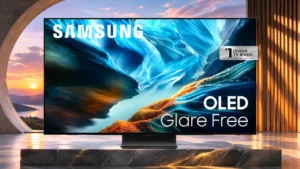
Overall: 4.1/5
VRR works extremely well across the panel's range, preventing most visible tearing.
Pros: black levels, contrast ratio
Cons: Dolby Vision support, stutter handling

Overall: 3.8/5
Compatibility with major VRR systems is a gaming strength, helping maintain smoother frame pacing across changing loads.
Pros: glare resistance, overall satisfaction
Cons: input lag, value for money

Overall: 3.9/5
Broad VRR compatibility limits tearing even as frame rates fluctuate.
Pros: color volume, black levels
Cons: Inconsistent panel and coating by size, sound quality

Overall: 4.5/5
VRR is viewed as a strong gaming feature, smoothing frame-rate changes across supported consoles and PCs.
Pros: glare resistance, black levels
Cons: Dolby Vision support, color gamut

Overall: 3.8/5
FreeSync, HDMI VRR and G-SYNC compatibility help avoid tearing throughout the supported frame-rate range.
Pros: cable management, design and appearance
Cons: value for money, Dolby Vision support

Overall: 3.8/5
Broad VRR support across PC and console ecosystems makes tearing less apparent even when frame rates fluctuate.
Pros: overall satisfaction, color gamut
Cons: value for money, local dimming performance

Overall: 4.0/5
Adaptive refresh works smoothly across much of the panel’s range and helps keep gameplay free of tearing.
Pros: black levels, picture quality
Cons: glare resistance, reflection handling

Overall: 4.2/5
Variable refresh rate helps games stay fluid and largely tear-free even when the frame rate changes. It works across a broad range of sources.
Pros: high-refresh-rate gaming, gaming performance
Cons: value for money, bass performance

Overall: 3.8/5
Broad VRR support and 144Hz operation reduce tearing, even if slow motion and wireless lag still restrict serious gaming.
Pros: Wireless One Connect compatibility, art display mode
Cons: value for money, input lag

Overall: 3.8/5
Broad VRR support keeps variable-frame-rate games smooth and reduces tearing, including at relatively low frame rates.
Pros: overall satisfaction, picture quality
Cons: value for money, local dimming performance

Overall: 4.2/5
A wide adaptive-refresh range greatly reduces tearing and supports fluid games, including low frame rates via compensation.
Pros: picture quality, glare resistance
Cons: value for money, bass performance

Overall: 3.9/5
Broad VRR compatibility helps keep fluctuating game frame rates smooth and free of tearing.
Pros: value for money, overall satisfaction
Cons: Dolby Vision support, sound quality

Overall: 4.0/5
VRR reduces tearing and adapts to varying frame rates for smoother console and PC play.
Pros: reflection handling, overall satisfaction
Cons: Dolby Vision support, bass performance

Overall: 3.7/5
VRR runs across a broad refresh-rate range and keeps frame tearing to a minimum. It works with several major PC and console systems.
Pros: color volume, overall satisfaction
Cons: value for money, color accuracy

Overall: 2.6/5
VRR can prevent tearing near 60fps, though its narrow operating range limits its value when frame rates fall.
Pros: sound quality, picture quality
Cons: value for money, local dimming performance

Overall: 3.3/5
Basic VRR is present on several models, but the narrow operating range means its practical improvement is limited.
Pros: color accuracy, upscaling quality
Cons: picture quality, sound quality

Overall: 2.7/5
VRR and ALLM provide baseline gaming convenience, yet the narrow effective range and absent low-frame-rate compensation limit smoothness.
Pros: white balance accuracy, design and appearance
Cons: overall satisfaction, value for money

Overall: 3.0/5
VRR is supported but its narrow operational window means tearing can persist at lower frame rates. Compatibility is better than effectiveness.
Pros: picture quality, smart TV platform
Cons: value for money, refresh rate

Overall: 3.0/5
The Q7F's missing or ineffective VRR functionality is a major limitation for consoles and gaming PCs with fluctuating frame rates.
Pros: color gamut, smart TV platform
Cons: value for money, overall satisfaction
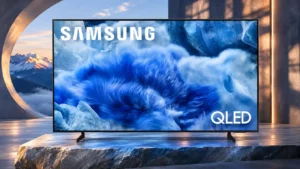
Overall: 3.3/5
Larger U.S. sets support VRR for smoother frame-rate variation, although sluggish pixels still blur motion.
Pros: overall satisfaction, picture quality
Cons: reliability, remote control quality

Overall: 3.1/5
Without VRR, the panel cannot synchronize refresh timing to variable console or PC frame rates.
Pros: picture quality, overall satisfaction
Cons: sound quality, black levels