Best for DisplayPort connectivity
Dell Alienware AW3926QW
5.0 attribute score
Highest scored product for this attribute based on supporting review evidence.

Highest scored product for this attribute based on supporting review evidence.
Balances the attribute score, supporting reviews, and overall product strength.
Has the broadest review evidence for this attribute.
Strongest overall product among items with scored evidence for this attribute.

Overall: 4.3/5
DisplayPort 2.1 UHBR20 gives compatible GPUs a way to drive native 5K2K at full refresh without display-stream compression. That is a practical advantage over older DisplayPort connections.
Pros: overall satisfaction, Text fringing
Cons: brightness, Edge dimming behavior

Overall: 4.1/5
A full-size DisplayPort is welcomed as a versatile option alongside USB-C and HDMI.
Pros: USB hub functionality, USB-C power delivery
Cons: speaker quality

Overall: 4.4/5
A tested DisplayPort connection started promptly and ran at the expected high refresh rate without flicker.
Pros: overall picture quality, color accuracy
Cons: value for money, built-in speakers

Overall: 4.3/5
Dual DisplayPort 1.4 inputs are especially useful for desktops, Linux systems, and full-resolution 6K operation. DisplayPort proved reliable across a wide range of graphics hardware.
Pros: productivity versatility, overall satisfaction
Cons: value for money, response time

Overall: 4.2/5
DisplayPort is the reliable path to native 1440p at 360Hz, making it the preferred connection for high-frame-rate PC gaming.
Pros: competitive gaming suitability, color gamut
Cons: brightness, HDMI 2.1 support

Overall: 3.8/5
DisplayPort is the way to access full QHD 240Hz performance. Its older specification is adequate but lacks premium connection bandwidth.
Pros: value for money, panel type
Cons: brightness, port selection
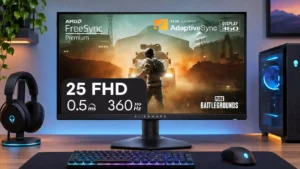
Overall: 3.9/5
DisplayPort is the way to unlock 360Hz and usable NVIDIA variable refresh; HDMI has a lower maximum refresh rate.
Pros: competitive gaming suitability, stand adjustability
Cons: color gamut, contrast

Overall: 4.0/5
DisplayPort is the preferred route to full 1440p at 180Hz; one reviewer wishes the port were a newer version.
Pros: overall satisfaction, refresh rate
Cons: HDR performance, HDMI 2.1 support

Overall: 3.7/5
The DisplayPort input works well for a PC connection and can support 4K at 120Hz, complementing the two HDMI ports.
Pros: value for money, Resolution
Cons: stand adjustability, viewing angles

Overall: 3.9/5
DisplayPort 1.4 is regarded as adequate for this monitor's advertised resolution and refresh-rate combinations; a newer connector is not essential here.
Pros: Resolution, refresh rate
Cons: HDR performance, contrast

Overall: 3.7/5
DisplayPort supports the full ultrawide refresh specification, although high-bit-depth 180Hz operation can require DSC.
Pros: ultrawide gaming experience, black levels
Cons: HDR performance, viewing angles

Overall: 4.2/5
DisplayPort 1.4 works for 240Hz with compression, but the absence of newer DP 2.1 bandwidth disappoints some enthusiasts.
Pros: refresh rate, HDR performance
Cons: reflection handling, Text fringing

Overall: 3.8/5
DisplayPort works for high-refresh output, but one tester needed to correct Nvidia’s default limited-range RGB setting.
Pros: value for money, Resolution
Cons: port selection, HDR performance

Overall: 4.2/5
Its broad connector layout is valuable, though the absence of DisplayPort 2.1 disappoints at this price.
Pros: port selection, USB hub functionality
Cons: competitive gaming suitability, motion clarity

Overall: 4.4/5
DisplayPort 1.4 with compression handles native gaming well, but enthusiasts miss the newer DisplayPort 2.1 bandwidth and uncompressed option.
Pros: brightness, value for money
Cons: port selection, built-in speakers

Overall: 4.3/5
DisplayPort connectivity was a weakness because reviewers repeatedly criticized the lack of DisplayPort 2.1.
Pros: value for money, sharpness
Cons: brightness, USB hub functionality

Overall: 4.2/5
USB-C DisplayPort Alt Mode replaces a conventional full-size DisplayPort socket, which may complicate connecting devices that rely on a standard DP cable.
Pros: value for money, Resolution
Cons: port selection, competitive gaming suitability

Overall: 3.6/5
DisplayPort delivers the full high-resolution refresh-rate experience with compression, though the lack of a newer high-bandwidth connection or optional DSC disablement disappoints some enthusiasts.
Pros: overall satisfaction, brightness
Cons: Dolby Vision support, VRR flicker

Overall: 4.2/5
There is no full-size DisplayPort socket. DisplayPort Alt Mode over USB-C works, but may require the right adapter or cable for certain graphics cards.
Pros: overall picture quality, overall satisfaction
Cons: port selection, brightness

Overall: 4.2/5
There is no conventional DisplayPort socket, a recurring complaint for desktop users with DisplayPort-centric graphics cards.
Pros: overall satisfaction, screen size
Cons: stand adjustability, Photo editing