Best for DisplayPort connectivity
Asus ROG Swift 34 QD-OLED PG34WCDN
5.0 attribute score
Highest scored product for this attribute based on supporting review evidence.

Highest scored product for this attribute based on supporting review evidence.
Balances the attribute score, supporting reviews, and overall product strength.
Has the broadest review evidence for this attribute.
Strongest overall product among items with scored evidence for this attribute.

Overall: 4.5/5
Full-bandwidth DisplayPort 2.1 UHBR20 can run 3440×1440 at 360Hz without DSC, a standout advantage for suitably equipped PCs.
Pros: color gamut, contrast
Cons: value for money, Resolution

Overall: 4.3/5
Full-bandwidth DisplayPort 2.1 can run 4K 240Hz 10-bit video without DSC on a compatible graphics card, adding useful headroom for high-end PCs.
Pros: black levels, sharpness
Cons: value for money, brightness

Overall: 4.3/5
DisplayPort input and output extend the options for laptops and secondary displays. The output helps simplify monitor wiring, subject to source bandwidth and platform limits.
Pros: USB-C power delivery, port selection
Cons: HDR performance, refresh rate

Overall: 4.1/5
A native DisplayPort input helps the screen fit traditional PC desks, with one test finding it stable at full resolution.
Pros: color accuracy, overall picture quality
Cons: HDR performance, refresh rate
Overall: 3.9/5
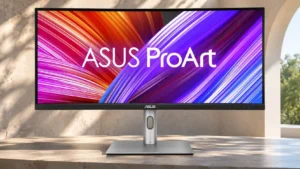
DisplayPort output sets the ASUS apart from some productivity rivals by enabling a second chained monitor.
Pros: color accuracy, value for money
Cons: color gamut, black levels

Overall: 4.3/5
High-bandwidth DisplayPort is useful for high-refresh PC setups, and older DP 1.4 graphics cards can still drive the full mode with DSC.
Pros: black levels, motion clarity
Cons: value for money, Dual-mode versatility

Overall: 4.2/5
Full-bandwidth DisplayPort 2.1 enables 4K 240Hz without DSC on compatible hardware. While technologically current, a few testers say the visible improvement over older DSC connections is minimal.
Pros: overall satisfaction, black levels
Cons: value for money, stand adjustability

Overall: 4.4/5
Full 80Gbps DisplayPort 2.1 can deliver uncompressed 4K at 240Hz with compatible hardware, bypassing DSC-related limitations. The visible difference from working DSC is usually small.
Pros: sharpness, overall satisfaction
Cons: value for money, VRR flicker

Overall: 3.8/5
DisplayPort and USB-C DisplayPort Alt Mode make the fastest refresh settings accessible from compatible PCs and laptops.
Pros: value for money, Resolution
Cons: HDR performance, port selection

Overall: 4.4/5
DisplayPort 1.4 with DSC runs the native QHD/280Hz combination capably, even though the connection is not the newest DP 2.1 standard.
Pros: overall satisfaction, response time
Cons: reflection handling, VRR flicker

Overall: 3.9/5
DisplayPort 1.4 with DSC provides the full 1440p at 360Hz experience that HDMI cannot deliver on this model.
Pros: motion clarity, Backlight strobing
Cons: contrast, HDR performance

Overall: 4.2/5
DisplayPort 1.4 with DSC runs advertised modes, but the missing DP 2.1 connection feels less future-ready to enthusiasts with newer graphics cards.
Pros: overall satisfaction, black levels
Cons: reflection handling, Color brightness

Overall: 4.1/5
DisplayPort 1.4 works with compression but feels dated for such a demanding 5K display; several would prefer DisplayPort 2.1.
Pros: Pixel density, Resolution
Cons: GPU demands, HDR performance