
Overall: 4.0/5
Firmware updates are straightforward to install through the app.
Pros: Battery, Sound quality
Cons: Comfort during long use, Build quality

Overall: 4.0/5
Firmware updates are straightforward to install through the app.
Pros: Battery, Sound quality
Cons: Comfort during long use, Build quality

Overall: 4.2/5
Firmware can be updated through Dell's tools, and an update apparently resolved one instance of intermittent gray-screen failures. The update process adds another setup step.
Pros: competitive gaming suitability, color gamut
Cons: brightness, HDMI 2.1 support

Overall: 4.0/5
Some firmware updates improved panel cleaning and installed smoothly. Other owners describe failed updates, lost bandwidth and even a monitor rendered unusable.
Pros: overall satisfaction, DisplayPort connectivity
Cons: value for money, reliability over time

Overall: 4.5/5
Firmware updates are possible, although downloading a separate file makes the process less convenient.
Pros: value for money, weight
Cons: wired connectivity
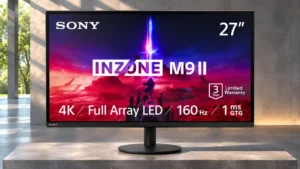
Overall: 3.9/5
Firmware can be updated through Windows Inzone Hub, but a USB-stick update attempt was unreliable and required switching to the software method.
Pros: color gamut, stand adjustability
Cons: value for money, Bass reproduction

Overall: 3.6/5
User-installable firmware has added welcome Dolby Vision controls and other refinements. Updates cannot be assumed to solve every latency or color issue, however.
Pros: overall satisfaction, brightness
Cons: Dolby Vision support, VRR flicker

Overall: 3.9/5
One owner voices frustration that OLED models were receiving updates while this IPS variant appeared overlooked; ongoing firmware support is a concern rather than an established failure.
Pros: Resolution, refresh rate
Cons: HDR performance, contrast

Overall: 4.0/5
Updates can improve some display behavior, but reported screen-splitting and connection glitches were not fully resolved for every user.
Pros: refresh rate, competitive gaming suitability
Cons: value for money, brightness