
Overall: 4.4/5
A Thunderbolt connection can handle the display, laptop charging, accessories, and wired networking in one convenient docking move.
Pros: overall picture quality, color accuracy
Cons: value for money, built-in speakers

Overall: 4.4/5
A Thunderbolt connection can handle the display, laptop charging, accessories, and wired networking in one convenient docking move.
Pros: overall picture quality, color accuracy
Cons: value for money, built-in speakers

Overall: 4.4/5
A compatible laptop can connect for charging, video, and access to the USB hub through one Thunderbolt lead. That is especially convenient for MacBook desks.
Pros: color accuracy, stand adjustability
Cons: built-in speakers, Desk footprint

Overall: 4.1/5
USB-C video, data and charging make it convenient to dock a compatible laptop using one cable.
Pros: color accuracy, overall picture quality
Cons: HDR performance, refresh rate

Overall: 4.4/5
A compatible USB-C laptop can receive video, peripherals and up to 90W of charging over one connection, making desk swaps simpler.
Pros: color gamut, overall satisfaction
Cons: reflection handling, VRR flicker

Overall: 4.0/5
USB-C video, charging and peripheral sharing make a one-cable laptop desk setup very convenient.
Pros: overall satisfaction, DisplayPort connectivity
Cons: value for money, reliability over time
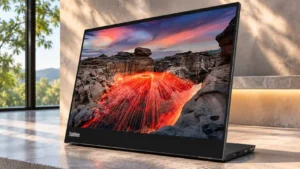
Overall: 3.9/5
With a compatible USB-C video-output laptop, a single cable can carry image data and monitor power. It is not a universal dock, and additional power connections may be necessary.
Pros: overall picture quality, Stylus usability
Cons: port selection, refresh rate