
Overall: 4.4/5
Narrow, unobtrusive borders make the big display look modern and work well in multi-monitor arrangements. Minimal branding keeps attention on the image.
Pros: color accuracy, stand adjustability
Cons: built-in speakers, Desk footprint

Overall: 4.4/5
Narrow, unobtrusive borders make the big display look modern and work well in multi-monitor arrangements. Minimal branding keeps attention on the image.
Pros: color accuracy, stand adjustability
Cons: built-in speakers, Desk footprint

Overall: 4.0/5
Very slim borders give the panel a clean, nearly floating appearance, even though a reflective strip below the screen may catch light.
Pros: refresh rate, competitive gaming suitability
Cons: value for money, brightness

Overall: 3.9/5
Slim borders make the monitor a neat fit for paired-screen arrangements and keep the gaming styling visually restrained.
Pros: Resolution, refresh rate
Cons: HDR performance, contrast

Overall: 4.0/5
Slim edges increase screen presence and give the monitor a clean, modern look.
Pros: overall satisfaction, DisplayPort connectivity
Cons: value for money, reliability over time

Overall: 4.4/5
Thin top and side borders make the monitor look tidy and help it sit neatly next to a second display.
Pros: color gamut, overall satisfaction
Cons: reflection handling, VRR flicker

Overall: 3.6/5
Thin surrounding borders keep attention on the OLED panel, with a more noticeable Alienware-branded lower edge.
Pros: overall satisfaction, brightness
Cons: Dolby Vision support, VRR flicker

Overall: 3.6/5
Thin bezels contribute to the understated design, though the visible inner display borders have not disappeared.
Pros: stand adjustability, competitive gaming suitability
Cons: value for money, port selection

Overall: 4.2/5
Thin bezels and a slim panel support the understated design. A small number of cosmetic concerns do not outweigh the streamlined appearance.
Pros: refresh rate, overall satisfaction
Cons: value for money, port selection

Overall: 4.1/5
Slim top and side frames give the large panel a relatively tidy outline, although the lower chin remains noticeable.
Pros: color accuracy, overall picture quality
Cons: HDR performance, refresh rate
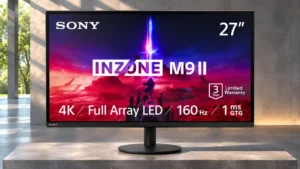
Overall: 3.9/5
The dark bezels are not record-thin but fade into the background, keeping attention on the game.
Pros: color gamut, stand adjustability
Cons: value for money, Bass reproduction

Overall: 4.0/5
The reasonably narrow borders keep the front modern, though one assessment felt the side bezels were too prominent for a truly premium look.
Pros: value for money, overall satisfaction
Cons: HDR performance, HDMI 2.1 support

Overall: 3.7/5
The edge bezels look slim, but the bottom border is somewhat thicker than one owner would prefer.
Pros: value for money, black levels
Cons: refresh rate, portability and weight