
Overall: 4.1/5
An internal power supply removes a bulky external brick and helps make cable routing neater.
Pros: color accuracy, overall picture quality
Cons: HDR performance, refresh rate

Overall: 4.1/5
An internal power supply removes a bulky external brick and helps make cable routing neater.
Pros: color accuracy, overall picture quality
Cons: HDR performance, refresh rate

Overall: 4.4/5
A built-in power supply eliminates the bulky external brick and makes the desk feel tidier.
Pros: overall picture quality, color accuracy
Cons: value for money, built-in speakers

Overall: 4.0/5
A built-in power board removes the need for a bulky external brick.
Pros: overall satisfaction, DisplayPort connectivity
Cons: value for money, reliability over time

Overall: 4.4/5
A standard power cable connects directly to the monitor, avoiding a separate external power brick and making cable replacement straightforward.
Pros: color gamut, overall satisfaction
Cons: reflection handling, VRR flicker

Overall: 3.9/5
A built-in supply avoids an external power brick and keeps the desk and cable arrangement simpler.
Pros: Resolution, refresh rate
Cons: HDR performance, contrast

Overall: 3.8/5
The self-contained power supply avoids an external brick, but the sealed design is a drawback if power components ever need service.
Pros: value for money, Resolution
Cons: HDR performance, port selection
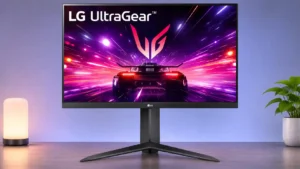
Overall: 3.3/5
An external power brick adds cable clutter compared with a neatly integrated power supply.
Pros: adaptive sync performance, response time
Cons: HDR performance, console gaming compatibility

Overall: 3.1/5
An owner dislikes having to accommodate an external power brick instead of a cleaner internal power supply.
Pros: PC gaming compatibility, overall picture quality
Cons: overall satisfaction, Smart TV platform