#1

Overall: 4.2/5
A broad assortment of webcams, keyboards, mice, headsets and other peripherals worked together through the monitor, reducing the need to connect them individually to a laptop.
Pros: port selection, USB hub functionality
Cons: competitive gaming suitability, motion clarity
#2

Overall: 3.9/5
Standard 100×100 mounting makes third-party monitor arms practical, and fitting an Ergotron arm was straightforward.
Pros: HDR performance, black levels
Cons: viewing angles, response time
#3
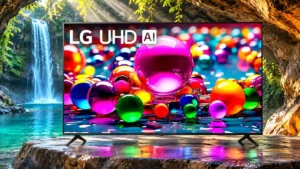
Overall: 3.0/5
An optional Magic Remote can add pointer and voice controls absent from the bundled remote.
Pros: viewing angles, smart TV platform
Cons: overall satisfaction, refresh rate
#4
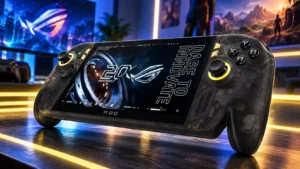
Overall: 4.0/5
AR-glasses integration and useful protective cases receive substantial praise. Existing Xbox Ally X cases often fail to fit, and reactions to the size and usefulness of bundle accessories vary.
Pros: display quality, controller ergonomics
Cons: value for money, ease of use
#5
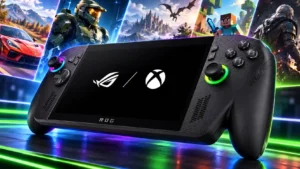
Overall: 3.7/5
Dual USB-C connections make charging alongside display glasses, docks or other devices especially useful. Some common connections need adapters, and wireless headphone pairing can still send you into desktop settings.
Pros: performance, frame rate performance
Cons: ease of use, user interface
#6
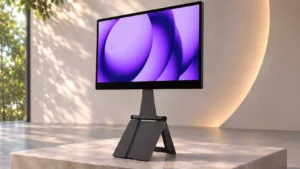
Overall: 4.3/5
Magnetic stands, cases, protectors, and pens offer flexibility, but compatibility is not universal; Apple Pencil is specifically reported not to work.
Pros: overall satisfaction, stand adjustability
Cons: value for money, reflection handling
#7

Overall: 3.7/5
The accessible USB-A connections are handy for existing peripherals, but the lack of USB-C is a disappointing obstacle for newer accessories.
Pros: ultrawide gaming experience, black levels
Cons: HDR performance, viewing angles
#8

Overall: 4.0/5
Optional Bravia Cam features add possibilities, but the camera's price is difficult to justify for what it offers.
Pros: picture quality, black levels
Cons: HDR brightness, value for money
#9

Overall: 4.0/5
A hands-on owner struggled to configure a universal remote to select inputs, ultimately preferring the supplied remote.
Pros: overall satisfaction, picture quality
Cons: size options, value for money
#10

Overall: 3.8/5
Older mounting hardware or decorative bezels may not transfer cleanly to the Pro, adding expense for returning owners.
Pros: Wireless One Connect compatibility, art display mode
Cons: value for money, input lag
