
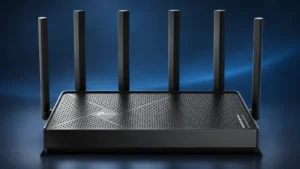
TP-Link Archer BE400 Feature Scores
Overall Scorata score: 3.6/5
Based on 8 analyzed reviews · View source samples
Explore all 102 feature scores for TP-Link Archer BE400, organized into pros and cons.
Scores by Feature
Summary
102 reviewed features-
Very positive 4.5-5.044 (43%)
-
Positive 3.5-4.429 (28%)
-
Neutral 2.5-3.419 (19%)
-
Negative 1.5-2.410 (10%)
Pros
Sort
-
Nearby clients get particularly fast throughput, with tested 5 GHz speeds rivaling more expensive routers.
-
5 GHz is its standout band, with excellent speeds even against some pricier models; the port ceiling limits maximum practical gains.
-
Overall wireless performance is strong for a dual-band router, especially on 5 GHz, but premium tri-band models can go faster.
-
Range is generally good for the price, particularly on 5 GHz; 2.4 GHz reach is less consistent in some environments.
-
5 GHz wireless speeds are generally impressive for the price, although firmware and MLO can affect results and the Ethernet ports set a ceiling.
-
Speeds remain strong at intermediate distances, even when clients are separated by walls.
-
The pair of 2.5 GbE ports is a useful upgrade over gigabit-only routers, although several fast wired clients would need a switch.
-
The Tether app makes configuring settings and adding mesh nodes straightforward.
-
EasyMesh offers flexible expansion, including compatible equipment from other brands.
-
Tether is praised for a clean, responsive interface and easy configuration.
-
Two 2.5-gigabit ports provide welcome multi-gig connectivity, but only one is normally available for a fast LAN client when the other serves the WAN.
-
Long-distance 5 GHz performance is strong for the class, with usable speeds surviving walls and outdoor distance; 2.4 GHz results are less consistent.
-
Downloads are fast, with wired tests approaching the practical throughput of 2.5-gigabit Ethernet.
-
The ventilated enclosure stayed lukewarm during sustained stress testing, despite modest internal cooling hardware.
-
Wall mounting is a useful option, and adjustable antennas help optimize coverage in that position.
-
Good coverage supports high-bandwidth activity in larger homes, and one test covered a 2,000-square-foot studio from an off-center location.
-
Wired tests delivered close to the practical 2.5 GbE limit, making the router a strong choice for a fast Ethernet client.
-
Extra spatial streams can improve beamforming and performance when many clients are connected, rather than necessarily accelerating one typical client.
-
The understated styling and ventilated mesh are appealing; a side-mounted USB cable can make placement awkward.
-
Extra radio capacity can help when multiple clients are active, even if a single typical phone sees little benefit over the BE230.
-
Hands-on impressions are positive overall, especially for the speed and value of its 5 GHz network.
-
The speeds make it a good value for many households, though the less expensive BE230 may be a better deal when extra radio capacity is unnecessary.
-
Wi-Fi 7 brings strong 5 GHz performance, even benefiting some Wi-Fi 6 clients, but the missing 6 GHz band and limited MLO reduce its full potential.
-
The 5 GHz improvements over older Wi-Fi 6 models can justify upgrading, but the premium over the BE230 is harder to justify for a few clients.
-
The app makes connected clients visible and offers useful individual device controls.
-
The router retained useful throughput or signal strength through several walls in real-world tests.
-
The 2.5 Gbps WAN port can handle a 2 Gbps plan in full but caps faster service.
-
5 GHz signal strength holds up well at distance and through walls.
-
Basic profiles, blocking and bedtime tools are useful, but advanced filtering, detailed scheduling and other controls require payment.
-
The ability to cap individual clients is a helpful way to manage bandwidth use.
-
Individual device speed limits make bandwidth management practical.
-
The extra spatial streams help beamforming deliver stronger, more stable signals at longer distances.
-
High-quality matte plastic and solid construction earn strong praise.
-
Tether makes configuration and routine management easy.
-
Five Ethernet ports provide a useful set of wired connections.
-
The included flat Cat 6A Ethernet cable is a welcome addition.
-
The Tether app feels responsive rather than sluggish.
-
5 GHz throughput was fast and stable in testing.
-
Adding EasyMesh-compatible nodes can extend coverage and improve signal strength around the home.
-
Adding EasyMesh nodes is quick and straightforward, taking only a few minutes in one setup.
-
Mesh nodes centralize network settings and firmware updates on the main router, simplifying management.
-
Per-device speed limits are convenient for controlling individual clients' bandwidth.
-
Sustained stress testing did not prevent the router from handling a heavy load.
-
Enhanced VPN client capabilities stand out, including native support for popular services and selective routing.
-
VPN connections can be applied selectively to individual devices instead of routing the whole network through a VPN.
-
The browser interface provides an easy way to configure EasyMesh.
-
One 2.5 Gbps LAN port offers fast local connectivity, while the remaining three LAN ports are limited to gigabit.
-
Basic website blocking is useful and included, but more advanced filtering is restricted to paid tiers.
-
Tether and EasyMesh configuration are straightforward, but one lab encountered a firmware issue requiring manual intervention at setup.
-
Using 160 MHz channels can noticeably improve 5 GHz throughput with suitable clients.
-
Free device blocking and profile-based access controls are a practical benefit.
-
Adjustable antennas help position the router for better coverage, particularly when it is wall-mounted.
-
Wider 160 MHz channels help achieve faster 5 GHz speeds.
-
The upgraded processor and memory should help accommodate more connected devices.
-
Good overall reach and strong intermediate-distance speeds support use in multilevel homes.
-
EasyMesh can create a unified network with broader coverage and stronger signals.
-
Fast and stable 5 GHz performance is a strength in testing.
-
One range test maintained usable outdoor speeds even across the street from the router.
-
The faster quad-core processor and memory are seen as useful for supporting more connected devices.
-
A clean app interface makes settings easy to navigate.
-
The white status LEDs are visually appealing.
-
Wired upload testing reached expected 2.5 GbE throughput without issues.
-
WireGuard support is a welcome addition alongside native VPN service integration.
-
EasyMesh allows compatible equipment from other brands, though the router cannot join a Deco mesh.
-
Per-device traffic tracking is helpful, but access to website history and some detailed analytics requires payment.
-
USB storage sharing is a handy inexpensive option, but file transfers are slower than on some other Archer models.
-
Dual-band operation provides useful performance at a lower price than many tri-band models, but it is a compromise for buyers seeking 6 GHz.
-
There is a decent range of adjustable network settings for users who want to customize their connection.
-
A local web interface gives users an alternative to the optional account-linked mobile app.
-
Its newer model status is seen as a reason to expect a longer remaining support lifespan, not a guarantee.
-
The newer hardware is expected to receive security updates longer than older models, although actual long-term support was not established.
-
Daily and weekly traffic reports are useful, but some advanced activity analytics sit behind a subscription.
-
Wireless latency is reasonable for its class, but the lack of 6 GHz removes an opportunity for lower latency.
Cons
Sort
-
There is no 6 GHz radio, so devices cannot use that band for additional speed or congestion relief.
-
Alternating MLO provides little speed gain in testing and caused poor performance on one Intel client; the regular network is often preferable.
-
Automatic firmware checking missed a newer release during one initial setup.
-
Advanced HomeShield security and parental controls are sold separately, and the paywall for some analytics is particularly frustrating.
-
The lack of 10-gigabit ports prevents the faster radio from realizing its maximum theoretical throughput through a wired connection.
-
Band steering can interfere with initial setup of older 2.4 GHz devices; temporarily splitting the bands may resolve it.
-
One setup required a manual firmware update to correct problems and improve wireless speed.
-
The BE400 and BE6500 retail naming variants can be confusing, particularly alongside similarly named Archer models.
-
Removing the plastic wrapping around the antennas was notably frustrating during unboxing.
-
A cable attached to the side USB port can increase the space needed and complicate placement.
-
Conflicting published dimensions make it difficult to establish the exact space required without checking the physical unit.
-
Older smart devices may require manual band separation, and weak distant 2.4 GHz throughput could affect cameras.
-
The theoretical radio capacity is higher than the practical speed of a single client; the 2.5 Gbps Ethernet ceiling limits gains.
-
Daily internet time limits require a paid HomeShield tier rather than being included free.
-
Older 2.4 GHz clients may require a configuration workaround before joining the network.
-
Initial firmware caused issues in one test and needed a manual update to improve performance.
-
Intrusion prevention requires the paid Security+ tier.
-
Advanced web and IoT protection require a paid security subscription.
-
USB storage connectivity is available, but the side-facing port can be awkward when a cable is attached.
-
2.4 GHz results vary substantially: one test found impressive nearby speeds, while another found unusually weak long-distance performance in a high-interference environment.
-
A standard security scanner is included, with more advanced protection available at extra cost.
-
The firewall provides ordinary basic protection rather than a standout advanced feature set.
-
Eco mode saves power but sacrifices some wireless performance.
-
Power-saving mode offers an efficiency tradeoff rather than maintaining full wireless performance.
-
Local web management is available, but the optional vendor-linked account introduces privacy tradeoffs.
-
Basic firewall and scanning features are ordinary; advanced web and IoT protection require a subscription.
-
Managing through a vendor-linked online account raises privacy considerations compared with local management.
-
Basic bedtime or access schedules are useful; granular scheduling and more customizable limits are a weakness.
-
Extra spatial capacity may help busy networks, although the lack of 6 GHz removes a potential route around congestion.
Use Cases
Best for
Sort
-
It handles multi-gigabit plans up to 2.5 Gbps well over Ethernet; wireless clients may see lower practical speeds.
-
Well suited to one fast wired client and a multi-gig WAN, but a separate switch may be needed for a wider multi-gig network.
-
New Wi-Fi 7 devices can achieve fast 5 GHz speeds, though buyers seeking 6 GHz or maximum wireless throughput need a different router.
-
EasyMesh makes expansion straightforward and flexible, but Deco systems are incompatible and the cheaper BE230 may be a better-value mesh node.
-
A capable standalone router for a home that does not need 6 GHz or more than one multi-gig LAN client.
-
Good speed for the money makes it appealing to budget-minded buyers, although the cheaper BE230 is worth considering for a smaller device count.
-
Families get basic website filtering and scheduling, although more granular controls or analytics may require a subscription.
-
The additional 5 GHz capacity makes it more appealing for busy households with many connected devices than for households with only a few.
-
Its performance is comfortably suited to gigabit service and leaves room for faster wired connections.
-
Fast downloads and strong short-to-medium-range throughput make 4K streaming practical, including in larger homes.
-
Selective VPN routing and a decent set of network settings make it useful for buyers who want more control.
-
Good coverage and fast 5 GHz performance suit small and midsize homes that do not need a 6 GHz network.
-
Useful as inexpensive network storage, although USB file-transfer speed falls short of some competing routers.
-
Older Wi-Fi 6 clients can benefit from faster 5 GHz performance, though some older 2.4 GHz devices require manual band separation during setup.
-
An iPhone 12 Pro achieved excellent 5 GHz performance despite not supporting Wi-Fi 7.
-
Fast local networking can substantially improve transfers between phones, PCs and network storage.
-
Fast short- and medium-distance performance and good range make it a capable option for multilevel homes, though layouts vary.
-
Extra 5 GHz capacity is expected to help console connectivity when other household devices are active, though dedicated gaming tests are not established.
-
Extra radio capacity is expected to help video calls run alongside streaming and console traffic in a busy household.
Conditional or not ideal for
Sort
-
Internet plans above 2.5 GbpsA 2.5 Gbps WAN ceiling prevents the router from fully using faster internet plans.
-
Smart home networkingSmart-home users may face slow distant 2.4 GHz connections or need to temporarily split bands to connect older devices.
-
Multiple wired devicesSeveral wired devices can connect, but households needing more than one fast LAN connection will likely want a multi-gig switch.
-
Camera system deploymentCameras depending on distant 2.4 GHz connections may be affected by weak throughput on that band.
-
Visible and accessible router placementThe side USB port may make it harder to find a tidy, accessible location when external storage is connected.