If you want better firmware stability
Choose TP-Link Archer AX55. It scores 4.5 vs 2.5 for firmware stability, with a 4.0 overall score.

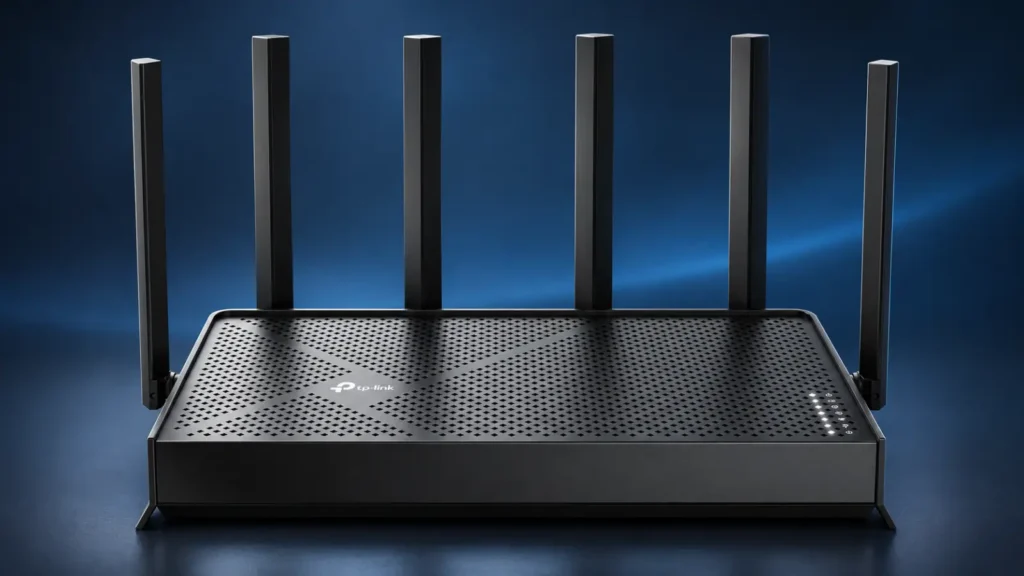
The Archer BE400 delivers excellent 5 GHz speeds, good range and useful 2.5G Ethernet at a reasonable price. Missing 6 GHz, limited MLO and paid advanced controls keep it from being a complete Wi-Fi 7 upgrade.
Busy small or midsize households and gigabit to 2.5 Gbps internet customers who want fast 5 GHz coverage, easy mesh expansion and one fast wired LAN connection.
Buyers who need 6 GHz, internet above 2.5 Gbps, a Deco mesh or several multi-gig wired connections without an additional switch. Smart homes relying on distant 2.4 GHz devices may also need more careful configuration.
The TP-Link Archer BE400 is a compelling dual-band upgrade for households that want faster 5 GHz Wi-Fi without paying premium tri-band prices. Hands-on testing found strong short- and medium-range throughput, useful coverage through walls and improvements even with older Wi-Fi 6 clients. The two 2.5 Gbps ports make fast broadband and one multi-gig wired connection practical, while EasyMesh and the Tether app simplify expansion and management. Its limitations are equally clear: there is no 6 GHz band, MLO often delivers little benefit and advanced HomeShield features require subscriptions. Long-distance 2.4 GHz performance and initial firmware behavior also drew criticism. The cheaper BE230 may be enough for households with fewer connected devices, while buyers seeking faster-than-2.5 Gbps internet or full Wi-Fi 7 capabilities should consider a tri-band alternative.
Compared with other Routers, this product is above average in Internet speed consistency, 160 MHz support, per-device speed limits, near average in value for money, 2.4 GHz performance, below average in automatic firmware updates, Packaging quality and presentation, size and footprint.
| Attribute | This product | Category average | Difference |
|---|---|---|---|
| automatic firmware updates | 1.5 | 4.5 | -3.0 |
| Packaging quality and presentation | 2.0 | 4.4 | -2.4 |
| size and footprint | 2.0 | 4.1 | -2.1 |
| Internet speed consistency | 5.0 | 2.9 | +2.1 |
| Power efficiency | 3.0 | 4.9 | -1.9 |
| firmware update process | 2.0 | 3.8 | -1.8 |
| threat protection | 2.5 | 4.3 | -1.8 |
| 6 GHz performance | 1.9 | 3.5 | -1.6 |
Choose TP-Link Archer AX55. It scores 4.5 vs 2.5 for firmware stability, with a 4.0 overall score.
Choose ASUS ZenWiFi BT10. It scores 5.0 vs 2.0 for 10 GbE support, with a 4.0 overall score.
Choose TP-Link Archer AX10. It scores 5.0 vs 2.0 for Packaging quality and presentation, with a 3.7 overall score.
Choose TP-Link Archer BE230. It scores 5.0 vs 1.5 for automatic firmware updates, with a 4.1 overall score.
Compared with TP-Link Archer BE400
No. It is a dual-band Wi-Fi 7 router using 2.4 GHz and 5 GHz, so 6 GHz-capable clients cannot use that band.
Yes. Wired tests approached the practical limit of the 2.5 Gbps ports, although wireless speeds were lower and depend on the client and distance.
The extra spatial streams can improve performance with more devices and extend range. For a few typical Wi-Fi clients, the less expensive BE230 may be sufficient.
Yes, EasyMesh allows compatible routers and access points to expand the network. It does not join Deco mesh systems.
Basic controls are included, but advanced parental controls, some analytics and enhanced security require paid HomeShield subscriptions.
Not consistently. Testing found little speed improvement and poor performance on one Intel client, so the regular network may be preferable.
Older Wi-Fi 6 clients can benefit from the strong 5 GHz radio, but one older 2.4 GHz smart bulb required temporarily separating the bands to connect.
These are a few of the reviews included in our analysis.


TP-Link Archer BE400 (BE6500): dual-band Wi-Fi 7 router, 6-stream 5 GHz at 5,764 Mbps, two 2.5G ports, VPN server and client, 2,400 sq ft. No...
Archer BE400 from its listing: dual-band BE6500 Wi-Fi 7, two 2.5G ports, USB 3.0, 2,400 sq ft for 90 devices, EasyMesh, VPN and HomeShield.
We independently review and compare this TP-Link Archer BE400 against other similar Connecting to the Internet to help you choose the best.
The TP-Link Archer BE400, also known as the TP-Link Archer BE6500, is a dual-band Wi-Fi 7 router that supports the 2.4GHz and 5GHz bands. It...
TP-Link Archer BE400 WiFi 7 Router: A strong performer with excellent 5GHz speeds, enhanced VPN support, and EasyMesh compatibility - ideal...

Choose the R95 for a busy home that needs fast Wi-Fi 7, strong range, multi-gig ports, and low-lag gaming. Skip it for a small, lightly connected space or if advanced...
Pros: Wi-Fi 7 support, Wi-Fi speed

Best for frequent travel, fast VPNs, dual 2.5GbE and resilient multi-WAN. Skip it if you need full 6GHz/320MHz Wi‑Fi 7, mesh, or desktop-class USB storage and long-range indoor coverage.
Pros: VPN client support, value for money
Cons: 6 GHz performance, USB storage sharing

Exceptional VPN speeds, strong Wi-Fi 6 coverage and extensive OpenWrt controls make the Flint 2 a compelling value. Its advanced setup, missing 6GHz band and firmware-specific caveats matter if you...
Pros: setup ease, configuration flexibility
Cons: Wi-Fi 7 support, USB storage sharing

The Beryl AX packs exceptionally flexible VPN and networking tools into a pocket-sized router. It is a great travel companion, but hotel login issues, limited whole-home range and a single...
Pros: Overall satisfaction, size and footprint
Cons: Captive portal handling, Ethernet port count