
espresso Pro 15 Feature Scores
Explore all 56 feature scores for espresso Pro 15, organized into pros and cons.
Scores by Feature
Summary
56 reviewed features-
Very positive 4.5-5.027 (48%)
-
Positive 3.5-4.411 (20%)
-
Neutral 2.5-3.45 (9%)
-
Negative 1.5-2.410 (18%)
-
Very negative below 1.53 (5%)
Pros
Sort
-
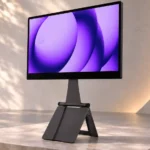
The magnetic Stand+ is a standout, offering height, tilt, landscape, portrait, and above-laptop placements in a compact folding form.
-
Most accounts enthusiastically recommend the high-end portable experience, especially for work. Price, glare, color precision, and gaming limitations keep it from being universal.
-
The solid aluminum chassis and protective glass feel substantially more durable than budget plastic portable monitors. Reviewers repeatedly call the construction premium.
-
Unusually high brightness for a portable monitor is consistently praised. It helps in cafés, offices, and some outdoor situations, although glare still matters.
-
The 4K panel is a defining strength: text, images, and fine interface details look much crisper than on ordinary 1080p portable screens.
-
Its thin aluminum body is easy to pack, especially compared with the larger Pro 17. The heavier metal construction and stand are the main carrying compromises.
-
The magnetic attachment and sturdy metal base are repeatedly praised for holding the display steady, including during touchscreen use.
-
Reviewers admire the clean, understated black aluminum-and-glass design, which looks professional beside premium laptops.
-
The stand can position the screen above a laptop, creating a surprisingly efficient two-screen arrangement on tiny tables and narrow work surfaces.
-
The 15.6-inch format strikes a practical balance between a useful extra workspace and the ability to fit beside a laptop in a bag or cramped location.
-
Adobe RGB coverage is a major draw for portable creative work, and colors often look rich and vibrant. Measurements vary between publications, especially in P3 coverage.
-
Aluminum construction, hardened glass, and restrained styling give this portable monitor a noticeably high-end feel.
-
Clear, precise lettering and crisp graphics make this a credible companion to high-resolution laptop displays.
-
Sharp 4K images, vivid colors, and strong brightness stand out. The LCD cannot match every OLED or Apple display for contrast and color fidelity.
-
The Flow and Jot utilities add window layouts, cursor alignment, auto-rotation, and note tools. Their useful polish is occasionally undercut by rotated-screen control glitches.
-
With Flow installed, rotation and positioning can update automatically as the screen moves, easing changes between portrait and landscape work.
-
Macs, Windows laptops, tablets, and some phones work well over USB-C, though iPad touch control and the power needs of smaller devices impose limits.
-
Touch is convenient for navigation, shortcuts, and pen interaction. Some Mac applications exhibit lag or awkwardly small targets, while Windows interaction is typically smoother.
-
Vivid, punchy colors help photos, graphics, and video feel lively rather than washed out.
-
The compact 4K screen packs in exceptionally fine detail, keeping text and images sharp even at close viewing distances.
-
Compatible laptops generally connect with one cable and little effort. Consoles and some low-power devices require more adapters or power connections.
-
EspressoFlow adds touch, display positioning, and rotation to Mac workflows. macOS itself remains less finger-friendly than Windows, and some touch apps can lag.
-
The 4K detail and Adobe RGB range help with retouching and previews on location. Some reviewers still keep truly color-sensitive images on their primary Mac or iPad screen.
-
The optional pen supports quick sketches and annotations, and Jot feels responsive. It is an extra purchase and not a drop-in replacement for an Apple Pencil.
-
Single-cable power is impressively convenient on full-power laptops, but phones, tablets, and consoles sometimes require a second power supply or cause brightness cutoffs.
-
Compatible machines recognize the screen quickly after the cable is plugged in, keeping setup nearly frictionless.
-
The bundled Stand+ and USB-C cable are welcome additions, with basic cleaning materials included in the package.
-
The IPS panel keeps colors and brightness consistent when viewed from the side, even at unusually wide angles.
-
Opinions vary: some see convincing color beside a MacBook, while others notice red and sRGB deviations. Critical projects may still need calibration or a reference screen.
-
One USB-C connection reduces desktop cable clutter and keeps a laptop-and-monitor arrangement tidy.
-
A slim package with thoughtfully arranged contents contributes to the polished unboxing experience.
-
An extended desk-use account reports stable connections and a trouble-free workflow, though long-term durability remains less established.
-
The pair of right-side USB-C ports are easy to reach for the host cable and an additional accessory or power connection.
-
The lower chin is less prominent than on earlier 15-inch models, contributing to a cleaner, more current appearance.
-
Automatic setup and display-positioning tools make the companion software helpful without a complicated driver process.
-
Magnetic stands, cases, protectors, and pens offer flexibility, but compatibility is not universal; Apple Pencil is specifically reported not to work.
-
The glossy glass keeps the picture clear and polished, but it also trades away the light-diffusing qualities of a matte finish.
-
Measured uniformity is generally solid, with a few small hotspots detected instrumentally rather than visible in routine use.
Cons
Sort
-
The integrated speakers are a recurring weak point: reviewers describe thin, quiet, sometimes scratchy audio that falls behind laptop speakers.
-
The glossy glass behaves almost like a mirror near windows and lights. Bright output offsets some glare without eliminating reflections.
-
Only two USB-C ports are provided. They suit modern laptops but complicate HDMI-only computers and some console connections.
-
Fine display tuning is limited: the touch menu exposes basic sliders without numerical precision, presets, or a gamma adjustment.
-
The 60Hz ceiling is the main display-speed compromise. It is adequate for office tasks and video but disappointing for fast games and motion-sensitive workflows.
-
Music lacks convincing bass and dynamic range through the monitor speakers, making separate speakers or headphones preferable.
-
Voice reproduction sounds hollow or scratchy, and the overall audio is too thin to recommend for serious listening.
-
Consoles such as Switch 2 can be cumbersome to connect because docking, specialized HDMI conversion, and additional power may be necessary.
-
Running the display from a laptop can cut battery endurance significantly; reviewers recommend planning for wall or battery-bank power on longer sessions.
-
Full-size laptops often drive the display directly, while cameras, handhelds, and phones can require additional power and adapters.
-
It is not presented as a strong option for HDR video, reflecting its productivity-focused LCD performance.
-
The IPS LCD is bright and sharp, but reviewers comparing it with OLED portable screens miss the richer image punch of OLED.
-
Drawing monitor power from the host can markedly shorten a laptop’s untethered runtime, especially during prolonged work.
-
Touch gestures give access to basic brightness, contrast, and volume controls, but precision is limited and the gesture can fail in nonstandard orientations.
-
Games run on a connected computer, but the 60Hz display can tear in fast action and is better suited to less demanding play.
-
The stand is sturdy and more compact than older versions, but its substantial metal weight noticeably increases the load in a travel bag.
-
The premium materials, stand, and 4K touch display explain the price, but several reviewers still find it expensive compared with simpler portable alternatives.
-
The LCD gives solid daytime contrast and readable off-axis images, though it lacks the stronger visual impact of OLED competitors.
Use Cases
Best for
Sort
-
The slim 15-inch display fits into laptop bags and is praised as a practical travel companion. The metal stand adds weight, and power needs vary by host device.
-
The screen and tall stand make it easy to recreate a stacked or side-by-side two-display workspace almost anywhere, with less desk space than traditional monitors.
-
The simple USB-C connection delivers video and power for many laptops, removing the need for a separate display power adapter in routine work.
-
Extra desktop space reduces window switching and speeds document, file, and application management, whether used on a desk or away from home.
-
The combination of a crisp second screen, portable stand, and simple connection makes serious work possible outside a fixed office.
-
Rotating the screen is easy with the magnetic stand, making reading, code, vertical video, and sketching more convenient.
-
A low-angle stand, touchscreen, optional pen, and Jot software make this a useful portable sketchpad, though specialized tablets can provide smoother pen experiences.
-
The screen pairs neatly with Macs and iPads in style and connectivity, but macOS touch controls and iPadOS limitations keep it from behaving like a native tablet.
-
The stand raises the screen to a more comfortable eye level above a notebook, improving posture and usable desk area in tight spaces.
-
The bright panel makes working near windows or outdoors feasible, but its reflective glass can show distracting glare in direct light.
-
High resolution, an extensive gamut, touch tools, and multiple positioning options suit photography, design, and content production, with some limitations for precise grading.
-
The bright, colorful display works well for films and portable viewing from a laptop or phone. Weak speakers are a reason to use separate audio.
-
Modern laptops can extend their desktops immediately over USB-C without separately wiring video and power.
-
The extra screen is useful for full-size previews and longer timelines, with rich color and strong brightness. Editors needing absolute color precision should check the image against a calibrated display.
-
Stylus input and note software make markups and hand-drawn additions practical, with work easily transferred into other applications.
-
For remote workers using cafés, hotel rooms, or even a vehicle, the portable 4K second screen recreates much of a fixed two-monitor workflow.
-
The broad color space, sharp screen, and portable touch tools support design work away from a studio, although fine color proofing has caveats.
-
Using an HDMI-to-USB-C connection and separate power, the panel provides a useful larger screen for camera feeds and workshops.
-
The crisp panel and easy portrait rotation make room for long documents and code in a mobile workstation.
-
A customizable macOS sales or kiosk interface could benefit from its large responsive touch surface when controls are designed for fingers.
-
Touch gestures make slicing previews, printer status, and 3D-printing controls convenient from a compact secondary screen.
-
It is more convincing as a work-first screen that can occasionally show games than as a gaming-first monitor.
Conditional or not ideal for
Sort
-
Budget-conscious buyersA $699-class price and optional accessories put the monitor outside most value-focused shopping lists; simpler alternatives offer much lower entry costs.
-
Handheld gamingIt is difficult to recommend as a primary portable console monitor when a handheld requires its dock and multiple power connections.
-
Nintendo Switch 2 gamingSwitch 2 needs the dock plus additional cabling and power, making this a frustrating and costly choice for portable console sessions.
-
Music listeningThe weak built-in speakers are a poor choice for music; using the connected computer or external audio produces a better experience.
-
Casual gamingSlower-paced games can look good, but 60Hz and occasional tearing make the display conditional rather than a dedicated gaming choice.
-
Laptop gaming setupsA laptop can run games on the display, but the 60Hz ceiling is a drawback when gaming speed matters.
-
Color-critical workThe broad gamut is useful, but reported red inaccuracies and limited calibration controls make strict proofing less dependable than on a dedicated reference display.