Best for viewing angles
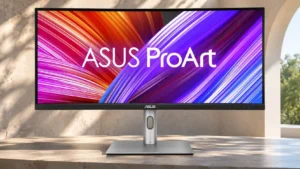
ASUS ProArt Display PA279CRV
5.0 attribute score
Highest scored product for this attribute based on supporting review evidence.

Highest scored product for this attribute based on supporting review evidence.
Balances the attribute score, supporting reviews, and overall product strength.
Has the broadest review evidence for this attribute.
Strongest overall product among items with scored evidence for this attribute.

Overall: 4.3/5
IPS off-axis color retention is consistently praised. It helps when the monitor is placed to one side or used in portrait orientation.
Pros: USB-C power delivery, port selection
Cons: HDR performance, refresh rate

Overall: 4.2/5
Colors and contrast remain striking from different seating positions, with testers finding little visible shifting when viewing off-axis.
Pros: overall satisfaction, black levels
Cons: value for money, stand adjustability

Overall: 4.4/5
Colors and contrast hold up impressively from off-center positions, giving a forgiving viewing sweet spot.
Pros: color gamut, overall satisfaction
Cons: reflection handling, VRR flicker

Overall: 4.5/5
Colors and brightness stay consistent from off-center positions, a familiar advantage of OLED technology.
Pros: color gamut, contrast
Cons: value for money, Resolution

Overall: 4.4/5
The OLED panel maintains its picture well from off-center positions.
Pros: overall satisfaction, response time
Cons: reflection handling, VRR flicker

Overall: 4.4/5
Wide viewing angles keep color and contrast consistent well off-center, making the image easy to appreciate from different positions.
Pros: sharpness, overall satisfaction
Cons: value for money, VRR flicker

Overall: 4.2/5
The picture stays appealing off-axis, with occasional subtle color tinting at wider angles.
Pros: overall satisfaction, black levels
Cons: reflection handling, Color brightness

Overall: 4.3/5
OLED viewing remains wide with little loss of image quality at ordinary off-axis positions, though one test noted a green tint at more extreme angles.
Pros: black levels, motion clarity
Cons: value for money, Dual-mode versatility
Overall: 3.9/5
IPS viewing angles keep color and image quality consistent when seen from the side, a notable advantage over some VA alternatives.
Pros: color accuracy, value for money
Cons: color gamut, black levels

Overall: 3.8/5
IPS viewing angles are broad enough to comfortably share the image, even if off-axis performance is not a class leader.
Pros: value for money, Resolution
Cons: HDR performance, port selection

Overall: 4.1/5
Results are mixed: some see wide, dependable IPS angles, while others report more off-axis change due to the matte coating.
Pros: value for money, Resolution
Cons: HDR performance, refresh rate

Overall: 4.3/5
Color remains attractive head-on, but greenish edge or off-axis shifts are reported, ranging from barely visible to strongly distracting depending on the tester.
Pros: black levels, sharpness
Cons: value for money, brightness

Overall: 4.1/5
Viewing angles is a situational tradeoff rather than a clear reason to buy this display.
Pros: color accuracy, overall picture quality
Cons: HDR performance, refresh rate

Overall: 4.1/5
IPS viewing angles are serviceable at a normal desk position, but oblique views can shift brightness or color compared with more uniform displays.
Pros: Pixel density, Resolution
Cons: GPU demands, HDR performance

Overall: 3.9/5
IPS offers respectable off-axis stability versus TN, though familiar IPS glow and a few weaker impressions limit dark-scene viewing.
Pros: motion clarity, Backlight strobing
Cons: contrast, HDR performance