Best for claw grip comfort
ASUS ROG Harpe II Ace
4.6 attribute score
Highest scored product for this attribute based on supporting review evidence.

Highest scored product for this attribute based on supporting review evidence.
Balances the attribute score, supporting reviews, and overall product strength.
Has the broadest review evidence for this attribute.
Strongest overall product among items with scored evidence for this attribute.

Claw grip comfort was a major strength, with multiple reviewers calling the shape suitable, easy, or ideal for claw users.
Pros: glide smoothness, weight
Cons: handedness options

Claw grip comfort was a major strength, repeatedly tied to the compact esports shape.
Pros: shape comfort, value for money
Cons: handedness options

Claw grip comfort was generally positive, with reviewers saying the ergonomics worked well for claw users.
Pros: battery life, software usability
Cons: click noise, fingertip grip comfort

Claw-grip comfort was generally positive, especially relaxed claw, though hand size affected comfort.
Pros: value for money, sensor performance
Cons: software usability, grip texture

Claw grip comfort is positive, with reviewers repeatedly identifying claw or partial claw as an ideal or suitable grip style.
Pros: Accuracy and tracking precision, shape comfort
Cons: long-session comfort

Claw grip support was positive in the reviews that addressed it, especially for medium to large hands.
Pros: glide smoothness, scroll wheel quality
Cons: analog joystick usability, shape comfort

Claw grip comfort was split: some reviewers found the mouse useful or comfortable for claw grip, while others disliked the length or rear hump.
Pros: weight, grip texture
Cons: software usability, profile switching

Claw grip comfort was mostly positive but more qualified, with one review saying claw use worked only to a certain extent.
Pros: button responsiveness, shape comfort
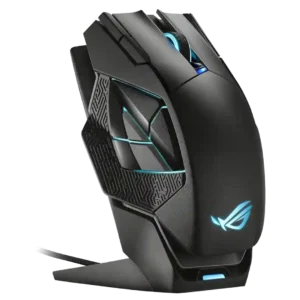
Claw grip comfort depended heavily on hand size and preference, ranging from okay or workable to poorly suited versus palm grip.
Pros: charging convenience, RGB features
Cons: side button quality, weight