
Claw grip comfort had limited but positive evidence, with one reviewer saying claw grip felt good.
Pros: shape comfort, programmable buttons
Cons: value for money, side button quality

Claw grip comfort had limited but positive evidence, with one reviewer saying claw grip felt good.
Pros: shape comfort, programmable buttons
Cons: value for money, side button quality

Claw grip comfort was generally positive, with reviewers saying the ergonomics worked well for claw users.
Pros: battery life, software usability
Cons: click noise, fingertip grip comfort

Claw grip comfort was one of the better-supported grip styles, especially for small-to-medium hands, although it depended strongly on hand size.
Pros: shape comfort, battery life
Cons: value for money, DPI range

Claw grip comfort was generally positive, especially for small-to-medium hands, though one review found the rear grip lacking.
Pros: value for money, shape comfort
Cons: scroll wheel quality, left and right click quality

Claw grip support was mostly positive, though a few reviews noted holes or reach issues that can bother some claw users.
Pros: battery life, weight
Cons: side button quality, value for money

Claw-grip comfort was mixed-positive overall, with several reviewers reporting support for claw grip and one finding the forced claw position uncomfortable.
Pros: RGB features, battery life
Cons: value for money, scroll wheel quality

Claw grip comfort was acceptable for some users, though the 12-button side plate could make claw grip harder.
Pros: button customization, scroll wheel quality
Cons: weight, value for money

Claw grip comfort was mixed, with one review saying it suits claw or hybrid grips and another saying claw users may want a smaller mouse.
Pros: RGB features, weight
Cons: value for money, scroll wheel quality
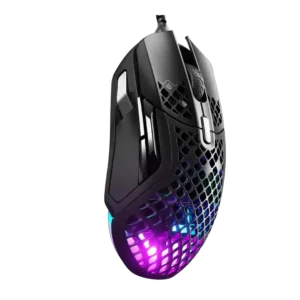
Claw grip comfort was mixed: one reviewer found relaxed claw use comfortable, while another warned that the honeycomb button holes could irritate claw users.
Pros: weight, programmable buttons
Cons: value for money, side button quality

Claw grip was usable but compromised, requiring thumb extension and feeling less natural than palm grip.
Pros: MMO gaming suitability, 2.4GHz connectivity
Cons: charging convenience, value for money

Claw grip comfort was a recurring weakness because the top holes, size, and side-button cluster made claw use awkward for several reviewers.
Pros: side button quality, MMO gaming suitability
Cons: value for money, claw grip comfort
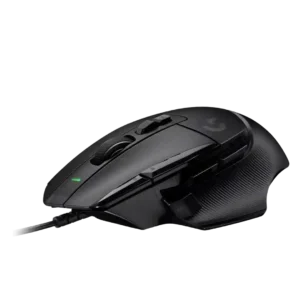
Claw grip comfort was a clear weak point in the one direct review, which said the shape definitely does not work for claw grip.
Pros: button customization, switch feel
Cons: RGB features, weight tuning