Best for RGB lighting quality
Razer Huntsman V3 Pro
4.9 attribute score
Highest scored product for this attribute based on supporting review evidence.

Highest scored product for this attribute based on supporting review evidence.
Balances the attribute score, supporting reviews, and overall product strength.
Has the broadest review evidence for this attribute.
Strongest overall product among items with scored evidence for this attribute.

RGB lighting quality was a consistent positive, with reviewers calling it outstanding, excellent, vivid, precise, and strong-looking.
Pros: customization options, typing feel
Cons: value for money, wrist rest quality

RGB lighting quality was a major strength, described as breathtaking, stunning, bright, consistent, and visually premium.
Pros: gaming performance, switch feel
Cons: value for money, extra gaming features
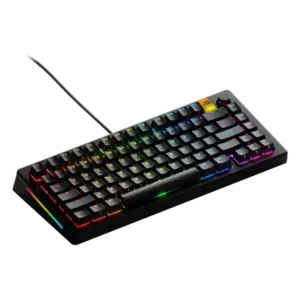
RGB lighting quality was a clear strength, with reviewers calling it pretty, eye-popping, and effective through transparent keycaps.
Pros: customization options, software quality
Cons: value for money, materials quality
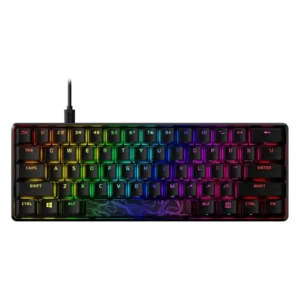
RGB lighting quality is consistently praised for brightness, saturation, vividness, and attractive shine-through effects, with one color-mixing caveat.
Pros: build quality, value for money
Cons: software quality, stabilizer quality
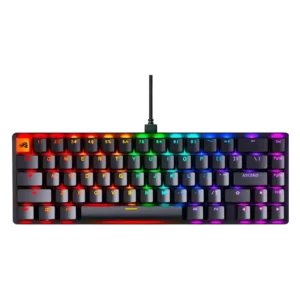
RGB lighting quality was a major highlight, often described as vivid, bright, attractive, or unusually impressive for the class.
Pros: switch feel, value for money
Cons: key spacing, actuation consistency
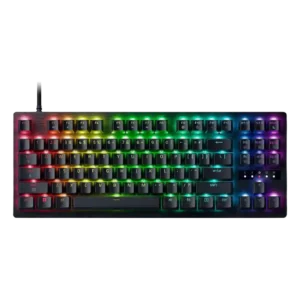
RGB lighting is consistently liked, from subtle color accents to a bright, polished look that reviewers call gorgeous.
Pros: value for money, typing feel

RGB lighting quality was generally positive for tasteful, vivid, or flexible lighting, though a few reviewers found the implementation unremarkable or uneven.
Pros: typing feel, build quality
Cons: value for money, wireless performance

RGB lighting quality is consistently praised for brightness, vividness, shine-through legends, and attractive integration with the white design.
Pros: portability, value for money
Cons: software quality, key spacing

Lighting quality drew broad praise for underglow, dual RGB systems, glow, side lights, and leg lights.
Pros: design aesthetics, build quality

RGB lighting quality was heavily praised for brightness, underglow, flawless implementation, and desk-filling visual impact, with minor visibility caveats.
Pros: value for money, wrist rest quality
Cons: software quality, ergonomics

RGB illumination is bright, even, and attractive, with sharp legend transmission and limited bleed. The translucent arrow and SD caps create a stronger glow that may not suit every taste.
Pros: overall satisfaction, macro customization
Cons: value for money, software quality

RGB lighting quality is one of the most consistently praised areas, with reviewers calling it vibrant, bright, clear, excellent, and visually premium.
Pros: extra gaming features, wrist rest quality
Cons: value for money, software quality

RGB is usually bright, vibrant, evenly diffused, and attractive, especially through the PBT legends. One reviewer found the colors less crisp and another noticed a slight red tint in white,...
Pros: overall satisfaction, customization options
Cons: value for money, switch options
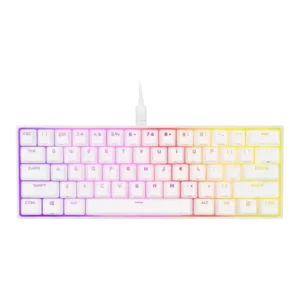
RGB lighting quality was one of the strongest areas, repeatedly praised as bright, vibrant, attractive, and well supported by the white plate.
Pros: switch feel, size and form factor
Cons: polling rate, value for money
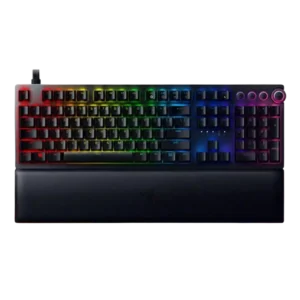
RGB lighting quality was widely praised for accuracy, glow, brightness, and visual impact, though one reviewer felt Razer’s own PBT keycap design held it back.
Pros: analog input support, wrist rest quality
Cons: value for money, cable quality
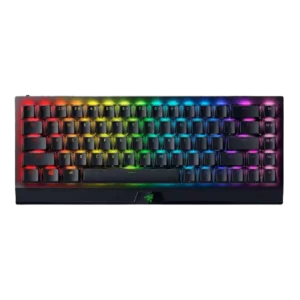
RGB lighting quality was praised as bright, vivid, even, and visually appealing across multiple reviews.
Pros: size and form factor, switch feel
Cons: value for money, battery life

RGB lighting quality was positive because reviewers found it subtle, comfortable, and not distracting.
Pros: build quality, keycap quality
Cons: switch options, portability
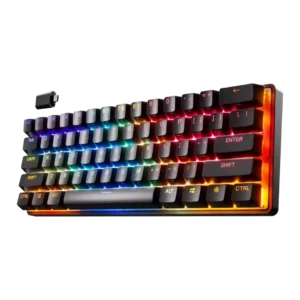
RGB lighting quality was broadly positive, with reviewers praising brightness, smooth color cycling, bold colors, vibrant lighting, and clean shine-through.
Pros: gaming performance, key responsiveness
Cons: value for money, extra gaming features

RGB lighting quality was positive, with comments on integration, brightness, evenness, and vibrant presentation.
Pros: switch feel, customization options
Cons: value for money, wireless performance

RGB lighting quality was viewed positively where reviewers discussed it, especially for brightness, underglow, and general lighting appeal.
Pros: size and form factor, typing feel
Cons: switch options, portability

RGB lighting quality is often praised as bright, vibrant, sharp, or evenly distributed, but Windows Central reported occasional lighting shutoffs.
Pros: typing feel, gaming performance
Cons: software quality, value for money

RGB lighting quality was praised for vivid lighting, accurate whites, strong reflections, and daytime visibility, with one Mini Wireless review finding LEDs dim.
Pros: value for money, keycap quality
Cons: polling rate, acoustics

RGB lighting quality was widely praised as bright, uniform, crisp, or attractive, though one reviewer noticed inconsistent shine-through on some keys.
Pros: value for money, typing feel
Cons: wrist rest quality, media controls

RGB quality was usually praised as vibrant, tasteful, bright, or stylish despite its mostly aesthetic underglow role.
Pros: software quality, switch feel
Cons: legend visibility, extra gaming features

RGB lighting quality is a major strength, praised as vibrant, crisp, bright, even, and visually striking.
Pros: noise level, RGB lighting quality
Cons: rapid trigger support, extra gaming features

Lighting is polished and attractive with smooth effects, but the south-facing LEDs and dark internal dampening can make the glow less even. Full brightness also reduces battery life sharply.
Pros: build quality, overall satisfaction
Cons: portability, ergonomics

RGB lighting quality was generally strong, with praise for vivid, uniform, attractive light bars and ambiance; minor complaints included distracting edge lighting or weak purple tones.
Pros: sound dampening, switch feel
Cons: reliability, rapid trigger support

RGB lighting quality was generally praised as gorgeous, subtle, pleasant, and visually strong, though one reviewer called it only fairly subtle.
Pros: build quality, switch feel
Cons: switch options

RGB lighting is generally vivid and eye-catching, especially with the mood bar and integrated Stream Deck screens. A few note diffusion or style quirks, but the visual impact is a...
Pros: macro customization, switch feel
Cons: software quality, value for money
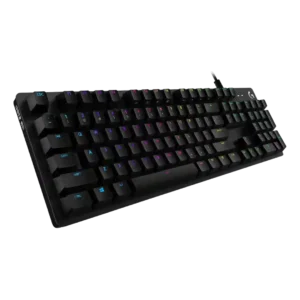
RGB lighting quality is generally praised as great, vibrant, and not intrusive, though GX Blue lighting is described as less even than Romer-G.
Pros: value for money, design aesthetics
Cons: passthrough features, noise level

RGB lighting quality was widely praised as vibrant, beautiful, bright, colorful, and unusually polished for this kind of travel keyboard.
Pros: portability, build quality
Cons: value for money, ergonomics

RGB lighting quality was mostly praised for brightness and evenness, though uneven legend illumination and reliance on RGB for visibility were drawbacks.
Pros: value for money, battery life
Cons: hot-swappable switches, noise level
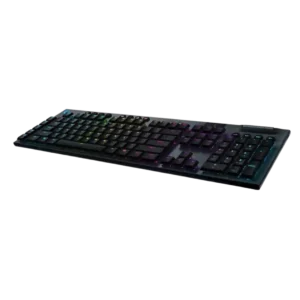
Lighting quality is generally praised as vivid and bright, though several reviews mention bleed, small legends, or less sharp illumination.
Pros: battery life, wireless performance
Cons: value for money, wrist rest quality
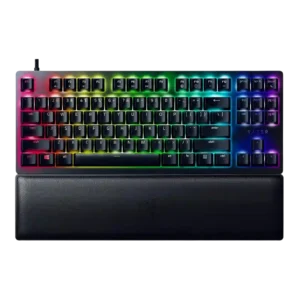
RGB lighting quality was generally good to excellent, though reviewers noted brightness inconsistency and limited lighting coverage in a few cases.
Pros: wrist rest quality, polling rate
Cons: value for money, media controls
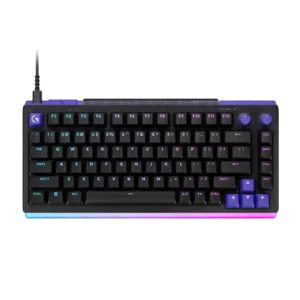
The bright per-key lighting and dramatic front bar are major visual highlights, especially with the acrylic rest. Some found the effect overly intense, and one unit showed dark analog keys...
Pros: overall satisfaction, design aesthetics
Cons: value for money, wrist rest quality

RGB lighting quality was widely praised for its soft glow, strong brightness, and distinctive translucent-side effect, despite a few muted-lighting complaints.
Pros: typing feel, design aesthetics
Cons: value for money, materials quality

RGB lighting quality was often praised for even, attractive, non-intrusive lighting, but color accuracy and brightness were not universally strong.
Pros: value for money, rapid trigger support
Cons: media controls, stabilizer quality

RGB lighting quality was generally praised for clean, bright, or tasteful output, though some reviews noted uneven or dimmer areas.
Pros: switch feel, battery life
Cons: volume control, media controls

RGB lighting quality was mixed but leaned positive, with bright, crisp, or superb shine-through offset by one reviewer’s disappointing uniformity complaint.
Pros: customization options, gaming performance
Cons: value for money, noise level
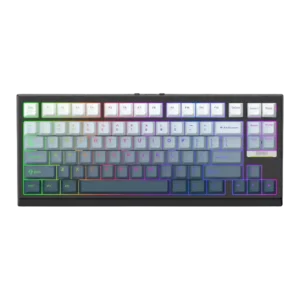
RGB lighting quality was mostly strong thanks to bright, diffused, and ambient lighting, but one review criticized uneven backlighting on larger keys.
Pros: gaming performance, key responsiveness
Cons: compatibility

RGB lighting was broadly liked for its crisp, vibrant, stylish look, although a few reviewers found it dimmer or weaker than predecessor models.
Pros: sound dampening, value for money
Cons: ergonomics, polling rate

RGB lighting quality was mostly praised for attractive, subtle, or visible lighting, with one caveat that legends do not shine through.
Pros: typing feel, design aesthetics

The RGB is usually described as tasteful and even, but brightness and diffuser quality receive mixed comments.
Pros: overall satisfaction, build quality
Cons: portability, reliability

RGB lighting quality was generally positive, with vibrant or balanced lighting, but some evidence noted weak side lighting or less-bright underglow.
Pros: RGB customization, keycap quality
Cons: frame rigidity, switch options

RGB lighting quality was generally pleasant and attractive, though one review noted an imperfect reddish hue in white lighting.
Pros: switch feel, typing feel
Cons: software quality, volume control
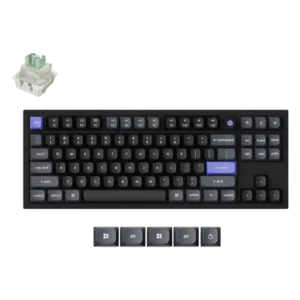
The lighting quality was praised for making the keyboard setup pop.

RGB quality was usually praised as vibrant and clean, though several reviewers found perimeter lighting or brightness consistency underwhelming.
Pros: software quality, build quality
Cons: value for money, connectivity
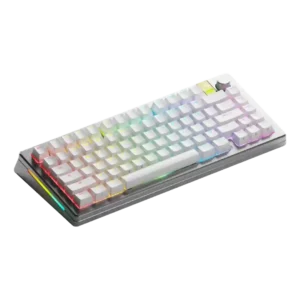
RGB lighting quality was usually praised as bright, great, or subtle, with some caveats around how light shone through certain caps.
Pros: customization options, gaming performance
Cons: value for money, software quality
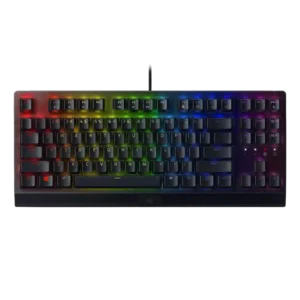
RGB lighting quality was divisive: many liked the vibrant Chroma glow, but Quartz lighting bleed, uneven shine-through, and toned-down brightness disappointed others.
Pros: RGB lighting quality, value for money
Cons: wrist rest quality, noise level

RGB quality was mostly positive, with bright and rich lighting praised, though some reviewers found it less vibrant, tame, or uneven.
Pros: battery life, switch feel
Cons: value for money, ease of switch replacement