
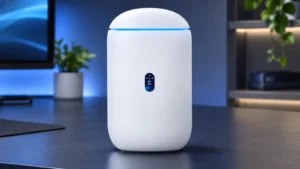
Ubiquiti UniFi Dream Router 7 Feature Scores
Overall Scorata score: 4.3/5
Based on 23 analyzed reviews · View source samples
Explore all 127 feature scores for Ubiquiti UniFi Dream Router 7, organized into pros and cons.
Scores by Feature
Summary
127 reviewed features-
Very positive 4.5-5.077 (61%)
-
Positive 3.5-4.427 (21%)
-
Neutral 2.5-3.412 (9%)
-
Negative 1.5-2.411 (9%)
Pros
Sort
-
The unified console manages UniFi access points, cameras and other equipment without separate controllers.
-
Extensive network settings and flexible port assignments give experienced users considerable control.
-
The SFP+ connection is especially useful because it can be reassigned for a fast WAN or local network uplink.
-
Fast wireless throughput is a standout, often exceeding gigabit speeds with compatible clients.
-
At the cited $279 price, the integrated hardware and unusually extensive management tools provide excellent value for users who need them.
-
VLANs and separate networks allow users to isolate IoT devices, guests and trusted systems.
-
Basic installation is generally quick and straightforward, particularly through the mobile app.
-
Combining a gateway, switch, wireless access point, controller and camera recorder in one small unit reduces hardware clutter.
-
Detailed dashboards and topology views make traffic patterns and connected-device activity easy to inspect.
-
The 2.5GbE ports deliver a substantial step up from gigabit Ethernet and can operate close to their rated throughput.
-
Overall satisfaction is high, with enthusiastic recommendations from users who value network control.
-
The understated white enclosure is attractive enough to leave in a living room or office.
-
The combination of 2.5GbE copper and a 10GbE SFP+ port offers impressive flexibility.
-
Intrusion prevention is unusually capable at this price, often operating without noticeable throughput loss on suitable connections.
-
The comprehensive security toolkit provides visibility and control beyond typical consumer routers.
-
Multi-gigabit ports, Wi-Fi 7 and expandable access points provide a useful path for future upgrades.
-
Threat inspection generally leaves gigabit and roughly 2Gbps connections unaffected, but limits faster broadband plans.
-
Granular firewall rules and logical zones make sophisticated traffic restrictions easier to configure.
-
Upgrading from earlier gigabit routers brings substantially faster ports and more capable hardware.
-
Download speeds are strong on compatible devices and can approach the available internet bandwidth.
-
The compact cylinder packs routing, switching and wireless hardware into a desktop-friendly enclosure.
-
Local administration remains available without a vendor account and is useful during internet outages.
-
Long-running deployments generally remain dependable, and software maturity has improved since launch.
-
Remote access makes it convenient to administer the gateway and other UniFi equipment from elsewhere.
-
The gateway has ample capacity for ordinary homes and modest offices, with more headroom than its predecessor.
-
Wireless performance is impressive for a compact all-in-one gateway, particularly on newer devices.
-
Configurable dual-WAN connections offer flexibility for redundant or distributed internet access.
-
The mobile app is polished, responsive and offers unusually deep control for a router.
-
Upload throughput is strong over compatible wireless and gigabit fiber connections.
-
Wi-Fi 7 brings substantial speed and capacity gains when paired with suitable clients.
-
The web console is powerful and generally polished, though some find the desktop interface less intuitive than the mobile app.
-
The system can grow through additional UniFi switches and access points without replacing the central gateway.
-
The 6 GHz band provides particularly fast speeds nearby, but its reach and available channels are limited.
-
Many deployments run reliably for months, though early software issues and very heavy workloads have caused occasional instability.
-
Built-in Protect recording is handy for a small camera setup, although the included card and camera limits constrain larger deployments.
-
Frequent software improvements have addressed many early faults and expanded the feature set.
-
The management interface responds quickly, including when configuring connected devices and applying changes.
-
Failover can keep devices connected when the primary internet service goes down.
-
Wired devices can achieve excellent speeds on the 2.5GbE interfaces.
-
The included microSD card is replaceable, allowing more recording capacity without a separate recorder.
-
Ordinary simultaneous networking and security workloads run well, but pushing multiple applications to their limits can cause freezes.
-
Bluetooth discovery and the mobile setup wizard make initial installation easy.
-
Coverage is good in typical homes and small offices, but walls and larger floor plans may call for extra access points.
-
Basic use is approachable, but advanced configuration requires more effort than simpler consumer systems.
-
Near the router, compatible clients can achieve impressive multi-gigabit-class wireless speeds.
-
Individual devices are easy to identify, monitor and control through the unified interface.
-
Content filtering can restrict unwanted services and operate without a meaningful throughput penalty.
-
The supplied surveillance-grade memory card is a welcome extra for getting started with camera recordings.
-
An integrated power supply eliminates the need for a bulky external brick.
-
Centralized administration and gateway-to-gateway links simplify management of multiple locations.
-
The faster quad-core processor improves responsiveness and supports demanding network and application workloads.
-
Threat detection can actively identify and block suspicious network activity.
-
Built-in VPN capabilities support secure remote access and dependable links between sites.
-
Temperatures are generally manageable with ventilation; quiet fan mode can allow uncomfortable heat buildup.
-
The LAN ports provide excellent 2.5GbE throughput, but cannot individually deliver 5 or 10Gbps.
-
Real-world coverage can meet or exceed the stated figure in favorable layouts.
-
The housing feels well made and has a durable, clean finish.
-
Typical multi-device homes and small offices maintain steady performance even with concurrent activity.
-
Local administration without a mandatory cloud account gives owners more control over privacy.
-
The 5 GHz band offers good throughput and range, though signal strength can trail some competing hardware.
-
Signal strength is generally good within typical coverage areas, although some competing routers have stronger signals.
-
Connections are generally dependable after updates, but some users have encountered intermittent dropouts and PPPoE problems.
-
Wide 320 MHz channels can enable very high wireless link speeds where supported.
-
The small display is useful for checking basic network status at a glance.
-
The fan is quiet or unobtrusive in many environments, but distinctly audible in a quiet room for some owners.
-
Device and traffic access rules are easy to apply through the management interface.
-
The router resolved previous slow spots and inconsistent connectivity in a medium-sized home.
-
A tested two-floor home maintained close to gigabit throughput directly beneath the router.
-
Internet speeds remain consistent under simultaneous household use.
-
Separate smart-device networks make it easier to isolate connected household equipment.
-
Additional UniFi access points worked flawlessly in a tested mesh setup.
-
Throughput and signal strength remain good across rooms on the same floor.
-
Restoring a previous UniFi console backup can make migration nearly seamless.
-
Protective, attractive packaging holds the router securely during shipping.
-
Improved QoS tools make traffic shaping and voice-call prioritization easier.
-
Simple and advanced views help users navigate the extensive settings.
-
Software development has broadened the management and networking capabilities since release.
-
Scheduled access restrictions are useful for limiting network access outside business hours.
-
The diverse VPN options give users flexibility in connecting to third-party services.
-
Site Magic VPN connectivity remains consistent across tested business locations.
-
WireGuard-based Site Magic has provided dependable remote site connections in business deployments.
-
The port selection is versatile, although three dedicated LAN ports can fill up quickly.
-
Automatic updates are a convenient option for owners who prefer hands-off maintenance.
-
The interface makes it straightforward to identify and prioritize bandwidth-hungry devices.
-
Guest networks are readily accessible through the management interface.
-
Hardware acceleration updates improved local network throughput.
-
The filtering tools make it easy to restrict specific websites or services for children.
-
Detailed port forwarding rules form part of the highly customizable networking tools.
-
Power consumption is modest for a device combining several networking functions.
-
Ongoing firmware fixes and security improvements help maintain the gateway over time.
-
Brightness controls and scheduling let owners reduce the status lighting when desired.
-
Traffic shaping helps protect important communications from competing bandwidth use.
-
The browser-based setup follows a familiar router interface and is largely self-explanatory.
-
Firmware updates have improved stability, although early connectivity faults and occasional persistent issues temper confidence.
-
Setup tips help with basic installation, but ISP credentials and more detailed documentation may require extra investigation.
-
Latency is respectable, although wired connectivity remains preferable for the most lag-sensitive tasks.
-
Some early users needed repeated restarts, although other deployments run without random reboots.
-
Dynamic DNS provides an alternative way to manage the gateway remotely without relying exclusively on a vendor account.
-
Latency and jitter remain stable and comparable to similar routers.
-
Compatible access points allow the network to scale beyond the built-in radio.
-
Wider channels can improve speed, but range and available spectrum create tradeoffs.
-
Display customization is useful for aesthetics, although not every type of screen control is available.
-
Some legacy devices work normally, although not all device connections are trouble-free.
-
Core features are available without a subscription, but premium threat protection costs extra.
Cons
Sort
-
Early PPPoE deployments suffered selective connectivity failures, particularly through the RJ45 WAN interface.
-
Launch firmware felt unfinished to many early adopters and required significant fixes.
-
A single 10GbE port does not make this a full 10Gbps routed or switched network.
-
The 10Gbps label can create unrealistic expectations about actual routing throughput.
-
The lack of a built-in SIM slot disappoints users wanting integrated cellular backup.
-
There is no automatic hardware-level backup if the gateway itself fails.
-
The card slot is awkwardly placed between ports, making removal difficult without unplugging a cable.
-
The move to 2×2 MU-MIMO from 4×4 is a disappointment for users seeking more radio capacity.
-
Stock availability can be frustrating for prospective buyers.
-
The manufacturer's return policy makes trying the router less appealing for some prospective buyers.
-
Wall mounting requires a separate bracket rather than being ready out of the box.
-
The 2.4 GHz band is slower than competing routers and may become a bottleneck at longer distances.
-
Advanced VLAN, firewall and VPN settings take learning, despite the easy initial setup.
-
Encrypted DNS behavior can be inconsistent and difficult to verify.
-
The status ring is attractive, but more individual front-facing connection indicators would be useful.
-
A USB port would have been a welcome addition for greater flexibility.
-
Repeater functionality is restricted to an existing UniFi network.
-
The 2×2 radio configuration is a compromise compared with higher-stream routers, particularly in dense networks.
-
The included 64GB card is useful for motion recording, but larger cards or dedicated recorders are needed for longer retention.
-
The single 15.4W PoE output is convenient for a small camera or compatible AP, but cannot power multiple devices or higher-power APs.
-
Speeds remain usable farther away, but drop with distance and can trail stronger long-range routers.
-
Automatic channel selection is convenient in crowded environments but has sometimes failed to avoid neighboring channels.
-
MLO results vary: some clients see steadier connections, but alternating-band operation and compatibility limits reduce its appeal.
Use Cases
Best for
Sort
-
Advanced users benefit from granular VLAN, firewall, VPN and traffic management settings.
-
Small offices benefit from integrated networking, security and centralized management without needing a rack.
-
Adding compatible UniFi access points is a straightforward way to extend coverage, although extra equipment adds cost.
-
Existing UniFi owners can extend their networks and manage devices from the same familiar platform.
-
The flexible SFP+ and multi-gigabit connections are useful for fast access to a separate NAS.
-
The router is particularly well suited to roughly 1–2.5Gbps broadband, with strong wired throughput.
-
A single centrally placed unit is a good fit for smaller houses, condos and apartments.
-
Smart home users benefit from separate IoT networks and capacity for connected devices, although dense 2.4 GHz setups warrant care.
-
A handful of cameras works well, but larger surveillance systems need additional power and recording hardware.
-
Remote workers benefit from dependable connectivity, network controls and optional integrated office communications.
-
Extended home and office deployments demonstrate good reliability over months of ownership.
-
New users can get a basic network online quickly through the app, even without advanced networking experience.
-
Gigabit and slower broadband plans are comfortably handled even with security inspection active.
-
Fast wireless connections and multi-gigabit wired links make large local transfers practical.
-
Compatible Wi-Fi 7 clients benefit from faster wireless links and access to the 6 GHz band.
-
The integrated applications and managed networking are attractive for home labs, but demanding 10GbE labs may need a stronger gateway.
-
Strong throughput supports high-resolution streaming without bogging down during heavy use.
-
Multiple simultaneous users can stream and download without obvious congestion in typical households.
-
The 2.5GbE interfaces deliver fast wired networking without requiring rack-mounted equipment.
-
The router can handle online gaming alongside other household traffic, but a wired connection is best for minimizing lag.
-
Multiple small branch offices can use the same gateway model and centralized administration.
-
Teleport makes secure remote access to the home network straightforward.
-
Parents can use granular content restrictions to limit distracting services during homework.
-
Video calls can be prioritized when others are streaming or downloading.
-
One unit can be a capable standalone router, but very large homes may outgrow its coverage.
Conditional or not ideal for
Sort
-
Basic home networkingBasic networking can be quick to set up, but simpler routers offer less complexity and may cost less.
-
Internet plans above 2.5 GbpsInternet plans beyond 2.5Gbps cannot fully exploit their speed through a single copper LAN port or with full threat inspection enabled.
-
Large or multi-story homesMulti-story homes can get good speeds, but large or densely walled properties may need additional access points.
-
Multiple wired devicesThe multi-gigabit ports are handy for wired equipment, but larger wired setups need a separate switch.
-
Access point modeThe gateway cannot be repurposed as an access point when another UniFi gateway takes over.
-
Rack installationThe desktop enclosure and built-in radio are poorly suited to enclosed racks and network closets.
-
Budget-conscious buyersLess expensive routers may be a better fit for buyers who do not need the UniFi ecosystem.