
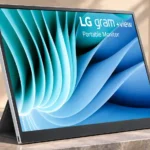
LG gram +view 16 Feature Scores
Explore all 51 feature scores for LG gram +view 16, organized into pros and cons.
Scores by Feature
Summary
51 reviewed features-
Very positive 4.5-5.017 (33%)
-
Positive 3.5-4.417 (33%)
-
Neutral 2.5-3.48 (16%)
-
Negative 1.5-2.48 (16%)
-
Very negative below 1.51 (2%)
Pros
Sort
-
Its 2560 × 1600 panel is repeatedly singled out for laptop-like clarity and extra working space over common 1080p portables.
-
Broad sRGB and P3 coverage makes colors vivid and is a major advantage for a lightweight work display.
-
The 16:10 shape shows more code, document rows and web content vertically than 16:9, making it particularly useful for work.
-
The panel is unusually slim and light for its screen area, so it slips into a laptop bag; the folio adds noticeable carry weight.
-
On a compatible laptop, connecting one USB-C cable is generally enough to start using the display immediately.
-
The 16:10 IPS display earns high praise for crisp detail, lively colors and unusually strong image quality for a portable monitor.
-
Most assessments recommend the +view as a lightweight second screen with a very sharp panel. Enthusiasm is tempered by stand design and connectivity limitations.
-
Text and graphics look noticeably crisp, and the resolution is repeatedly appreciated in office and mobile workflows.
-
USB-C ports on both sides make it easier to place the panel left or right of the laptop without awkward cable routing.
-
IPS contrast is generally praised as strong for a portable monitor, with measured ratios around 1,160:1–1,210:1 in multiple tests.
-
Colors typically appear pleasing and sufficiently accurate for everyday images and some creative tasks, though the Dell P1425 and dedicated creator models can be more accurate.
-
Fine pixel density keeps letters crisp at a normal working distance, with individual pixels hard to spot.
-
The generous roughly 16-inch screen adds meaningful workspace while remaining manageable beside a laptop.
-
Slim edges, narrow bezels and a clean metallic style make this an attractive laptop companion.
-
Many testers find the display bright enough indoors and in moderately bright settings, though direct sun and comparisons with brighter competitors expose limits.
-
The thin metallic finish earns praise for its upmarket feel, even if the folio stand does not match the panel’s refinement.
-
The IPS screen keeps colors fairly stable when viewed from the side, with only modest brightness loss at extreme angles.
-
LG software can split or move windows across screens, helping multitasking, although not everyone wants the added feature complexity.
-
Straightforward USB-C operation and simple brightness control make everyday use easy, with some complaints about software complexity.
-
Photos tend to look natural and colorful, making casual photo editing viable; one comparison favors a more specialized ProArt monitor for design work.
-
Some consider the sharp, bright panel worth its premium, while others recommend cheaper screens for basic tasks or fixed-desktop use.
-
LG software supports screen controls and productivity features, but some users find it cluttered or missing fine color adjustment options.
-
The USB-C connection and slim design make it an attractive extra screen for compatible MacBooks.
-
The display can come on automatically when connected to a compatible notebook without needing a separate power-button step.
-
Its remarkably thin profile makes it practical to slip into a backpack alongside a laptop.
-
Narrow, mostly uniform bezels help the screen match the sleek profile of a modern laptop.
-
Some users praise a slim, premium-feeling metal body, while another comparison finds the stand and construction cheaper-feeling than rivals.
-
The matte coating diffuses glare better than some glossy rivals, although strong direct reflections remain visible.
-
The manual can help explain how to fold the stand into its less obvious positions.
-
One tester found its power draw modest for a portable display, although it still takes energy from the host laptop.
-
Extra space and LG window-management tools add useful flexibility to a dual-display workflow.
-
The matte surface reduces distracting reflections more effectively than a glossy portable competitor.
-
Testing finds the panel retains useful detail in both bright and dark portions of footage.
-
Reviewers disagree on the minimalist physical controls: some appreciate simple brightness adjustment without menus, while detailed display tuning is limited.
Cons
Sort
-
The magnetic folio shields the screen, but several reviewers warn that most of the rear remains unprotected against bag scratches.
-
Running the panel from a laptop can shorten laptop battery life, especially at higher brightness.
-
There are no speakers on the version tested, which limits standalone multimedia and console ambitions.
-
Fine control of color temperature and channels is limited or absent in LG’s utility, making OS controls or calibration software more important.
-
The display has no internal battery, so using it away from an outlet requires a compatible powered host or power arrangement.
-
The older 16MQ70 US variant is described as discontinued, meaning new-stock availability and support can depend on seller.
-
It integrates readily with USB-C laptops that support video and adequate power, but HDMI devices and some game consoles are problematic.
-
Stand impressions vary: some find the magnetic folio usable, while others say it tips easily or feels flimsier than a hinged kickstand.
-
The folio allows basic tilt and portrait arrangements, but its folding angles and lack of height adjustment limit flexibility.
-
With no HDMI input, connecting a console requires an appropriate converter or another display; console use is not a core strength.
-
The LG Switch app offers useful options, but one user found it cluttered and could not get automatic orientation to work on two PCs.
-
There is no touchscreen, and at least one comparison says spending slightly more gets a touch-enabled alternative.
-
A one-year warranty draws criticism against multi-year rivals, and older discontinued variants require careful seller checks.
-
The folio adds hundreds of grams, making ready-to-carry weight noticeably higher than the bare screen.
-
Auto-rotation gets both praise when it works and criticism when it fails or requires installing extra software.
-
USB-C capabilities appear to differ across the units and generations discussed: one test reports passthrough, while another says the older screen cannot charge the laptop.
-
Two USB-C inputs on opposite edges make cable placement flexible, but the lack of HDMI is a repeated limitation.
Use Cases
Best for
Sort
-
Extra vertical pixels make documents, spreadsheets, browsing and multitasking noticeably easier without a bulky desktop monitor.
-
Its thin, low-weight design is well suited to carrying a large second screen in a backpack or on a commute, provided the laptop can power it.
-
A compatible laptop gains a crisp, generous second screen while away from a fixed desk; the folio stand is the main setup frustration.
-
The +view is convenient as a USB-C laptop screen, provided the laptop outputs DisplayPort video and sufficient power; it does not replace a full-featured dock.
-
Beside a compatible laptop, the +view makes a practical dual-screen layout without requiring a full desk monitor.
-
The tall, high-resolution panel displays more code lines and context at once, making it an appealing side screen for programmers.
-
The matte finish and useful brightness work well for most indoor bright rooms, but a sunny window or direct sunlight can still be distracting.
-
Compatible Apple laptops gain a portable second screen through USB-C, with size and weight appealing to mobile users.
-
A notebook and +view together create a flexible desktop-like working area while staying portable.
-
Portrait positioning is supported, but the folding folio can be awkward or unstable depending on the setup.
-
Good broad-gamut color makes light photo and video work possible, but professional color workflows may require stronger calibration controls and accuracy.
-
Video clips benefit from vivid colors and clear shadow detail, even though portable office use is the principal strength.
-
Students with compatible USB-C laptops can benefit from the tall document-friendly second screen, though they must account for laptop power requirements.
-
A single compatible USB-C cable can carry video and power to the monitor, reducing clutter even though host charging capability varies by version.
-
Wide P3 coverage helps when working with video color, although the monitor is not presented as a dedicated grading display.
-
One test calls it a strong simple budget choice, but others caution that less expensive monitors are enough for basic email or calls.
Conditional or not ideal for
Sort
-
Dedicated PC monitor useA traditional desktop monitor can offer more flexibility and better value if the display rarely leaves one desk.
-
Color-critical workColor gamut is impressive for a portable screen, but assessments differ on whether its calibration and Adobe-oriented accuracy are strong enough for exacting professional work.
-
Video conferencingThe panel is usable as an additional screen for calls, but some testers say cheaper portables meet that basic need equally well.