Best for productivity versatility
ASUS ProArt Display PA34VCNV
5.0 attribute score
Highest scored product for this attribute based on supporting review evidence.

Highest scored product for this attribute based on supporting review evidence.
Balances the attribute score, supporting reviews, and overall product strength.
Has the broadest review evidence for this attribute.
Strongest overall product among items with scored evidence for this attribute.
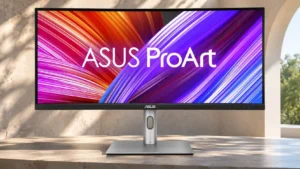
Overall: 3.9/5
A broad desktop supports multiple applications and long editing timelines; creators particularly appreciate seeing more of the project at once.
Pros: color accuracy, value for money
Cons: color gamut, black levels

Overall: 4.3/5
Sharp text, color modes, docking, and ergonomic adjustment suit a range of desk tasks. Video-intensive work is its strongest niche, while dark-room and high-refresh needs are less well served.
Pros: USB-C power delivery, port selection
Cons: HDR performance, refresh rate

Overall: 4.1/5
Window-organization features work well for arranging a broad range of desktop tasks across the large display.
Pros: value for money, Resolution
Cons: HDR performance, refresh rate

Overall: 4.2/5
Sharp 4K output and uniform-brightness control can make everyday desktop work pleasant, subject to static-content wear risk.
Pros: overall satisfaction, black levels
Cons: reflection handling, Color brightness

Overall: 4.2/5
The 4K canvas, readable scaling options, input sharing, and color controls provide genuine work flexibility alongside gaming. Persistent OLED text issues remain a personal dealbreaker for some.
Pros: overall satisfaction, black levels
Cons: value for money, stand adjustability

Overall: 4.4/5
The KVM, docking-friendly USB-C and strong color make light creative and desktop work feasible, despite the static-content tradeoff.
Pros: color gamut, overall satisfaction
Cons: reflection handling, VRR flicker

Overall: 4.4/5
High-resolution text, excellent color, USB-C, and KVM make this more useful at work than many gaming displays. Heavy static desktop use remains a less comfortable long-term fit.
Pros: sharpness, overall satisfaction
Cons: value for money, VRR flicker

Overall: 4.5/5
Clean text, multitasking width, USB-C charging and KVM switching make occasional work comfortable. Continuous static desktop use is a poor match for OLED longevity.
Pros: color gamut, contrast
Cons: value for money, Resolution

Overall: 3.9/5
The screen is a capable secondary or everyday productivity display with clean text and enough usable screen space for common workloads.
Pros: motion clarity, Backlight strobing
Cons: contrast, HDR performance

Overall: 3.8/5
Readable text and accurate colors make this more than a gaming-only screen, although it lacks advanced workstation connectivity.
Pros: value for money, Resolution
Cons: HDR performance, port selection