Best for productivity versatility
Samsung Odyssey OLED G91SD S49DG910S
5.0 attribute score
Highest scored product for this attribute based on supporting review evidence.

Highest scored product for this attribute based on supporting review evidence.
Balances the attribute score, supporting reviews, and overall product strength.
Has the broadest review evidence for this attribute.
Strongest overall product among items with scored evidence for this attribute.

Overall: 3.7/5
Multiple sources and generous horizontal space create a flexible workspace, with room for active documents, games and monitoring windows.
Pros: value for money, black levels
Cons: refresh rate, portability and weight

Overall: 3.6/5
Clear text and practical ergonomics allow the gaming display to double as a reliable everyday work monitor.
Pros: stand adjustability, competitive gaming suitability
Cons: value for money, port selection

Overall: 3.1/5
Sharp text and a spacious 4K desktop make office tasks and mixed workloads comfortable alongside gaming.
Pros: PC gaming compatibility, overall picture quality
Cons: overall satisfaction, Smart TV platform

Overall: 4.1/5
A spacious sharp desktop and easy laptop docking make the monitor capable beyond gaming, while OLED text and static-content caveats remain.
Pros: PC gaming compatibility, reflection handling
Cons: color accuracy, VRR flicker

Overall: 4.3/5
The G6 can handle office and creative work well thanks to strong color and usable 1440p sharpness, but opinions are split for all-day productivity. Text fringing, burn-in risk, missing USB-C,...
Pros: overall satisfaction, competitive gaming suitability
Cons: value for money, screen size
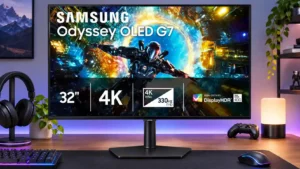
Overall: 3.8/5
The flat 4K panel can serve mixed use, but the limited connectivity and complaints about text scaling undermine its appeal as an all-day work screen.
Pros: overall satisfaction, contrast
Cons: value for money, port selection

Overall: 4.2/5
The sharp panel is pleasant for general tasks, but competing displays with KVM and USB-C are easier to integrate into a work-first desk.
Pros: reflection handling, color gamut
Cons: value for money, brightness