
Overall: 3.7/5
Graphics mode is a favorite for keeping the picture pleasing and colors accurate without relying on default settings.
Pros: value for money, black levels
Cons: refresh rate, portability and weight

Overall: 3.7/5
Graphics mode is a favorite for keeping the picture pleasing and colors accurate without relying on default settings.
Pros: value for money, black levels
Cons: refresh rate, portability and weight

Overall: 3.8/5
Crosshairs, FPS indicators, shadow adjustment, color modes, and adjustable blur reduction offer useful gaming customization.
Pros: value for money, Resolution
Cons: HDR performance, port selection

Overall: 4.2/5
FPS Pro+ can emphasize enemy outlines while FPS Pro resembles traditional tournament screens. These useful options also change colors dramatically and are poor choices for general viewing.
Pros: refresh rate, overall satisfaction
Cons: value for money, port selection

Overall: 3.9/5
A broad selection of presets and creator settings is useful, with several testers finding their preferred SDR picture quickly.
Pros: Resolution, refresh rate
Cons: HDR performance, contrast

Overall: 4.2/5
Creator and Smart HDR modes offer useful options, but default desktop, movie and game presets can produce blur, excess saturation or uneven brightness depending on content.
Pros: competitive gaming suitability, color gamut
Cons: brightness, HDMI 2.1 support
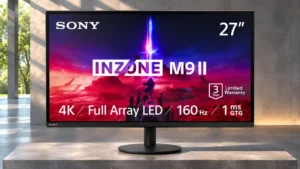
Overall: 3.9/5
FPS, RPG and other profiles make adjustment convenient, although their automatic choices are not always ideal and some players prefer manual DisplayHDR settings.
Pros: color gamut, stand adjustability
Cons: value for money, Bass reproduction
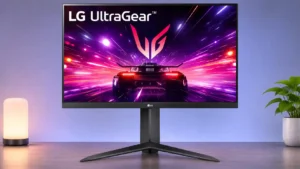
Overall: 3.3/5
Several game presets and overlays are available, but the default Game 1 mode is generally the safest for faithful colors. FPS-oriented modes can sacrifice accuracy for brighter shadows.
Pros: adaptive sync performance, response time
Cons: HDR performance, console gaming compatibility

Overall: 4.0/5
There is a generous selection of picture modes and game-oriented overlays; some HDR simulation and gamma choices need tuning.
Pros: refresh rate, competitive gaming suitability
Cons: value for money, brightness

Overall: 4.4/5
Racing mode receives praise for natural balance, while certain stylized presets look exaggerated or poorly calibrated without adjustment.
Pros: color gamut, overall satisfaction
Cons: reflection handling, VRR flicker

Overall: 4.4/5
Presets are straightforward, but the standard mode may look better than the less appealing movie preset for users who mix work and games.
Pros: overall picture quality, color accuracy
Cons: value for money, built-in speakers

Overall: 4.0/5
The monitor includes many game modes, but several overly darken shadows or distort colors; using the standard mode and manual adjustments usually works better.
Pros: value for money, overall satisfaction
Cons: HDR performance, HDMI 2.1 support

Overall: 4.0/5
Several profiles look good, especially sRGB, yet splitting gaming and professional menus complicates switching; unsuitable modes can make text difficult to read.
Pros: overall satisfaction, DisplayPort connectivity
Cons: value for money, reliability over time