
Overall: 3.9/5
Easy setup, low weight and a steady stand make it a practical extra screen in cafés and temporary offices.
Pros: brightness, portability and weight
Cons: value for money, port selection

Overall: 3.9/5
Easy setup, low weight and a steady stand make it a practical extra screen in cafés and temporary offices.
Pros: brightness, portability and weight
Cons: value for money, port selection

Overall: 4.2/5
Integrated docking, USB peripherals, Ethernet, and a large workspace make it a particularly capable home-office centerpiece.
Pros: port selection, overall satisfaction
Cons: value for money, competitive gaming suitability

Overall: 3.7/5
A good home-office display for documents, spreadsheets, and calls, with limited docking convenience for laptop-focused setups.
Pros: value for money, Resolution
Cons: stand adjustability, viewing angles

Overall: 4.2/5
A clean single-cable workstation, useful audio, and multitasking make home-office use particularly comfortable.
Pros: overall satisfaction, screen size
Cons: stand adjustability, Photo editing
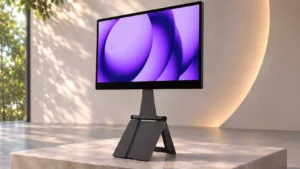
Overall: 4.3/5
For remote workers using cafés, hotel rooms, or even a vehicle, the portable 4K second screen recreates much of a fixed two-monitor workflow.
Pros: overall satisfaction, stand adjustability
Cons: value for money, reflection handling

Overall: 4.1/5
Remote work with side-by-side documents and applications is a strong use for the large screen. Long static workdays still demand attention to OLED maintenance.
Pros: Resolution, overall satisfaction
Cons: value for money, GPU demands