
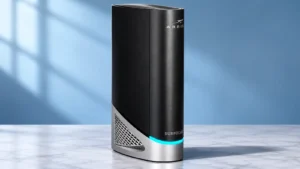
ARRIS SURFboard G54 Feature Scores
Overall Scorata score: 3.7/5
Based on 6 analyzed reviews · View source samples
Explore all 72 feature scores for ARRIS SURFboard G54, organized into pros and cons.
Scores by Feature
Summary
72 reviewed features-
Very positive 4.5-5.021 (29%)
-
Positive 3.5-4.422 (31%)
-
Neutral 2.5-3.416 (22%)
-
Negative 1.5-2.413 (18%)
Pros
Sort
-
Wi-Fi 7 gives the gateway strong peak performance and useful future readiness, but the tested unit lacks MLO.
-
Wi-Fi 7 offers room to benefit from newer client devices over time, even though the gateway has limited physical expansion options.
-
The 10 Gbps Ethernet socket is a standout specification, though some would prefer multiple 2.5 Gbps ports for greater flexibility.
-
Peak Wi-Fi speeds are a major draw, although some testing found the older bands modest compared with the newer 6 GHz band.
-
Wireless performance is generally strong, especially with newer clients. Older 5 GHz clients and longer distances can produce less impressive results.
-
Once configured, the gateway can maintain a dependable connection during extended use.
-
Downloads are fast, with one wired test sustaining nearly 1 Gbps on an 800 Mbps cable plan.
-
The gateway completed a three-day stress test without disconnecting, and another tester also found it dependable.
-
High speeds and avoided rental fees can justify the price, although dedicated routers at similar prices can offer more networking capability.
-
The gateway is appealing for cable users who prioritize speed, reliability and rental savings, provided they can accept its configuration and expansion limitations.
-
Whole-home coverage can be good with central placement, including a reported successful test in a 3,000-square-foot house. Layout matters.
-
The 6 GHz band is a key speed advantage for compatible clients, although some devices may encounter single-SSID interoperability problems.
-
It is an attractive replacement for compatible cable rental equipment, provided the exact provider and service tier approve the model.
-
The gateway delivers excellent throughput close to the router.
-
One hands-on account found installation remarkably straightforward, even without much technical experience.
-
Online gaming produced little noticeable lag in one hands-on test.
-
The gateway was completely silent during hands-on testing.
-
The gateway held its connection throughout a three-day stress test.
-
The app offers clear guidance through activation and Wi-Fi customization when it works properly.
-
It represents a substantial speed and technology upgrade over the earlier G36, particularly with newer wireless clients.
-
Wired broadband performance was excellent in one test, sustaining nearly 1 Gbps on an 800 Mbps Comcast plan.
-
Setup experiences differ: guided activation can be very easy, but early firmware and app problems made configuration frustrating for another tester.
-
Website filtering and scheduled URL blocking give families useful control over online access.
-
Website and app filtering, blocking and schedules are useful, although daily per-device time limits are missing.
-
Internet access schedules and scheduled URL blocking help manage when devices can access the network.
-
The single 10 Gbps port is valuable, but additional multi-gigabit connections require a switch. The remaining four sockets are gigabit-only.
-
Range is generally adequate for modest homes, but distant rooms and outdoor areas can be more challenging than with expandable mesh systems.
-
Device blocking provides useful control over which clients can access the network.
-
App-based management can make adding and managing connected devices straightforward.
-
Four additional gigabit Ethernet sockets offer practical flexibility for ordinary wired devices.
-
The gateway remained relatively cool throughout hands-on testing.
-
Real-time monitoring offers a convenient way to keep tabs on network performance and security.
-
The four-band architecture contributes to a substantial speed upgrade over older dual-band gateways.
-
The 10 Gbps WAN/LAN capability is attractive for fast service, though actual cable speeds depend on the provider.
-
The plastic housing feels solid, but the tall, narrow enclosure can topple when a stiff coax cable pulls on it.
-
Automatic band selection is convenient in ordinary use, but splitting SSIDs may be necessary to resolve some 6 GHz client issues.
-
The 2.4 GHz band is particularly useful for reaching the corners of a centrally covered home.
-
The standalone router is considered suitable for multi-level homes, although its distant 5 GHz speeds taper off.
-
The one-year warranty provides some peace of mind.
-
The cylindrical enclosure and LED strip look sleek to some, while others consider the styling merely functional.
-
Everyday app management can be intuitive, though the early configuration workflow was made awkward by password rules and CAPTCHA checks.
-
Granular menus and self-explanatory sections make the browser interface relatively easy to navigate.
-
The local web interface has straightforward menus, but early password and CAPTCHA requirements made changes unnecessarily awkward.
Cons
Sort
-
Lack of native mesh support limits expansion; buyers with growing coverage needs may prefer separate or mesh-capable hardware.
-
Native mesh expansion is not a strength, making it difficult to extend coverage seamlessly as needs grow.
-
The advertised aggregate bandwidth and cable plan limits deserve caution: tested channel widths and contradictory specifications raise questions about the headline speeds.
-
The manufacturer's technical information left questions about radio bandwidth and offered conflicting cable plan speed limits.
-
Dual-WAN operation was unavailable in the tested configuration, limiting users who need redundant internet connections.
-
Early password complexity rules could force owners to reconnect existing devices when replacing equipment; later Comcast firmware removed those requirements.
-
Early security settings imposed frustrating password complexity and CAPTCHA checks. A later Comcast firmware update removed the Wi-Fi password requirements.
-
The lack of 160 MHz channels on the tested 5 GHz bands holds back performance.
-
The tested 5 GHz radios are limited to 80 MHz channels, constraining their potential throughput.
-
The initial setup pushed users toward an app that failed to recognize the hardware in one launch-era test.
-
The guest network is isolated by default, but early firmware imposed the same restrictive password rules as the main network.
-
The modem-and-router naming was criticized as confusing for a device that is actually an integrated cable gateway.
-
Multi-Link Operation was unavailable on the tested unit despite its Wi-Fi 7 designation. Availability may vary with region and provider firmware.
-
Four 1 Gbps sockets limit fast wired clients; a separate multi-gig switch may be needed for multiple high-speed connections.
-
Early configuration was hampered by mandatory password complexity and unusual security checks, although subsequent firmware removed the password rules on Comcast.
-
Some 6 GHz clients may encounter interoperability issues with a unified SSID, making the provider's firmware version important.
-
Throughput on 5 GHz drops noticeably farther away from the gateway.
-
The signal weakens farther into the yard, making it less appealing for demanding outdoor coverage.
-
Browser-based setup is familiar in structure but was hampered by unusual restrictions and blocked options in early testing.
-
The 5 GHz bands are only modest in some tests, and throughput falls off with distance.
-
The slender base saves space, but the enclosure is noticeably tall and bulky for a combined gateway.
-
The app can guide activation smoothly, but it failed to recognize the gateway in one launch-era Android test.
-
Opinions on SURFboard Central differ sharply: one tester found it intuitive, while another could not get it to recognize the gateway at launch.
-
Firmware is handled through the cable provider; one tester could not find a manual download when troubleshooting launch issues.
-
Manual firmware downloads were unavailable during one test, so updates depend on the provider rather than a readily accessible file.
-
The unboxing revealed a minimal accessory bundle with no Ethernet cable included.
-
More complex networks with numerous devices spread across a large area may be better served by mesh equipment.
-
Phone and chat availability are reassuring, but one launch-era app issue remained unresolved despite contacting the manufacturer.
-
Older clients can see speed improvements, but some legacy security protocols are unsupported and newer devices benefit most from 6 GHz.
Use Cases
Best for
Sort
-
For compatible cable service, combining the modem and router can simplify equipment and eliminate rental fees. Verify the exact plan with the provider first.
-
It can serve multi-level or larger homes well, especially with central placement, but very large or difficult layouts may require mesh equipment instead.
-
Modern Wi-Fi 7 clients are a natural match for the gateway's high peak speeds and 6 GHz capabilities, even without MLO on the tested unit.
-
Wi-Fi 7, a fast 6 GHz band and a 10 Gbps Ethernet socket make this a strong candidate for compatible multi-gig cable plans.
-
Gigabit cable service is a good performance match: one wired test approached 1 Gbps on an 800 Mbps plan.
-
Families can use website and app filters, device blocking and access schedules, though daily individual time limits are unavailable.
-
First-time setup can be simple with the guided app, but launch-era app recognition failures and security restrictions made another experience frustrating.
-
Wi-Fi 7 makes the gateway attractive as a long-term purchase for users hoping to avoid frequent equipment upgrades.
-
Online gaming ran smoothly with minimal noticeable lag in one hands-on account.
-
Streaming 4K video performed impressively in a home test.
-
Once configured, the integrated gateway can provide a robust everyday home network comparable to many ordinary routers.
-
Standalone coverage is well suited to small and medium spaces without requiring extra mesh units.
-
Avoided rental fees can eventually offset the high purchase price, but the payback period may be several years.
Conditional or not ideal for
Sort
-
Wired multi-gigabit networkingThe single multi-gigabit Ethernet socket constrains multiple fast wired devices. A separate switch is often necessary for that setup.
-
Legacy-device householdsOlder devices may benefit from faster Wi-Fi, but they cannot match modern 6 GHz clients and some legacy security standards are incompatible.
-
Mesh network expansionThe absence of native mesh expansion makes this a poor choice for buyers planning to add compatible satellite units later.
-
Android device useAndroid setup was problematic at launch because the current app did not recognize the gateway on several tested phones.
-
Access point modeThe gateway could not function as a conventional access point in the tested configuration, so it is a poor choice for that role.
-
Advanced network administrationAdvanced administrators may find early security restrictions and limited networking modes frustrating despite the familiar browser interface.
-
Internet plans above 2.5 GbpsA 10 Gbps Ethernet rating does not guarantee service above 2.5 Gbps. Conflicting advertised plan limits make exact provider approval essential.
-
Busy multi-device householdsFor complex households with devices spread across a large space, an expandable mesh network may be more suitable.