Best for KVM switch performance
Dell Alienware AW3926QW
5.0 attribute score
Highest scored product for this attribute based on supporting review evidence.

Highest scored product for this attribute based on supporting review evidence.
Balances the attribute score, supporting reviews, and overall product strength.
Has the broadest review evidence for this attribute.
Strongest overall product among items with scored evidence for this attribute.

Overall: 4.3/5
The integrated KVM lets a keyboard and mouse move between computers without a separate USB switch. It is a highly valued convenience in work-and-gaming setups.
Pros: overall satisfaction, Text fringing
Cons: brightness, Edge dimming behavior

Overall: 4.4/5
Sharing a keyboard and mouse across multiple connected computers is a meaningful strength, especially for complicated desk setups.
Pros: overall picture quality, color accuracy
Cons: value for money, built-in speakers

Overall: 4.0/5
The built-in KVM is one of the most consistently praised features, making it easy to share a keyboard and mouse across two computers. Responsiveness is strong, and multi-device desk setups...
Pros: overall satisfaction, productivity versatility
Cons: value for money, reliability over time

Overall: 4.2/5
Keyboard and mouse sharing across two computers is a highlight, with picture-by-picture flexibility and convenient switching. The companion application can make configuration less seamless.
Pros: port selection, USB hub functionality
Cons: competitive gaming suitability, motion clarity

Overall: 4.2/5
The built-in KVM makes one keyboard and mouse practical across two computers, provided both are wired correctly.
Pros: port selection, overall satisfaction
Cons: value for money, competitive gaming suitability

Overall: 4.3/5
The integrated KVM is a major advantage for multi-computer desks, especially when paired with picture-by-picture and Ethernet switching. Hardware and network switching can be excellent, but one detailed test found...
Pros: productivity versatility, overall satisfaction
Cons: value for money, response time

Overall: 4.2/5
There is no integrated KVM switch, so sharing one keyboard and other USB devices across computers requires manually changing connections or extra equipment.
Pros: value for money, Resolution
Cons: port selection, competitive gaming suitability
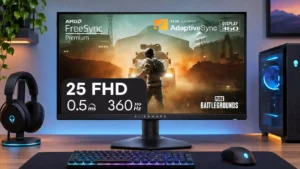
Overall: 3.9/5
Despite several video inputs, the missing KVM makes it less convenient to share a keyboard and mouse among connected computers.
Pros: competitive gaming suitability, stand adjustability
Cons: color gamut, contrast

Overall: 4.1/5
Without a KVM switch, a keyboard and mouse cannot be shared across multiple PCs through the monitor.
Pros: value for money, overall satisfaction
Cons: HDR performance, Headphone output quality

Overall: 3.6/5
The missing KVM switch is a frequent complaint when comparing similarly priced alternatives, especially for swapping between computers.
Pros: overall satisfaction, brightness
Cons: Dolby Vision support, VRR flicker

Overall: 4.2/5
There is no KVM to share a keyboard and mouse conveniently across computers, despite a useful USB hub and multiple video inputs.
Pros: competitive gaming suitability, color gamut
Cons: brightness, HDMI 2.1 support

Overall: 4.0/5
There is no integrated KVM, which limits convenience for shared keyboard-and-mouse setups across multiple computers.
Pros: overall satisfaction, refresh rate
Cons: HDR performance, HDMI 2.1 support

Overall: 3.7/5
A built-in KVM is missing, a drawback for anyone hoping to control multiple connected computers with one set of peripherals.
Pros: ultrawide gaming experience, black levels
Cons: HDR performance, viewing angles

Overall: 4.2/5
No KVM switch means users juggling multiple computers must rely on external switching hardware.
Pros: refresh rate, HDR performance
Cons: reflection handling, Text fringing

Overall: 4.4/5
There is no integrated KVM switch for sharing peripherals between computers, a notable compromise compared with more fully equipped competitors.
Pros: brightness, value for money
Cons: port selection, built-in speakers

Overall: 4.2/5
There is no integrated KVM for a shared keyboard and mouse, so multi-PC setups need a workaround.
Pros: overall picture quality, overall satisfaction
Cons: port selection, brightness