
Overall: 4.3/5
An internal power supply avoids a bulky external brick, simplifying installation and cable routing.
Pros: black levels, sharpness
Cons: value for money, brightness

Overall: 4.3/5
An internal power supply avoids a bulky external brick, simplifying installation and cable routing.
Pros: black levels, sharpness
Cons: value for money, brightness

Overall: 4.4/5
The internal power board avoids an extra external brick beneath the desk.
Pros: refresh rate, Text fringing
Cons: Resolution, GPU demands

Overall: 4.4/5
A direct power cord avoids a bulky external brick, helping keep the desk and floor tidier.
Pros: brightness, value for money
Cons: port selection, built-in speakers

Overall: 4.3/5
The built-in power supply avoids the bulky external power brick of some competitors. It helps make the workstation tidier.
Pros: overall satisfaction, Text fringing
Cons: brightness, Edge dimming behavior
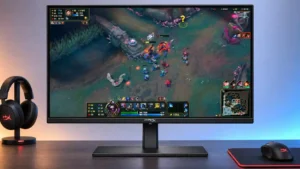
Overall: 4.1/5
The internal power supply removes the bulky external brick that often clutters a gaming desk.
Pros: black levels, overall picture quality
Cons: brightness, Gaming feature selection

Overall: 4.2/5
Eliminating the external power brick simplifies the desk setup and is repeatedly praised as a practical upgrade, even if the screen itself remains heavy.
Pros: overall satisfaction, black levels
Cons: value for money, stand adjustability

Overall: 4.3/5
The internal power supply avoids an external brick and accepts a common power cable.
Pros: picture quality, black levels
Cons: bass performance, HDR brightness

Overall: 3.9/5
The separate power brick is an unwelcome extra at this price and adds clutter compared with an internal supply.
Pros: motion clarity, Backlight strobing
Cons: contrast, HDR performance

Overall: 4.1/5
An external adapter adds another object to manage on or beneath the desk.
Pros: competitive gaming suitability, refresh rate
Cons: Dual-mode versatility, GPU demands