Best for Resolution
LG 39GX950B-B
5.0 attribute score
Highest scored product for this attribute based on supporting review evidence.

Highest scored product for this attribute based on supporting review evidence.
Balances the attribute score, supporting reviews, and overall product strength.
Has the broadest review evidence for this attribute.
Strongest overall product among items with scored evidence for this attribute.

The 5120×2160 5K2K resolution is a major upgrade over earlier 39-inch ultrawides, bringing finely detailed games and substantially sharper desktop content.
Pros: Resolution, overall satisfaction
Cons: value for money, Image scaling
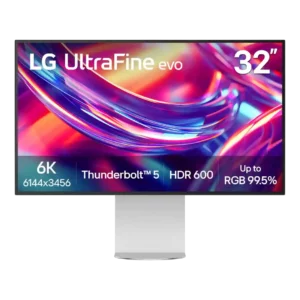
The 6K panel is the defining strength, delivering Retina-like density and far more working detail than 4K at the same general size. Reviewers consistently see the 6144×3456 canvas as the...
Pros: port selection, overall satisfaction
Cons: value for money, cable management

At 27 inches, native 5K makes desktop text and high-resolution photos visibly sharper than 4K. The benefit is less dramatic in many 3D games and comes with a substantial graphics-performance...
Pros: Resolution, Dual-mode versatility
Cons: value for money, GPU demands
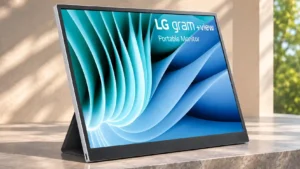
Its 2560 × 1600 panel is repeatedly singled out for laptop-like clarity and extra working space over common 1080p portables.
Pros: portability and weight, overall satisfaction
Cons: port selection, Device compatibility

At 27 inches, 1440p balances sharpness and GPU demands; one PS5 user felt no need to jump to 4K.
Pros: overall satisfaction, value for money
Cons: reflection handling, screen uniformity
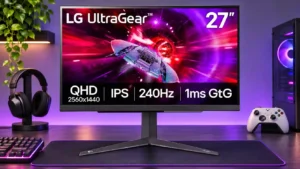
1440p is a satisfying middle ground between crisp detail and attainable high frame rates, especially on a 27-inch screen.
Pros: refresh rate, overall satisfaction
Cons: HDR performance, contrast

QHD on a 27-inch screen brings noticeably more detail than 1080p while remaining less demanding than 4K, a compromise widely praised for gaming and work.
Pros: refresh rate, value for money
Cons: HDR performance, contrast

The 1440p picture looks sharp for gaming while remaining easier to run than 4K, though it is not the best match for ultra-fine text.
Pros: reflection handling, HDR performance
Cons: screen uniformity, Screen coating clarity

Native 4K looks crisp on the large panel, but dropping to Full HD for 480Hz creates noticeable softness at typical desk distances.
Pros: brightness, color gamut
Cons: AI scene optimization, value for money

Native 1440p strikes a useful balance for extremely high frame rates and looks pleasing in games. It lacks the extra sharpness of competing 27-inch 4K OLEDs.
Pros: refresh rate, competitive gaming suitability
Cons: value for money, brightness

Full HD looks reasonably crisp on a 23.8-inch screen and is easy to drive at high frame rates. It cannot match 1440p for dense text or detailed desktop work.
Pros: adaptive sync performance, response time
Cons: HDR performance, console gaming compatibility

Native 1440p looks good at 27 inches, but enabling 720Hz reduces the image to a very soft 720p; detail-focused buyers may want 4K.
Pros: competitive gaming suitability, refresh rate
Cons: Dual-mode versatility, GPU demands