Best for Portrait orientation
LG 27GX704A-B
5.0 attribute score
Highest scored product for this attribute based on supporting review evidence.

Highest scored product for this attribute based on supporting review evidence.
Balances the attribute score, supporting reviews, and overall product strength.
Has the broadest review evidence for this attribute.
Strongest overall product among items with scored evidence for this attribute.

The stand can rotate the display vertically for portrait work.
Pros: overall satisfaction, value for money
Cons: reflection handling, screen uniformity

The stand rotates easily into portrait position, adding flexibility for tall pages, chat windows and secondary-monitor layouts.
Pros: refresh rate, competitive gaming suitability
Cons: value for money, brightness

Full vertical rotation is genuinely useful when a tall screen layout is needed.
Pros: competitive gaming suitability, refresh rate
Cons: Dual-mode versatility, GPU demands

The rotating stand and automatic orientation adjustment work well for tall documents and vertical workflows.
Pros: brightness, color gamut
Cons: AI scene optimization, value for money

The fully pivoting stand supports vertical placement, especially useful for long documents and lines of code.
Pros: Resolution, Dual-mode versatility
Cons: value for money, GPU demands

Pivot support lets the screen turn vertical for documents or an alternative display layout, and users appreciate the flexibility.
Pros: refresh rate, value for money
Cons: HDR performance, contrast

Portrait rotation works well for reading, coding, and chat windows, especially when used as a secondary display.
Pros: adaptive sync performance, response time
Cons: HDR performance, console gaming compatibility
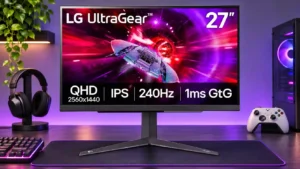
Portrait pivot is available and useful for vertical secondary screens, with sufficient height adjustment for flexible placement.
Pros: refresh rate, overall satisfaction
Cons: HDR performance, contrast
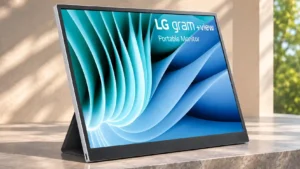
Portrait positioning is supported, but the folding folio can be awkward or unstable depending on the setup.
Pros: portability and weight, overall satisfaction
Cons: port selection, Device compatibility