Best for port selection
LG UltraFine 6K Evo 32U990A
4.8 attribute score
Highest scored product for this attribute based on supporting review evidence.

Highest scored product for this attribute based on supporting review evidence.
Balances the attribute score, supporting reviews, and overall product strength.
Has the broadest review evidence for this attribute.
Strongest overall product among items with scored evidence for this attribute.
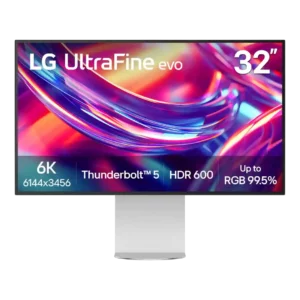
Connectivity is one of the clearest consensus strengths: Thunderbolt 5, USB-C, HDMI 2.1, and DisplayPort 2.1 cover most modern workflows. Reviewers repeatedly praise the flexibility for laptops, desktops, daisy chains,...
Pros: port selection, overall satisfaction
Cons: value for money, cable management

DisplayPort 2.1, two HDMI 2.1 ports, USB-C and USB-A make connectivity more flexible than a typical gaming-only monitor.
Pros: brightness, color gamut
Cons: AI scene optimization, value for money

DisplayPort 2.1, two HDMI 2.1 inputs and USB-C provide excellent modern video connectivity. Missing KVM and more extensive USB docking are the notable limitations.
Pros: Resolution, Dual-mode versatility
Cons: value for money, GPU demands
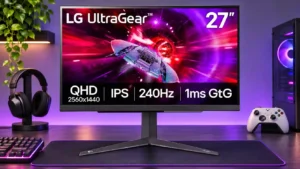
Two HDMI 2.1 connections, DisplayPort, USB-A, and audio output cover gaming essentials well, but the missing USB-C dock-style input restricts work use.
Pros: refresh rate, overall satisfaction
Cons: HDR performance, contrast

Modern DisplayPort, HDMI, USB-C, and USB-A ports cover many setups, though a missing KVM and certain USB routing limitations temper flexibility.
Pros: Resolution, overall satisfaction
Cons: value for money, Image scaling

Two HDMI 2.1 inputs, DisplayPort, and USB-A ports serve gaming setups well. USB-C video, KVM and newer DisplayPort standards are missing.
Pros: overall satisfaction, value for money
Cons: reflection handling, screen uniformity

Two HDMI 2.1 sockets, DisplayPort 2.1 and a modest USB hub cover gaming essentials, but the lack of USB-C is conspicuous.
Pros: refresh rate, competitive gaming suitability
Cons: value for money, brightness

Two HDMI inputs, DisplayPort, USB-C, and USB-A provide welcome flexibility, although some would like another HDMI or easier physical access.
Pros: competitive gaming suitability, refresh rate
Cons: Dual-mode versatility, GPU demands
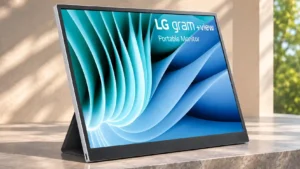
Two USB-C inputs on opposite edges make cable placement flexible, but the lack of HDMI is a repeated limitation.
Pros: portability and weight, overall satisfaction
Cons: port selection, Device compatibility

Dual HDMI and a DisplayPort cover basic connections; missing USB ports, USB-C, and HDMI 2.1 limit convenience and versatility.
Pros: refresh rate, value for money
Cons: HDR performance, contrast

Two HDMI 2.1 inputs, DisplayPort, USB-A hub ports, and headphones cover straightforward gaming. USB-C and a KVM are missing for more elaborate desks.
Pros: reflection handling, HDR performance
Cons: screen uniformity, Screen coating clarity

One HDMI, one DisplayPort, and a headphone jack cover basic gaming. Missing USB-C and USB ports reduce versatility.
Pros: adaptive sync performance, response time
Cons: HDR performance, console gaming compatibility