
One USB-C connection carries video, data and laptop charging, making workstation changes quick and straightforward.
Pros: brightness, color gamut
Cons: AI scene optimization, value for money

One USB-C connection carries video, data and laptop charging, making workstation changes quick and straightforward.
Pros: brightness, color gamut
Cons: AI scene optimization, value for money

Compatible laptops can send video and draw up to 90W of charging over one USB-C cable, simplifying desk wiring.
Pros: Resolution, overall satisfaction
Cons: value for money, Image scaling

One USB-C cable carries video, peripheral data and up to 90W charging for supported laptops. It is convenient but not as expansive as a dedicated Thunderbolt dock.
Pros: Resolution, Dual-mode versatility
Cons: value for money, GPU demands
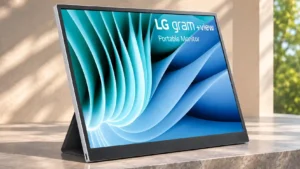
A single compatible USB-C cable can carry video and power to the monitor, reducing clutter even though host charging capability varies by version.
Pros: portability and weight, overall satisfaction
Cons: port selection, Device compatibility