
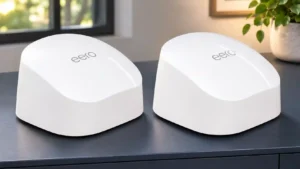
eero 6 Feature Scores
Overall Scorata score: 3.7/5
Based on 29 analyzed reviews · View source samples
Explore all 94 feature scores for eero 6, organized into pros and cons.
Scores by Feature
Summary
94 reviewed features-
Very positive 4.5-5.038 (40%)
-
Positive 3.5-4.420 (21%)
-
Neutral 2.5-3.415 (16%)
-
Negative 1.5-2.421 (22%)
Pros
Sort
-
Installation is a standout strength: the app guides users through connecting the gateway and adding nodes. Occasional setup bugs and individual node registration can add some time.
-
The small curved white units look sleek and unobtrusive compared with traditional routers with prominent antennas.
-
The app is attractive, intuitive and easy to navigate, though a few users encountered bugs or wanted more options.
-
Compact hardware makes it easy to place the router and nodes on shelves or hide them among household items.
-
A stable network is a major strength, with several tests reporting no drops or consistent connections despite modest speeds.
-
Expansion is straightforward, including adding compatible units to an existing eero network as coverage needs grow.
-
The built-in Zigbee hub makes compatible smart-home devices easier to connect without a separate hub.
-
The app provides a useful overview of connected devices and makes managing them straightforward.
-
The app makes it easy to see connected devices and bandwidth usage, although detailed historical insights may require a subscription.
-
Adding mesh nodes can provide solid coverage throughout a home without the complexity of multiple network names.
-
The price is attractive for a simple Wi-Fi 6 mesh, especially on sale, but competing kits can deliver more speed, ports or free features for the money.
-
Connections generally stay online reliably, even where raw throughput is not especially fast.
-
The integrated Zigbee hub lets compatible smart-home accessories connect without another separate hub, making an Alexa-based setup simpler.
-
Strategically placed extenders can restore a usable connection in previously weak rooms and corners.
-
Wi-Fi 6 brings better efficiency and throughput than older eero hardware, but the basic dual-band radios do not exploit its full potential.
-
Alexa integration adds convenient controls for compatible smart-home equipment and network access.
-
Setting up and sharing a separate guest network is quick and straightforward.
-
Nodes are generally easy to pair and register, with Bluetooth-assisted setup and simple plug-in expansion.
-
The setup app gives practical advice on where to put nodes for a strong mesh connection.
-
The plastic housings feel decent and compare favorably with cheaper mesh hardware; rubber padding also helps keep units stable.
-
The system is designed around simplicity and is generally easy to operate without networking expertise.
-
Pausing internet access for a device or group is simple and can be done through the app or supported voice commands.
-
HomeKit integration was praised for adding useful control and security options for compatible Apple accessories.
-
Several devices can share the network smoothly, including households streaming and browsing at the same time.
-
Direct Ethernet connections can provide strong throughput and avoid wireless variability.
-
Automatic software updates reduce the need for hands-on maintenance and help keep the network current.
-
The move from older eero hardware to Wi-Fi 6 brings useful efficiency and speed improvements, especially if the existing network is struggling.
-
Automatic route optimization is convenient and can improve performance over time, though some tests found poor choices about which node to use.
-
The gateway can deliver solid speeds nearby, especially with newer clients, although some competing routers are faster in the same room.
-
Automatic setup creates one shared network without requiring separate names or passwords for each frequency band.
-
The system is good at sharing limited available bandwidth without dropping connections.
-
Backward compatibility helps existing wireless devices remain connected when upgrading the network.
-
A mesh installation delivered consistent 100 Mbps broadband speeds on both upstairs and downstairs floors.
-
Clear instructions make it easier to get the system installed.
-
Reusing an existing network name and password can save the trouble of reconnecting every device manually.
-
New-device alerts help owners notice unfamiliar clients joining their network.
-
The compact power arrangement avoids bulky bricks and intrusive cables.
-
One household reported fewer manual resets and less downtime than with its previous mesh network.
-
Remote monitoring and rebooting are particularly convenient when managing a network for someone else.
-
The mesh can route around disruptions automatically rather than requiring the user to intervene.
-
Clear instructions and helpful animations make the installation process approachable.
-
Upload throughput reached the full capacity of a tested 100/11 Mbps broadband connection in both rooms.
-
Customizable schedules help control when groups of devices can access the internet.
-
Ethernet-linked router units preserve much more throughput across the mesh. The cheaper extender units lack ports and cannot use that arrangement.
-
The 2.4 GHz radio can deliver respectable throughput, but devices stuck on that band may experience much slower speeds than on 5 GHz.
-
Optional security tools can add useful protection for households that want a managed solution.
-
WPA3 support is welcome for stronger encryption, though its early beta status drew criticism.
-
Naming and grouping devices helps organize the network, but some devices initially appear under cryptic hardware identifiers.
-
Additional nodes can extend useful coverage, although some standalone competitors reach just as far as a small mesh kit.
-
Usage reports help identify devices consuming a disproportionate amount of network bandwidth.
-
Dynamic routing helps conserve airtime and distribute traffic across available paths.
-
Automatic channel selection can avoid interference without requiring users to tune radio settings manually.
-
Firmware updates fixed major early performance issues, although some users continued to report slow speeds.
-
The tidy packaging makes a good initial impression.
-
The optional security subscription can add protection against online threats.
-
Latency is adequate for everyday tasks and video conversations, but occasional elevated latency makes competitive gaming less attractive.
-
Outdoor reach improved substantially in one installation, but larger properties may need a stronger system for yard coverage.
-
Simultaneous streaming and downloads can work smoothly, although some tests showed a larger throughput hit under load than competing hardware.
Cons
Sort
-
Manual network controls are sparse, particularly for band separation, channel settings and traffic prioritization.
-
The router leaves only one spare Ethernet port after connecting a modem, and the bundled extenders have none. A switch or extra router units may be needed.
-
Many advanced security, parental filtering and monitoring features require a recurring payment. The bundle can be worthwhile for people who already need its extra services.
-
Vendor account and cloud dependence raise privacy concerns, especially because data collection cannot readily be disabled or inspected.
-
There is little control over assigning bandwidth priority to individual devices or groups.
-
Wireless links between nodes can substantially reduce speed; the convenience of cable-free installation comes with a performance penalty.
-
Moving between rooms can leave a device attached to an unsuitable band or access point, reducing speeds until it reconnects.
-
Content filtering can be useful, but advanced options typically require a subscription rather than being included at no extra charge.
-
Configurable quality-of-service options are missing, making it difficult to explicitly prioritize traffic for demanding devices.
-
Users cannot readily see what data the platform has collected, a concern for people who want transparency about network telemetry.
-
Without a dedicated backhaul band, wireless mesh traffic competes for the same capacity as connected devices.
-
Speeds can fall noticeably just a room or two away, particularly when walls intervene.
-
There is no full browser-based administration interface to fall back on when you want more control than the phone app provides.
-
Advertised wireless speed ceilings are inconsistent and difficult to achieve outside ideal conditions, particularly through wireless extenders.
-
Automatic band selection is convenient when it works, but some tests found devices stubbornly stuck on 2.4 GHz with severely reduced speeds.
-
Long-distance speeds vary considerably: some tests maintained useful throughput through several walls, while others saw speeds fall sharply or lose the signal.
-
Satellite throughput ranges from close to gateway speeds to less than half of them, depending on the layout and backhaul connection.
-
Backhaul is managed intelligently, but sharing the 5 GHz radio with clients reduces throughput compared with tri-band or wired setups.
-
Manual control over radio channels is lacking, which is frustrating if you want to tune the network yourself.
-
Channel width cannot be manually adjusted, limiting control over throughput and interference.
-
Reliance on the phone app can be restrictive if you prefer managing your network directly from a computer.
-
Early firmware had bugs that affected performance, although subsequent updates improved the situation.
-
Two-stream MU-MIMO helps serve multiple clients, but more capable competitors can offer greater capacity.
-
A bundled VPN does not mean the router itself can act as a VPN client; individual devices need their own software.
-
The dual-band design is adequate for slower broadband, but shares capacity between devices and mesh traffic.
-
Dynamic DNS was missing in earlier accounts, while a later paid feature provides useful remote access functionality.
-
Automatic client selection can direct devices to nearby nodes without requiring manual network switching.
-
The signal can remain usable through multiple walls, but thick or obstructed layouts can weaken it quickly.
-
Jitter and occasional high latency are acceptable for general use rather than demanding competitive play.
-
The multicolor indicator communicates network status clearly once you learn what the different colors mean.
-
Mesh performance is useful for distributing coverage, but shared wireless capacity and uneven steering can make it slower than competing systems.
-
Downloads can saturate a modest broadband connection, but poor steering and faster competing routers expose the limits of the system.
-
Handoffs can be smooth, especially in later experiences, but other tests found devices lingering on the wrong node or band.
-
Range is sufficient for many homes with appropriate node placement, but thicker walls and distant rooms can expose limitations.
-
Family profiles, pauses and schedules are useful, but more advanced filters are paid and some controls, such as daily limits, are missing.
-
Wi-Fi speeds are ample for many modest broadband plans, but results vary substantially with placement, steering behavior and wireless mesh hops. Faster systems are a better match for demanding connections.
Use Cases
Best for
Sort
-
The system is best suited to modest internet plans, often around 500 Mbps or below. A single wired gateway can perform much better than a wireless mesh satellite.
-
Simple setup, low maintenance and adequate everyday speeds make it a good fit for basic home networking.
-
Multiple nodes can serve larger or multi-story homes, but difficult layouts or very large properties may benefit from a stronger tri-band mesh.
-
Family scheduling and device pauses are handy, but households needing detailed filtering and daily time limits may find the paid features and restrictions disappointing.
-
Guided phone-based installation is particularly suitable for people who have never set up a router before.
-
Adding compatible routers or extenders is a simple way to fill coverage gaps as the network grows.
-
Built-in smart-home integration and mesh expansion make it useful for homes with compatible connected lights, locks and other gadgets.
-
Older Wi-Fi clients work with the system and can benefit from mesh coverage, though they cannot use every Wi-Fi 6 improvement.
-
A single router is a good fit for a compact home or apartment, where a multi-node kit may be unnecessary.
-
An inexpensive gateway or mesh kit makes sense for budget buyers who do not need high-end speeds or extensive paid extras.
-
Adequate latency and stable connections make video calls practical, including a successful live Skype broadcast.
-
Browsing is generally responsive and can remain smooth even with other devices downloading or streaming.
-
HomeKit support can make the system useful for households with compatible Apple smart-home accessories.
-
The network handles many connected devices well for typical home activity, provided the broadband connection and mesh layout are suitable.
-
Modest broadband connections can support ordinary streaming, including multiple 4K streams in some tests.
-
The Zigbee hub and Alexa integration are particularly convenient for households already using Amazon smart-home devices.
-
A modest broadband connection sustained steady Steam downloads across rooms, though this does not make the mesh ideal for demanding high-speed transfers.
Conditional or not ideal for
Sort
-
Advanced network administrationExperienced users wanting granular configuration, traffic control or browser-based administration should look elsewhere.
-
Online gamingCasual online use is possible, but higher latency spikes, limited throughput and absent prioritization make it less appealing for demanding gaming.
-
Access point modeBridge mode lets the mesh work with an existing router but sacrifices many native management and security features.