If you want better automatic configuration
Choose Netgear Nighthawk M7. It scores 5.0 vs 1.3 for automatic configuration, with a 4.1 overall score.

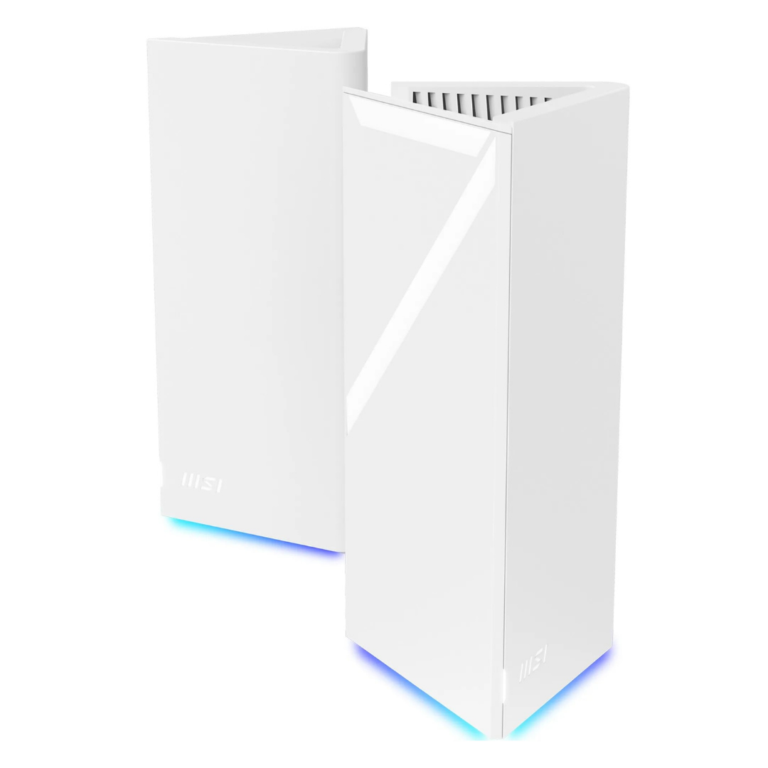
Choose it for affordable tri-band Wi-Fi 7, abundant 2.5GbE ports, and deep free controls. Skip it if you need consistently strong garden coverage, foolproof app setup, or proven top-tier speeds across every room.
Best for value-focused, technically comfortable households that want tri-band Wi-Fi 7, multi-gig wired connectivity, and strong management features without subscription fees.
Less suitable for buyers who need guaranteed garden or very-long-range coverage, a completely foolproof mobile setup, or class-leading throughput on older Wi-Fi clients.
The MSI Roamii BE Pro offers an unusually complete Wi-Fi 7 mesh package for its price. Its four 2.5GbE ports per node, wired or wireless backhaul, capable web interface, free security tools, and extensive parental controls make it more flexible than many budget rivals. Nearby performance can be exceptional, and several reviewers achieved excellent whole-home speeds from only two nodes. However, results were inconsistent: other tests found mediocre legacy-device throughput, steep secondary-node slowdowns, and weak garden or far-room coverage. The mobile app is similarly uneven, ranging from intuitive and quick to crash-prone with troublesome node pairing. It is a strong-value choice for technically comfortable buyers, but not the safest option for those expecting effortless setup or guaranteed long-range performance.
Compared with other Wi-Fi Routers, this product is above average in 320 MHz support, settings organization, wall penetration, near average in design and appearance, connection reliability, below average in automatic configuration, size and footprint, app setup quality.
| Attribute | This product | Category average | Difference |
|---|---|---|---|
| automatic configuration | 1.3 | 5.0 | -3.7 |
| 320 MHz support | 5.0 | 2.6 | +2.4 |
| size and footprint | 2.5 | 4.3 | -1.8 |
| settings organization | 5.0 | 3.6 | +1.4 |
| wall penetration | 5.0 | 3.7 | +1.3 |
| app setup quality | 3.5 | 4.7 | -1.2 |
| Wi-Fi speed | 3.8 | 4.8 | -1.0 |
| hardware reliability | 5.0 | 4.0 | +1.0 |
Choose Netgear Nighthawk M7. It scores 5.0 vs 1.3 for automatic configuration, with a 4.1 overall score.
Choose GL.iNet GL-BE3600 Slate 7. It scores 4.6 vs 1.5 for interface responsiveness, with a 4.5 overall score.
Choose D-Link Aquila Pro AI R95. It scores 5.0 vs 2.0 for node pairing ease, with a 4.8 overall score.
Choose Fritz!Box 5690 Pro. It scores 5.0 vs 3.3 for USB storage sharing, with a 4.0 overall score.
Products reviewers directly compared with this model, grouped into quick takeaways.
Yes. Reviewers repeatedly praised its combination of tri-band Wi-Fi 7, four 2.5GbE ports per node, USB support, and free security tools at a price below many comparable mesh kits.
Close-range results reached about 2Gbps in multiple tests, but speeds through the satellite and at long range varied considerably by home, device, and test method.
It can be, but results were inconsistent. Some reviewers found the app quick and intuitive, while others experienced crashes, login problems, and failed automatic node detection.
Two nodes covered some multi-room homes exceptionally well, but other tests found weak garden and far-room performance. Difficult layouts or larger properties may need another node or wired backhaul.
Core FortiSecu security and parental-control features are included without a subscription, though enabling traffic scanning involves a third-party service.
Yes. Each node includes multiple 2.5GbE ports, and reviewers considered wired backhaul a strong option for preserving speed through thick walls or over longer distances.
These are a few of the reviews included in our analysis.
The MSI Roamii BE Pro Twin MESH is a pair of super fast MESH Routers that are super easy to setup with all the features you need.
The MSI Roamii BE Pro Twin MESH is a pair of super fast MESH Routers that are super easy to setup with all the features you need.
The MSI Roamii BE Pro Twin MESH is a pair of super fast MESH Routers that are super easy to setup with all the features you need.
The full-fat 6GHz version of MSI’s impressive Roamii Lite Wi-Fi mesh kit
MSI's new Roamii BE Pro Wi-Fi 7 Mesh System won't suit very large homes with Wi-Fi black spots, but it's a very good budget mesh option.
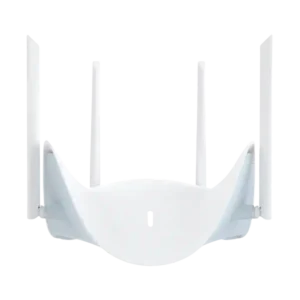
Choose the R95 for a busy home that needs fast Wi-Fi 7, strong range, multi-gig ports, and low-lag gaming. Skip it for a small, lightly connected space or if advanced...
Pros: Wi-Fi 7 support, Wi-Fi speed
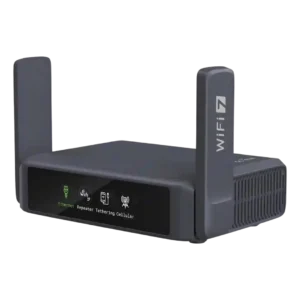
Best for frequent travel, fast VPNs, dual 2.5GbE and resilient multi-WAN. Skip it if you need full 6GHz/320MHz Wi‑Fi 7, mesh, or desktop-class USB storage and long-range indoor coverage.
Pros: VPN client support, value for money
Cons: 6 GHz performance, USB storage sharing
Best for affordable tri-band Wi-Fi 7, abundant 2.5GbE ports, and deep free controls. Skip it if you need consistently strong garden coverage, foolproof app setup, or proven top-tier speeds across...
Pros: value for money, design and appearance
Cons: node pairing ease, outdoor coverage
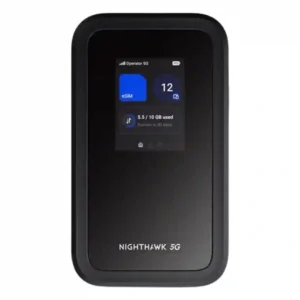
Choose the M7 if you travel often and want flexible eSIM/physical-SIM connectivity, strong multi-device reliability, and workday battery life. Skip it if $499 feels steep, you need built-in Ethernet or...
Pros: eSIM flexibility, cellular connectivity
Cons: interface responsiveness, Ethernet port count