
If you want better Instruction readability
Choose TP-Link Archer BE550. It scores 5.0 vs 2.0 for Instruction readability, with a 4.3 overall score.

Seven 2.5GbE LAN ports, fast Wi-Fi 7 and excellent configurability make this a versatile gaming and home-network hub. The missing 10GbE port, uneven long-range 2.4GHz performance and regional AFC restrictions are the main drawbacks.
Busy households, wired gaming setups and advanced users with several 2.5GbE devices and compatible Wi-Fi 7 clients benefit most from its port density, configuration flexibility and strong simultaneous-device performance.
Buyers requiring full use of internet plans above 2.5Gbps or 10GbE wired networking should look elsewhere. Competitive wireless gamers and households with distant 2.4GHz smart devices should weigh the latency and coverage limitations.
The ASUS ROG Strix GS-BE18000 is particularly compelling for households that need several fast wired connections alongside high-performance Wi-Fi. Seven 2.5GbE LAN ports reduce the need for a separate switch, while Wi-Fi 7 delivers excellent nearby throughput and generally holds up well under simultaneous gaming, downloads and streaming. AFC can substantially improve 6GHz coverage at a distance where permitted, although activation and upload performance vary. The app makes setup straightforward, and the browser interface offers extensive customization and subscription-free security tools. The trade-off is the absence of 10GbE, which limits faster broadband and wired upgrades. Long-range 2.4GHz throughput and competitive wireless latency are less impressive, and some configurations have experienced firmware-related instability. For multi-gigabit households with compatible devices and internet plans up to 2.5Gbps, its combination of capacity and flexibility is attractive.
Compared with other Routers, this product is above average in product support lifespan, client steering, subscription requirements, near average in Wi-Fi speed, wireless performance, below average in Instruction readability, Antenna adjustability, 10 GbE support.
| Attribute | This product | Category average | Difference |
|---|---|---|---|
| Instruction readability | 2.0 | 4.3 | -2.3 |
| product support lifespan | 5.0 | 2.8 | +2.2 |
| client steering | 5.0 | 3.0 | +2.0 |
| Antenna adjustability | 2.0 | 3.9 | -1.9 |
| subscription requirements | 4.9 | 3.3 | +1.5 |
| dual-WAN support | 5.0 | 3.3 | +1.7 |
| 10 GbE support | 1.7 | 3.1 | -1.4 |
| WAN port speed | 2.5 | 4.0 | -1.5 |
Choose TP-Link Archer BE550. It scores 5.0 vs 2.0 for Instruction readability, with a 4.3 overall score.
Choose TP-Link Archer BE230. It scores 4.8 vs 2.5 for WAN port speed, with a 4.1 overall score.
Choose TP-Link Deco 7 Pro BE63. It scores 4.8 vs 2.0 for backhaul performance, with a 4.2 overall score.
Choose TP-Link Archer AX55. It scores 4.6 vs 2.0 for content filtering, with a 4.0 overall score.
Compared with ASUS ROG Strix GS-BE18000
There are eight 2.5GbE ports in total, normally configured as one WAN and seven LAN ports. Two LAN ports are designated for gaming prioritization.
Its standard WAN port is limited to 2.5Gbps, so it cannot fully utilize a faster single-port Ethernet handoff. The combined wired capacity does not change the speed of any individual port.
AFC can extend 6GHz reach and improve downloads at longer distances where regulatory approval and firmware permit it. Nearby speeds and uploads may improve less or even decline.
Dedicated gaming ports and traffic prioritization are useful in busy households. Wireless latency results are mixed, so a wired connection is preferable for competitive gaming.
Several tests found strong coverage through walls and across floors, particularly with AFC. Difficult rooms may still benefit from an AiMesh node, ideally with wired backhaul.
The reviewed configurations include subscription-free AiProtection and parental controls. Scheduling is flexible, although one test found gaps in adult-site filtering.
Most testers found the app-based setup simple, often taking about five minutes. The desktop interface provides more granular settings, and current firmware is worth installing.
These are a few of the reviews included in our analysis.

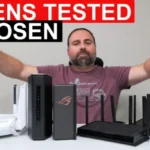
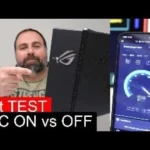

I tested the ASUS ROG Strix GS-BE18000 across my home. AFC boosted upstairs speeds enough to replace my mesh setup, but wireless mesh gives...
An unusually strong speed-per-dollar gaming router with an excellent 2.5GbE port array.
See whether the ASUS ROG Strix GS-BE18000 is worth buying, with its Wi-Fi 7 specs, eight 2.5Gbps ports, independent test results, coverage...
The ASUS ROG Strix GS-BE18000 offers seven 2.5Gbps LAN ports and tri-band Wi-Fi 7. Learn what its 20Gbps claim means, its limits and...
The Asus ROG Strix GS-BE18000 may not be as flashy as other gaming routers but it delivers top-tier speeds and performance at a fraction of...

Choose the R95 for a busy home that needs fast Wi-Fi 7, strong range, multi-gig ports, and low-lag gaming. Skip it for a small, lightly connected space or if advanced...
Pros: Wi-Fi 7 support, Wi-Fi speed

Best for frequent travel, fast VPNs, dual 2.5GbE and resilient multi-WAN. Skip it if you need full 6GHz/320MHz Wi‑Fi 7, mesh, or desktop-class USB storage and long-range indoor coverage.
Pros: VPN client support, value for money
Cons: 6 GHz performance, USB storage sharing

Exceptional VPN speeds, strong Wi-Fi 6 coverage and extensive OpenWrt controls make the Flint 2 a compelling value. Its advanced setup, missing 6GHz band and firmware-specific caveats matter if you...
Pros: setup ease, configuration flexibility
Cons: Wi-Fi 7 support, USB storage sharing

Best for affordable tri-band Wi-Fi 7, abundant 2.5GbE ports, and deep free controls. Skip it if you need consistently strong garden coverage, foolproof app setup, or proven top-tier speeds across...
Pros: value for money, design and appearance
Cons: node pairing ease, outdoor coverage