Best for setup ease
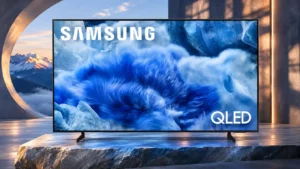
Samsung U8000F
5.0 attribute score
Highest scored product for this attribute based on supporting review evidence.

Highest scored product for this attribute based on supporting review evidence.
Balances the attribute score, supporting reviews, and overall product strength.
Has the broadest review evidence for this attribute.
Strongest overall product among items with scored evidence for this attribute.

Overall: 3.3/5
The slot-in feet and straightforward first setup are repeated bright spots, with no screwdriver needed for the stand.
Pros: color accuracy, upscaling quality
Cons: picture quality, sound quality

Overall: 3.8/5
SmartThings guidance and uncomplicated push-in stand feet make the initial setup notably simple.
Pros: picture quality, contrast ratio
Cons: blooming control, glare resistance

Overall: 4.2/5
Hardware and on-screen setup are generally straightforward and quick. The main annoyance is the Samsung account step.
Pros: high-refresh-rate gaming, gaming performance
Cons: value for money, bass performance

Overall: 3.9/5
The stand snaps together quickly and the television can be ready for viewing shortly after unboxing.
Pros: value for money, overall satisfaction
Cons: Dolby Vision support, sound quality

Overall: 3.1/5
Owners find initial setup uncomplicated and enjoy the clear picture once configured.
Pros: picture quality, overall satisfaction
Cons: sound quality, black levels

Overall: 4.2/5
Initial setup and connecting core features are generally straightforward, with tools and on-screen assistance smoothing the process.
Pros: picture quality, glare resistance
Cons: value for money, bass performance

Overall: 3.8/5
Stand assembly is unusually straightforward, allowing the TV to be ready for picture setup quickly with help lifting the panel.
Pros: overall satisfaction, color gamut
Cons: value for money, local dimming performance

Overall: 4.2/5
Directly integrated ports reduce dependence on an external connection box, although concealed connectors can complicate later changes.
Pros: picture quality, overall satisfaction
Cons: design and appearance, Dolby Vision support

Overall: 3.1/5
SmartThings-based onboarding and phone control make initial setup surprisingly painless.
Pros: gaming performance, color accuracy
Cons: value for money, overall satisfaction

Overall: 3.7/5
The center stand clicks into place with little effort and setup is generally quick. App accounts and device configuration can add steps afterward.
Pros: color volume, overall satisfaction
Cons: value for money, color accuracy

Overall: 3.8/5
The on-TV setup is straightforward, while physical mounting and hidden-power planning can take more effort.
Pros: cable management, design and appearance
Cons: value for money, Dolby Vision support

Overall: 3.0/5
Assembly and basic setup can be very quick with snap-on feet and phone QR-code pairing, although account prompts add friction.
Pros: color gamut, smart TV platform
Cons: value for money, overall satisfaction

Overall: 2.6/5
Snap-in feet and SmartThings QR-code pairing make initial setup straightforward, particularly when using a phone.
Pros: sound quality, picture quality
Cons: value for money, local dimming performance

Overall: 3.0/5
Snap-in feet and phone-assisted setup make installation relatively straightforward, with a standard remote method also available.
Pros: picture quality, smart TV platform
Cons: value for money, refresh rate

Overall: 3.8/5
Profile and wireless setup can be simple, while the larger physical installation requires more care and occasionally extra hands.
Pros: Wireless One Connect compatibility, art display mode
Cons: value for money, input lag

Overall: 3.9/5
Dual-position feet help adapt the TV to furniture, though the thin screen makes careful installation important.
Pros: color volume, black levels
Cons: Inconsistent panel and coating by size, sound quality

Overall: 3.8/5
The initial on-screen setup is straightforward; physically handling a 100-inch panel is a separate challenge.
Pros: overall satisfaction, picture quality
Cons: value for money, local dimming performance
Overall: 3.3/5
Getting started is painless for many households, with helpful on-screen prompts and easy connections. Others find account sign-in, phone requirements, and menu setup unnecessarily complicated.
Pros: overall satisfaction, picture quality
Cons: reliability, remote control quality

Overall: 4.0/5
The box and stand offer flexible arrangements, but the heavy metal hardware and separate cabling can complicate initial installation.
Pros: reflection handling, overall satisfaction
Cons: Dolby Vision support, bass performance

Overall: 3.5/5
An included mounting template and temporary wall-spacing supports ease installation, but clean cable concealment still needs careful planning.
Pros: art display mode, design and appearance
Cons: overall satisfaction, HDMI port accessibility

Overall: 4.5/5
Physical assembly and SmartThings-assisted setup can be very easy, but mandatory-account and permission screens make the software setup more frustrating for some.
Pros: glare resistance, black levels
Cons: Dolby Vision support, color gamut

Overall: 3.8/5
Stand assembly is straightforward, although remote pairing and mandatory account steps can add friction during first setup.
Pros: picture quality, 4K at 144 Hz support
Cons: sound quality, value for money

Overall: 4.0/5
Installation benefits from another person and careful handling.
Pros: black levels, picture quality
Cons: glare resistance, reflection handling

Overall: 3.8/5
The component-rich, upright assembly can be cumbersome for a big-screen installation despite a tidy final appearance.
Pros: glare resistance, overall satisfaction
Cons: input lag, value for money