Best for ease of use
Samsung The Frame 2026
5.0 attribute score
Highest scored product for this attribute based on supporting review evidence.

Highest scored product for this attribute based on supporting review evidence.
Balances the attribute score, supporting reviews, and overall product strength.
Has the broadest review evidence for this attribute.
Strongest overall product among items with scored evidence for this attribute.

Overall: 3.5/5
Controls and app navigation feel approachable to the enthusiastic owner, with a mobile-like simplicity.
Pros: art display mode, design and appearance
Cons: overall satisfaction, HDMI port accessibility
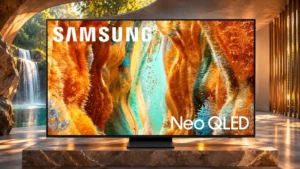
Overall: 3.8/5
Tizen's shortcuts and familiar layout are generally intuitive, notwithstanding occasional slow startup behavior.
Pros: picture quality, 4K at 144 Hz support
Cons: sound quality, value for money
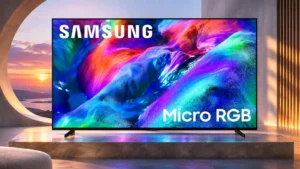
Overall: 3.8/5
The redesigned Tizen home screen and straightforward navigation make everyday operation less cumbersome.
Pros: overall satisfaction, color gamut
Cons: value for money, local dimming performance
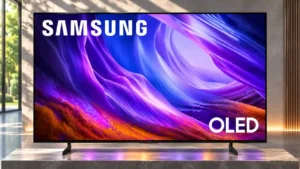
Overall: 4.0/5
Settings and apps are easier to navigate.
Pros: black levels, picture quality
Cons: glare resistance, reflection handling
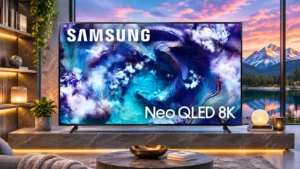
Overall: 4.2/5
The interface and setup are generally easy to use once configured, although deeper picture settings can take practice.
Pros: high-refresh-rate gaming, gaming performance
Cons: value for money, bass performance

Overall: 3.8/5
The refreshed Tizen setup and everyday navigation are friendlier, though art settings and authentication still require extra effort.
Pros: cable management, design and appearance
Cons: value for money, Dolby Vision support

Overall: 3.8/5
The platform and quick menus are generally approachable, though advanced settings can take extra searching.
Pros: overall satisfaction, picture quality
Cons: value for money, local dimming performance
Overall: 4.0/5
The interface is usable for routine tasks but some menu paths, AI options and startup choices demand extra patience.
Pros: reflection handling, overall satisfaction
Cons: Dolby Vision support, bass performance
Overall: 3.9/5
Newer settings menus are easier to navigate, though initial setup and layered options may take some learning.
Pros: value for money, overall satisfaction
Cons: Dolby Vision support, sound quality
Overall: 3.3/5
The basic menus are approachable and common adjustments are accessible, despite some delays during navigation.
Pros: color accuracy, upscaling quality
Cons: picture quality, sound quality

Overall: 3.0/5
Despite occasional sluggishness, finding shows and moving through Tizen content remains straightforward.
Pros: picture quality, smart TV platform
Cons: value for money, refresh rate
Overall: 2.7/5
Familiar Tizen menus make streaming approachable, but an increasingly crowded interface and simplified remote add friction.
Pros: white balance accuracy, design and appearance
Cons: overall satisfaction, value for money
Overall: 3.1/5
Tizen's basic settings are approachable, although crowded menus and sparse remote buttons make some tasks needlessly involved.
Pros: picture quality, overall satisfaction
Cons: sound quality, black levels
Overall: 2.6/5
Phone-based setup and built-in apps simplify basic tasks, but Tizen menus can feel confusing and sluggish.
Pros: sound quality, picture quality
Cons: value for money, local dimming performance
Overall: 3.7/5
Daily navigation has improved, but the number of hubs, extra settings and startup behaviors can feel complicated at first.
Pros: color volume, overall satisfaction
Cons: value for money, color accuracy
Overall: 4.2/5
Core everyday viewing is manageable, but the deep settings hierarchy and sparse remote can make less common tasks laborious.
Pros: picture quality, glare resistance
Cons: value for money, bass performance
Overall: 3.9/5
Basic streaming and settings shortcuts are straightforward, although more advanced picture adjustments can be buried in submenus.
Pros: color volume, black levels
Cons: Inconsistent panel and coating by size, sound quality
Overall: 3.8/5
Tizen can respond quickly, but some find its layers of suggestions and settings unnecessarily complicated. Comfort with smart-TV menus makes a difference.
Pros: glare resistance, overall satisfaction
Cons: input lag, value for money
Overall: 3.3/5
An accessible interface and familiar app shortcuts make ordinary TV use pleasant for some. Other households struggle to find settings, change inputs, or navigate the dense home screen.
Pros: overall satisfaction, picture quality
Cons: reliability, remote control quality
Overall: 3.0/5
Basic viewing tasks are manageable, but slow on-screen keyboards and menus can make account entry and navigation tiresome.
Pros: color gamut, smart TV platform
Cons: value for money, overall satisfaction

Overall: 3.8/5
Brightness options and layered menus can turn supposedly simple changes into a frustrating search.
Pros: Wireless One Connect compatibility, art display mode
Cons: value for money, input lag