Best for overdrive tuning
Asus ROG Swift 34 QD-OLED PG34WCDN
5.0 attribute score
Highest scored product for this attribute based on supporting review evidence.

Highest scored product for this attribute based on supporting review evidence.
Balances the attribute score, supporting reviews, and overall product strength.
Has the broadest review evidence for this attribute.
Strongest overall product among items with scored evidence for this attribute.

Overall: 4.2/5
The OLED panel responds cleanly without needing the aggressive overdrive tuning associated with LCD gaming monitors.
Pros: overall satisfaction, black levels
Cons: reflection handling, Color brightness

Overall: 3.9/5
The extensive overdrive adjustment and effective variable tuning offer clean transitions; aggressive settings can introduce visible pale halos.
Pros: motion clarity, Backlight strobing
Cons: contrast, HDR performance

Overall: 4.5/5
Pixel response stays clean across refresh rates without constant overdrive adjustments, making gaming setup simpler.
Pros: color gamut, contrast
Cons: value for money, Resolution

Overall: 3.8/5
Unusually effective variable overdrive delivers a reliable one-setting experience. The highest slider levels can create unwanted inverse ghosting.
Pros: value for money, Resolution
Cons: HDR performance, port selection

Overall: 4.4/5
OLED's consistent fast response eliminates the need to juggle LCD-style overdrive levels across refresh rates.
Pros: sharpness, overall satisfaction
Cons: value for money, VRR flicker

Overall: 4.1/5
Fine-grained settings help balance response and overshoot. Midrange values tend to look best, while maximum settings risk visible inverse ghosting.
Pros: Pixel density, Resolution
Cons: GPU demands, HDR performance

Overall: 4.3/5
The Trace Free setting can be tuned for a good balance of ghosting and overshoot. A moderate setting was preferred in testing over aggressive adjustment.
Pros: USB-C power delivery, port selection
Cons: HDR performance, refresh rate
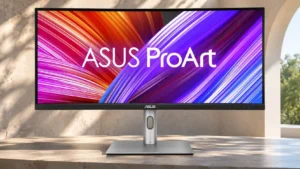
Overall: 3.9/5
An intermediate TraceFree setting offers the best response balance while avoiding obvious overshoot.
Pros: color accuracy, value for money
Cons: color gamut, black levels

Overall: 4.1/5
Overdrive can help with video playback, but its interaction with Adaptive-Sync limits how flexibly it can be used.
Pros: color accuracy, overall picture quality
Cons: HDR performance, refresh rate