Best for overdrive tuning
Dell U4025QW
5.0 attribute score
Highest scored product for this attribute based on supporting review evidence.

Highest scored product for this attribute based on supporting review evidence.
Balances the attribute score, supporting reviews, and overall product strength.
Has the broadest review evidence for this attribute.
Strongest overall product among items with scored evidence for this attribute.

Overall: 4.3/5
Overdrive behavior was effectively excellent because OLED response consistency created a single-overdrive-style experience.
Pros: value for money, sharpness
Cons: brightness, USB hub functionality

Overall: 4.2/5
Consistently fast pixel transitions make complicated overdrive tuning unnecessary across refresh rates.
Pros: refresh rate, HDR performance
Cons: reflection handling, Text fringing

Overall: 4.4/5
Fast overdrive and stable high frame rates can help conceal blur, although the underlying panel cannot match top gaming screens.
Pros: overall picture quality, color accuracy
Cons: value for money, built-in speakers

Overall: 4.0/5
Extreme mode worked particularly well for one tester, but another cautions that aggressive settings can cause overshoot at fluctuating frame rates.
Pros: overall satisfaction, refresh rate
Cons: HDR performance, HDMI 2.1 support
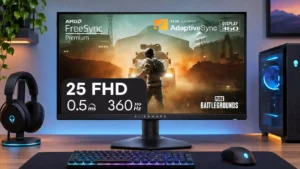
Overall: 3.9/5
Fast and Super Fast settings offer clean motion; Extreme can produce extra overshoot, so reviewers differ on whether its last bit of speed is worthwhile.
Pros: competitive gaming suitability, stand adjustability
Cons: color gamut, contrast

Overall: 4.1/5
The aggressive Extreme setting may suit fast gaming in some tests but introduces ghosting in others; the milder modes offer a useful compromise.
Pros: value for money, overall satisfaction
Cons: HDR performance, Headphone output quality

Overall: 3.7/5
Conservative presets keep overshoot modest, though faster options only partly tackle blur and may introduce inverse ghosting.
Pros: ultrawide gaming experience, black levels
Cons: HDR performance, viewing angles

Overall: 3.7/5
Selectable response-time modes provide some control, but the fastest setting does not eliminate motion smearing for competitive play.
Pros: value for money, Resolution
Cons: stand adjustability, viewing angles

Overall: 3.9/5
The middle settings usually balance speed and overshoot; aggressive modes can produce inverse ghosting and often require retuning across refresh rates.
Pros: Resolution, refresh rate
Cons: HDR performance, contrast

Overall: 4.2/5
Switching to the aggressive response-time mode can sharpen movement, but frequently replaces ordinary blur with even more distracting inverse ghosting.
Pros: port selection, USB hub functionality
Cons: competitive gaming suitability, motion clarity

Overall: 3.8/5
Fast is preferable around 120Hz and Normal often works better at 60Hz; the Extreme setting adds obvious overshoot without enough improvement.
Pros: value for money, Resolution
Cons: port selection, HDR performance

Overall: 4.3/5
The fast overdrive setting is not recommended: it harms picture clarity without delivering a worthwhile gaming improvement. Normal mode is the safer choice.
Pros: productivity versatility, overall satisfaction
Cons: value for money, response time

Overall: 4.2/5
The fastest overdrive setting introduces severe artifacts, making the normal response mode the safer choice for games.
Pros: port selection, overall satisfaction
Cons: value for money, competitive gaming suitability