Best for aspect ratio
ASUS ROG Strix OLED XG32UCWMG
5.0 attribute score
Highest scored product for this attribute based on supporting review evidence.

Highest scored product for this attribute based on supporting review evidence.
Balances the attribute score, supporting reviews, and overall product strength.
Has the broadest review evidence for this attribute.
Strongest overall product among items with scored evidence for this attribute.

Overall: 4.2/5
The selectable 27-inch and 24.5-inch simulated image sizes add flexibility when full 32-inch coverage feels excessive.
Pros: overall satisfaction, black levels
Cons: reflection handling, Color brightness

Overall: 4.1/5
The familiar 16:9 canvas works comfortably with mainstream creative applications and side-by-side windows rather than demanding ultrawide-specific layouts.
Pros: value for money, Resolution
Cons: HDR performance, refresh rate

Overall: 4.3/5
Selectable 27-inch and 24.5-inch viewing formats broaden the ways to use the 16:9 screen for faster competitive play.
Pros: black levels, sharpness
Cons: value for money, brightness

Overall: 4.2/5
Smaller simulated 27-inch and 24.5-inch modes give players a more focused gaming area without replacing the screen. They are particularly appealing for shooters on a large 32-inch panel.
Pros: overall satisfaction, black levels
Cons: value for money, stand adjustability
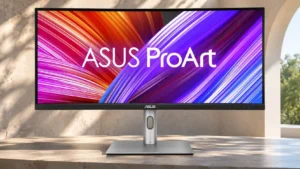
Overall: 3.9/5
The wide format makes room for side-by-side windows and editing tools without the split between separate monitors.
Pros: color accuracy, value for money
Cons: color gamut, black levels

Overall: 3.8/5
The conventional 16:9 screen is a comfortable fit for desktop and PC gaming, without the width or special layout of an ultrawide.
Pros: value for money, Resolution
Cons: HDR performance, port selection

Overall: 4.5/5
The 21:9 view opens up peripheral game scenery and more desktop space. Alternative aspect ratios can help focus competitive play, but consoles require manual switching.
Pros: color gamut, contrast
Cons: value for money, Resolution

Overall: 4.3/5
The conventional 16:9 canvas works naturally for Lightroom and standard video timelines. It offers a familiar workspace rather than an ultrawide view.
Pros: USB-C power delivery, port selection
Cons: HDR performance, refresh rate

Overall: 4.4/5
Selectable 4:3 and simulated 24.5-inch views give competitive players more control over their preferred playing field.
Pros: sharpness, overall satisfaction
Cons: value for money, VRR flicker