Best for dock compatibility
Logitech G203 LightSync
5.0 attribute score
Highest scored product for this attribute based on supporting review evidence.

Highest scored product for this attribute based on supporting review evidence.
Balances the attribute score, supporting reviews, and overall product strength.
Has the broadest review evidence for this attribute.
Strongest overall product among items with scored evidence for this attribute.

Dock compatibility is supported by PowerPlay use, which one reviewer says removes charging anxiety entirely.
Pros: switch feel, click latency
Cons: value for money, glide smoothness
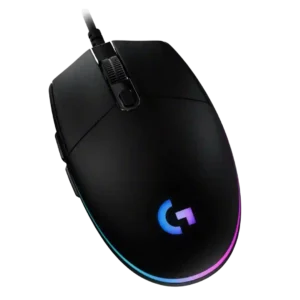
Dock compatibility has one positive report: connection behavior stayed unchanged when the mouse was used through a docking station.
Pros: value for money, RGB features
Cons: palm grip comfort, click noise

Dock and dongle accessories were liked as useful or impressive quality-of-life additions.
Pros: battery life, software usability
Cons: click noise, fingertip grip comfort

Dock compatibility was viewed positively because the Guardian/dock system added controls, charging, and integration benefits.
Pros: charging convenience, software usability
Cons: RGB features, value for money
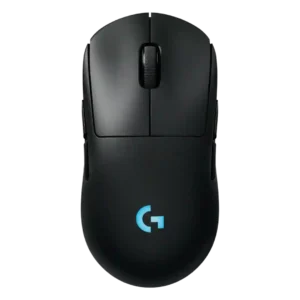
Dock or Power Play compatibility was praised as a solid way to use the mouse without battery worry.
Pros: battery life, handedness options
Cons: value for money, polling rate

Dock compatibility was valued through Powerplay support, with reviewers praising continuous charging or easy mat integration despite cost caveats.
Pros: weight, shape comfort
Cons: side button quality, value for money

Dock compatibility and dock behavior were mostly praised for easy placement, stability, and convenience, with isolated complaints about sensitivity or slipping.
Pros: RGB features, battery life
Cons: value for money, scroll wheel quality
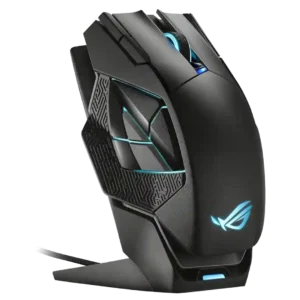
Dock compatibility and physical docking were generally praised for magnetic ease, though one reviewer had to stabilize the dock on the desk.
Pros: charging convenience, RGB features
Cons: side button quality, weight

PowerPlay compatibility was viewed positively, though one reviewer called the accessory expensive.
Pros: switch feel, polling rate
Cons: value for money, side button quality

Dock compatibility was a clear advantage for PowerPlay owners, with reviewers calling it a strong pairing and a path to unlimited battery life.
Pros: value for money, weight
Cons: premium feel, polling rate

Dock support was praised for convenience and higher polling, but reviewers often noted extra cost or availability issues.
Pros: scroll wheel quality, battery life
Cons: value for money, weight

Dock compatibility was useful and sometimes excellent, but reviewers repeatedly noted that the best dock or wireless charging experience costs extra.
Pros: weight, value for money
Cons: click noise, AI Prompt Master
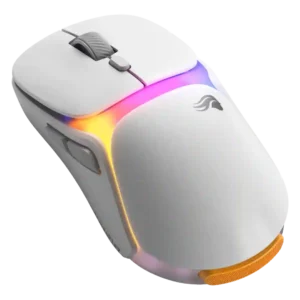
Dock usefulness ranged from seamless and flexible to bulky and space-consuming, making it a practical but polarizing accessory.
Pros: charging convenience, shape comfort
Cons: value for money, weight

Dock compatibility was useful when paired with Powerplay, but reviewers criticized the extra cost or missing included puck.
Pros: RGB features, weight
Cons: value for money, scroll wheel quality

Dock support was useful and convenient for some reviewers, but others noted it added cost or was unnecessary if the cable worked well.
Pros: button customization, scroll wheel quality
Cons: weight, value for money

PowerPlay or wireless-charging compatibility was treated as a useful convenience, though micro-USB charging itself felt dated to one reviewer.
Pros: value for money, battery life
Cons: cable flexibility, RGB features

Dock compatibility was useful for charging and HyperPolling when available, but reviewers noted limited dock compatibility and added cost.
Pros: value for money, battery life
Cons: weight, balance and weight distribution

Dock compatibility was a limitation rather than a strength, with one review noting there is no wireless charging option or dock.
Pros: button customization, MMO gaming suitability
Cons: FPS gaming suitability
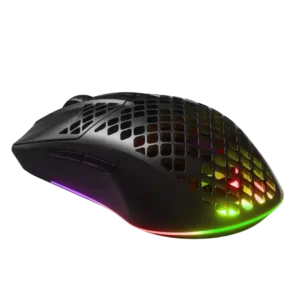
Dock compatibility was a minor weakness because reviewers wished for a charging dock or wireless charging option.
Pros: value for money, battery life
Cons: glide smoothness, side button quality

Dock compatibility was weakly supported by complaints about the dongle/stand situation rather than praise for a dock setup.
Pros: side button quality, MMO gaming suitability
Cons: value for money, claw grip comfort

Dock compatibility was a downside where reviewers wanted charging or docking support and noted it was absent.
Pros: battery life, scroll wheel quality
Cons: value for money, click noise

Dock compatibility was a clear downside where mentioned because the mouse does not support dock-style charging.
Pros: value for money, weight
Cons: click noise, RGB features