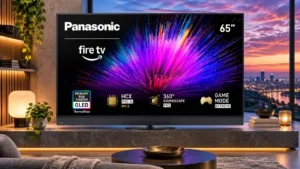
Overall: 4.3/5
NVIDIA-compatible variable refresh works well and offers a nearly tear-free experience.
Pros: picture quality, color accuracy
Cons: bass performance, HDMI 2.1 port count

Overall: 4.3/5
NVIDIA-compatible variable refresh works well and offers a nearly tear-free experience.
Pros: picture quality, color accuracy
Cons: bass performance, HDMI 2.1 port count

Overall: 3.9/5
Compatibility with G-SYNC improves variable-refresh gaming for supported PCs.
Pros: gaming performance, overall satisfaction
Cons: sound quality, value for money

Overall: 4.0/5
G-SYNC compatibility is well implemented across changing frame rates, which is good news for supported PC setups.
Pros: overall satisfaction, picture quality
Cons: size options, value for money

Overall: 3.8/5
Broad variable refresh support covers the principal PC synchronization formats.
Pros: Wireless One Connect compatibility, art display mode
Cons: value for money, input lag

Overall: 4.0/5
G-SYNC compatibility joins FreeSync and HDMI Forum VRR in a broad gaming feature set, though motion behavior can still limit the overall PC-gaming experience.
Pros: overall satisfaction, picture quality
Cons: reliability, build quality
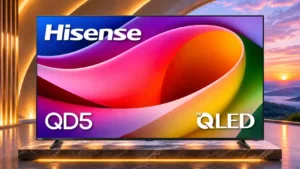
Overall: 3.9/5
G-SYNC compatibility helps supported PC systems avoid tearing during changing frame rates.
Pros: overall satisfaction, picture quality
Cons: Weight and handling, black levels

Overall: 3.8/5
Adaptive-sync support extends beyond consoles and makes the QN80F a capable display for compatible gaming PCs.
Pros: overall satisfaction, picture quality
Cons: value for money, local dimming performance
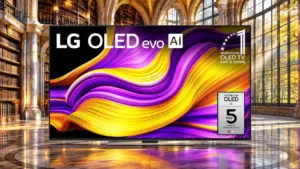
Overall: 4.2/5
G-SYNC compatibility is a mixed area, combining useful capabilities with practical caveats.
Pros: overall satisfaction, picture quality
Cons: banding control, remote control quality

Overall: 3.9/5
G-SYNC support helps PCs avoid screen tearing and maintain smooth motion when frame rates vary.
Pros: value for money, overall satisfaction
Cons: Dolby Vision support, sound quality
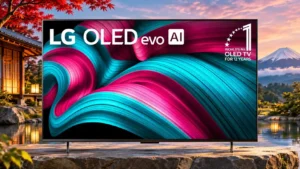
Overall: 4.0/5
G-SYNC compatibility supports smoother PC play with fewer tearing artifacts on compatible hardware.
Pros: value for money, overall satisfaction
Cons: Remote control usability, sound quality

Overall: 4.0/5
Variable-refresh compatibility with modern PCs is helpful, although some users may need to enable the setting manually.
Pros: reflection handling, overall satisfaction
Cons: Dolby Vision support, bass performance

Overall: 4.2/5
Adaptive-sync support gives PC gamers flexible tear-reduction options across a wide range of frame rates.
Pros: picture quality, glare resistance
Cons: value for money, bass performance

Overall: 4.0/5
G-SYNC works across the supported variable-refresh range on the 98-inch model.
Pros: picture quality, black levels
Cons: HDR brightness, value for money

Overall: 3.3/5
G-SYNC-compatible VRR behavior is limited by the TV's narrow refresh range, so it is less helpful than on a proper gaming display.
Pros: color accuracy, upscaling quality
Cons: picture quality, sound quality

Overall: 3.9/5
G-SYNC-style VRR has a specific problem at a locked 60Hz desktop setting on certain older NVIDIA cards; higher-refresh connections perform normally.
Pros: peak brightness, overall satisfaction
Cons: value for money, shadow detail
Overall: 3.9/5
Formal Nvidia G-SYNC support is inconsistent across descriptions and lacks the clear certification PC gamers may expect, despite usable HDMI VRR.
Pros: gaming performance, peak brightness
Cons: HDMI 2.1 support, HDMI 2.1 port count
Overall: 4.0/5
G-SYNC-style VRR can misbehave when an NVIDIA system is fixed at 60Hz; higher-refresh desktop settings work better.
Pros: peak brightness, picture quality
Cons: HDMI 2.1 port count, reflection handling