Best for ease of use
ASUS ROG Strix OLED XG27AQWMG
5.0 attribute score
Highest scored product for this attribute based on supporting review evidence.

Highest scored product for this attribute based on supporting review evidence.
Balances the attribute score, supporting reviews, and overall product strength.
Has the broadest review evidence for this attribute.
Strongest overall product among items with scored evidence for this attribute.

Responsive joystick controls, organized menus and software settings make everyday adjustments straightforward.
Pros: overall satisfaction, response time
Cons: reflection handling, VRR flicker

Once G-SYNC is configured, enabling Pulsar is largely a single-menu action; it follows changing frame rates without constant retuning.
Pros: motion clarity, Backlight strobing
Cons: contrast, HDR performance

The stand is straightforward to assemble, and the joystick-controlled menus make everyday adjustments easy.
Pros: value for money, Resolution
Cons: HDR performance, port selection

The joystick and desktop control utility make most adjustments straightforward. Hidden physical controls and some complex menu choices can make the first setup less intuitive.
Pros: overall satisfaction, black levels
Cons: value for money, stand adjustability

The joystick interface, customizable shortcuts and companion software make the extensive settings more approachable than the feature list suggests.
Pros: black levels, sharpness
Cons: value for money, brightness

Straightforward, reachable OSD controls spare users the awkward reaching associated with some monitors.
Pros: color accuracy, value for money
Cons: color gamut, black levels
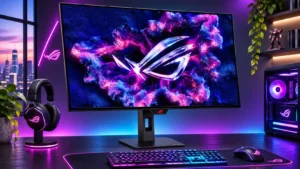
The joystick menus and shortcuts are generally approachable, although advanced gaming and HDR configurations take experimentation.
Pros: overall satisfaction, black levels
Cons: reflection handling, Color brightness

The control joystick and logical menus make frequent adjustments quick and intuitive instead of cumbersome.
Pros: sharpness, overall satisfaction
Cons: value for money, VRR flicker

The OSD is generally intuitive and DisplayWidget makes adjustments easier, although reaching rear ports and enabling ELMB can be cumbersome.
Pros: color gamut, contrast
Cons: value for money, Resolution
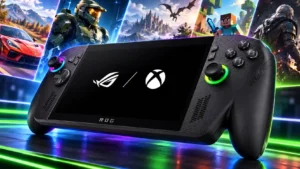
The gaming shell removes a substantial amount of Windows friction, and familiarity makes daily navigation easier. It still requires more learning, maintenance and occasional touch or mouse intervention than a...
Pros: performance, frame rate performance
Cons: ease of use, user interface

Quick settings and controller shortcuts help, but ordinary Windows tasks can still mean tiny touch targets and awkward trips to the desktop. Experiences range from near-console convenience to substantial frustration.
Pros: display quality, controller ergonomics
Cons: value for money, ease of use