Best for Software and driver support
ASUS ProArt Display PA27JCV
5.0 attribute score
Highest scored product for this attribute based on supporting review evidence.

Highest scored product for this attribute based on supporting review evidence.
Balances the attribute score, supporting reviews, and overall product strength.
Has the broadest review evidence for this attribute.
Strongest overall product among items with scored evidence for this attribute.

Desktop control software adds convenience for profiles and settings, but Mac-side integration can require third-party tools.
Pros: color accuracy, overall picture quality
Cons: HDR performance, refresh rate

DisplayWidget offers a convenient desktop interface for settings and shortcuts, making frequent picture adjustments easier than joystick-only navigation.
Pros: color gamut, overall satisfaction
Cons: reflection handling, VRR flicker

The DisplayWidget utility provides functional software control, although its value depends on the connected PC and setup.
Pros: value for money, Resolution
Cons: HDR performance, port selection

DisplayWidget Center offers useful desktop control and firmware updates, making the monitor simpler to manage from a computer. Firmware-related concerns remain around anti-flicker behavior.
Pros: overall satisfaction, black levels
Cons: value for money, stand adjustability

ASUS Display Center provides mouse-based access to a wider range of display settings, though its experimental voice features were unreliable in one test.
Pros: color gamut, contrast
Cons: value for money, Resolution

Updates improve profiles, vibration, library tools and sometimes image quality over time. Separate Windows, store and ASUS maintenance remains cumbersome, and promised AI features do not consistently deliver useful handheld...
Pros: performance, frame rate performance
Cons: ease of use, user interface
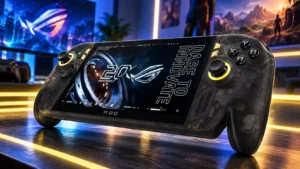
Support attracts opposing judgments, with praise for ASUS’s relative effort alongside complaints about slow releases. Delayed fixes for visible game-rendering faults are a particular frustration.
Pros: display quality, controller ergonomics
Cons: value for money, ease of use

Professional video cadence selection is not entirely seamless on Mac computers because some fractional rates are not exposed through the monitor's EDID. Specialized workflows may need an external interface or...
Pros: USB-C power delivery, port selection
Cons: HDR performance, refresh rate