Best for ease of use
LG 27GX790B-B
4.5 attribute score
Highest scored product for this attribute based on supporting review evidence.

Highest scored product for this attribute based on supporting review evidence.
Balances the attribute score, supporting reviews, and overall product strength.
Has the broadest review evidence for this attribute.
Strongest overall product among items with scored evidence for this attribute.

Simple controls, automated input changes, and desktop adjustment software make the monitor straightforward to use day to day.
Pros: adaptive sync performance, response time
Cons: HDR performance, console gaming compatibility

Controls and setup are broadly intuitive, with convenient adjustment once the menu layout is familiar.
Pros: competitive gaming suitability, refresh rate
Cons: Dual-mode versatility, GPU demands
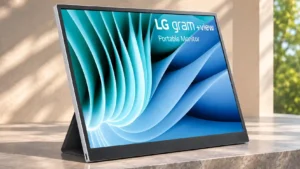
Straightforward USB-C operation and simple brightness control make everyday use easy, with some complaints about software complexity.
Pros: portability and weight, overall satisfaction
Cons: port selection, Device compatibility

The monitor provides plenty of options for customizing the image and gaming experience without requiring complicated setup for basic adjustments.
Pros: refresh rate, value for money
Cons: HDR performance, contrast

The quick-access menus, shortcut buttons and preset modes make switching tasks straightforward after setup. Updating firmware can be much less pleasant.
Pros: Resolution, Dual-mode versatility
Cons: value for money, GPU demands

The menu and day-to-day controls are approachable, although extracting peak performance and handling OLED care may be demanding.
Pros: refresh rate, competitive gaming suitability
Cons: value for money, brightness

Most menus are familiar, but console users may need a less-than-obvious HDMI input-mode adjustment to unlock 120Hz.
Pros: reflection handling, HDR performance
Cons: screen uniformity, Screen coating clarity