Best for Device compatibility
ASUS ROG Swift OLED PG27AQWP-W
5.0 attribute score
Highest scored product for this attribute based on supporting review evidence.

Highest scored product for this attribute based on supporting review evidence.
Balances the attribute score, supporting reviews, and overall product strength.
Has the broadest review evidence for this attribute.
Strongest overall product among items with scored evidence for this attribute.

USB-C video input offers a convenient connection for supported laptops and mobile devices, though it is not a full laptop dock.
Pros: value for money, Resolution
Cons: HDR performance, port selection

Device compatibility works especially well in supported gaming or desktop scenarios, helping the monitor feel polished and capable.
Pros: black levels, motion clarity
Cons: value for money, Dual-mode versatility

Reviewers report useful operation with Macs and Windows PCs through Thunderbolt, HDMI and DisplayPort. Older machines may not support the full 6K signal.
Pros: value for money, Resolution
Cons: HDR performance, refresh rate
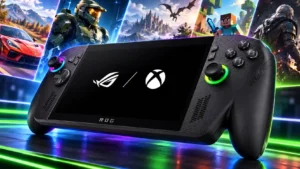
Dual USB-C ports make an external-glasses display especially convenient while charging. Full Windows connectivity also supports niche tasks such as loading music onto a compatible digital audio player.
Pros: performance, frame rate performance
Cons: ease of use, user interface
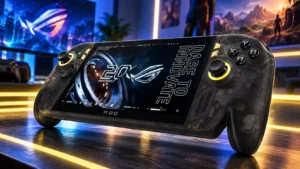
Ports and external-device flexibility are generally appreciated, with several successful TV, monitor and peripheral setups. One account reports serious monitor and controller handoff issues, so the experience is not uniformly...
Pros: display quality, controller ergonomics
Cons: value for money, ease of use

Windows and Mac computers can both use the monitor, including USB-C video and charging where supported. Specialized film rates and certain platform behaviors depend on the connected system.
Pros: USB-C power delivery, port selection
Cons: HDR performance, refresh rate

PC connections are broad, and supported PlayStation and Xbox signal formats work through the available inputs. Consoles still need aspect-ratio adjustment.
Pros: color gamut, contrast
Cons: value for money, Resolution

PCs and laptops connect through versatile modern inputs, though a Mac mini owner reports occasional crashes. Apple scaling and refresh behavior may need extra attention.
Pros: overall satisfaction, black levels
Cons: value for money, stand adjustability