Best for port selection
MSI MPG 322UR QD-OLED X24
5.0 attribute score
Highest scored product for this attribute based on supporting review evidence.

Highest scored product for this attribute based on supporting review evidence.
Balances the attribute score, supporting reviews, and overall product strength.
Has the broadest review evidence for this attribute.
Strongest overall product among items with scored evidence for this attribute.

Overall: 4.4/5
The port selection is comprehensive and premium, with DisplayPort 2.1a, two HDMI 2.1 inputs, USB-C power delivery, USB-A ports, KVM support, and a headphone jack.
Pros: brightness, reflection handling
Cons: cable management

Overall: 4.2/5
Two HDMI 2.1 inputs, high-bandwidth DisplayPort, USB-C, USB-A and USB-B give the 272URX a notably flexible input selection. It is particularly useful on desks with more than one computer.
Pros: HDR performance, DisplayPort connectivity
Cons: value for money, brightness
Overall: 4.1/5
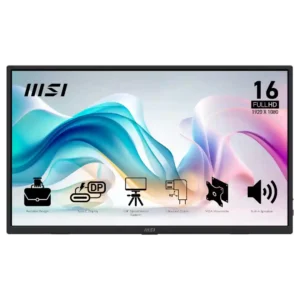
Port selection is a major strength, especially full-size HDMI plus USB-C. Several owners specifically value avoiding mini-HDMI adapters.
Pros: value for money, portability and weight
Cons: built-in speakers, color gamut

Overall: 4.0/5
DP 2.1, dual HDMI 2.1, USB-C and USB hub ports provide flexibility. A few reviewers wish for better audio output options.
Pros: overall satisfaction, DisplayPort connectivity
Cons: value for money, reliability over time

Overall: 4.4/5
HDMI 2.1, DisplayPort 2.1, USB-C, and USB hub options make the monitor versatile across PCs and laptops.
Pros: refresh rate, Text fringing
Cons: Resolution, GPU demands

Overall: 4.0/5
Two HDMI 2.1 inputs, DisplayPort, USB-C and USB ports create solid flexibility; USB 2.0 speed is a clear blemish.
Pros: Dual-mode versatility, refresh rate
Cons: black levels, contrast

Overall: 3.9/5
Two HDMI 2.1 inputs and DisplayPort cover video needs, but no USB-C data, USB-A ports or KVM makes the connections sparse for a versatile workstation.
Pros: HDR performance, black levels
Cons: viewing angles, response time