Best for on-screen display usability
MSI MPG 341CQR QD-OLED X36
5.0 attribute score
Highest scored product for this attribute based on supporting review evidence.

Highest scored product for this attribute based on supporting review evidence.
Balances the attribute score, supporting reviews, and overall product strength.
Has the broadest review evidence for this attribute.
Strongest overall product among items with scored evidence for this attribute.

Overall: 4.4/5
The joystick-driven menu is generally straightforward and feature-rich, with useful profile and brightness adjustments.
Pros: refresh rate, Text fringing
Cons: Resolution, GPU demands

Overall: 4.4/5
The central joystick makes the on-screen menu quick and intuitive to navigate. MSI’s menus are praised for useful controls and easy access to the most important settings.
Pros: brightness, reflection handling
Cons: cable management
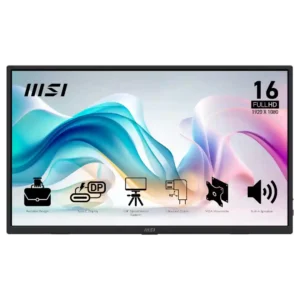
Overall: 4.1/5
The OSD ranges from comprehensive and useful to slightly awkward or limited depending on the reviewer. Most appreciate having real controls at this price.
Pros: value for money, portability and weight
Cons: built-in speakers, color gamut

Overall: 4.0/5
The responsive joystick and clear OSD win praise, although split menus and one owner’s unresponsive buttons draw criticism.
Pros: overall satisfaction, DisplayPort connectivity
Cons: value for money, reliability over time

Overall: 4.2/5
The joystick and organized menus are often considered straightforward, and software control adds convenience. Some find the Gaming and Professional menus awkward, while maintenance notifications can be intrusive.
Pros: HDR performance, DisplayPort connectivity
Cons: value for money, brightness

Overall: 4.0/5
The feature-rich menu is useful, but the physical joystick receives mixed feedback on tactile quality.
Pros: Dual-mode versatility, refresh rate
Cons: black levels, contrast

Overall: 3.9/5
Menu categories are understandable, but the interface responds slowly and shortcut customization is limited, making repeated image adjustments frustrating.
Pros: HDR performance, black levels
Cons: viewing angles, response time